
Rasmus04 - Minecraft Skins & Skin History
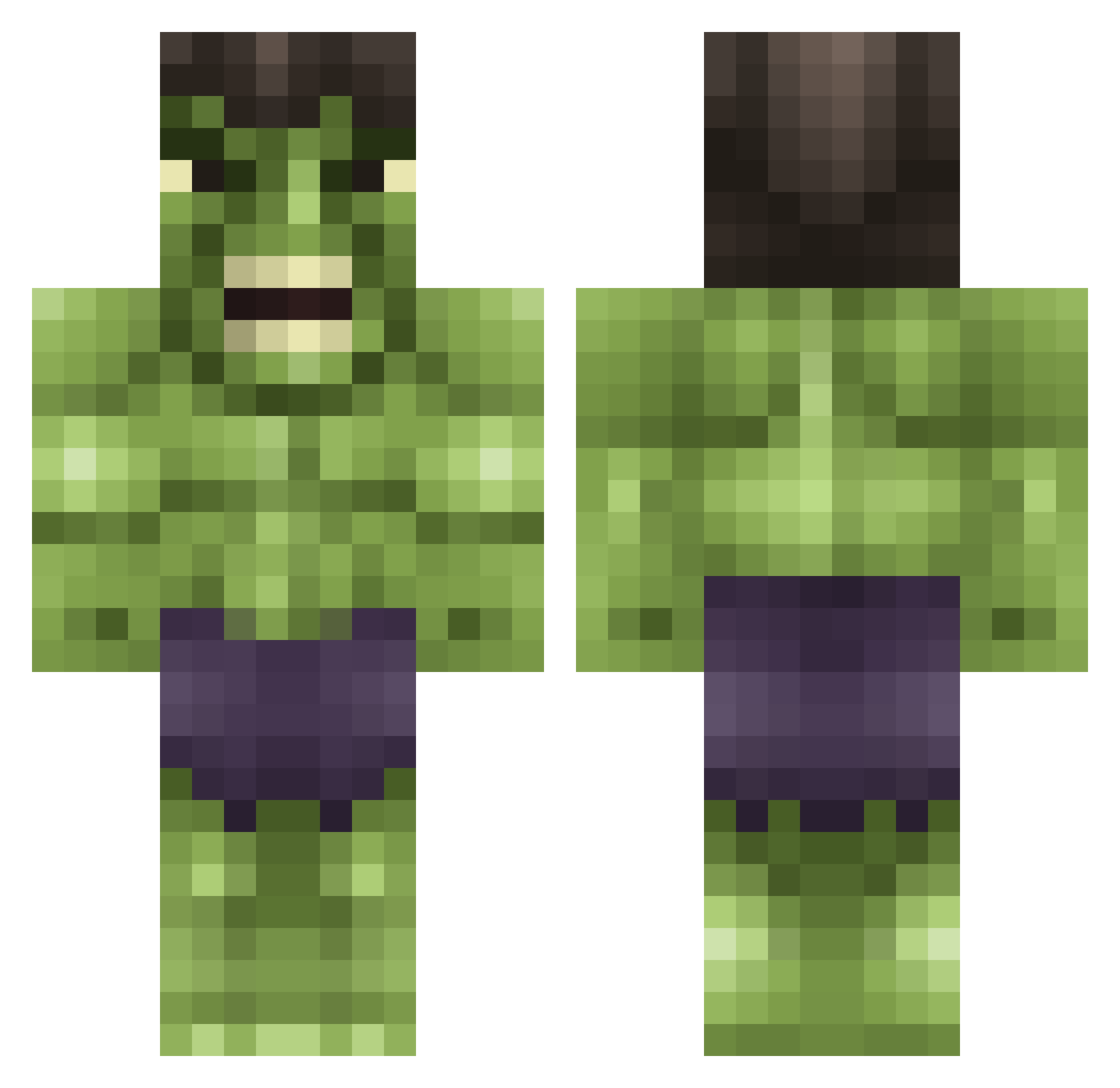
Current Minecraft skin of the player Rasmus04, loaded from the official Mojang API. Rotate the 3D model with your mouse or finger, then download the skin as a PNG file and use it in Minecraft: Bedrock Edition or Java Edition for free. When Rasmus04 changes their skin, this page updates automatically and the old skin stays in the history below.
Other players with this skin (615)
Rasmus04 was the 192nd player we have seen with this skin, first spotted on 27.08.2026. The same skin was seen on these players. Open a nickname to see their current skin and skin history.
 R0708V Mr_spartansparks blueguy131 swase117 dfernandez99 asdietl123 PeaceWind Neaph Hulk0504 BIGBADBORAS Minecstinkt MALEWHALE ClapAssChcs foxcasper m1ltongoswell Dutch4Ever freekie135 BigSpringroll Morte_Consumptis bluebell_52 soccer1280 Phoenix199nz Fakec youchooseit mrkentucky19 Zombie02211 AndreasBJessen B3ani3B0y JustAdam2004 themightybushy Hiimcody jaction28 Loco69 Belac54 darrius22 MR_LoCco klimnation lemon_pledge1 goliemonster11 justanormalkid10 Yeboi21 jenpar21 zMerk17 BlankUserName TEAHWAN2 Phalynxx Daddy101 iix_Caandyy KingLinkin Yangster1211 Wooodzie Gurra_Golf OMGITSJIANG Luukvben griffinmay25 CrazyGeorge117 Koala_Freak HulkminerWH Lerfty TrubbishAH
More Hulk Minecraft skins
How to install the Rasmus04 skin
- Press the Download button above to save the skin as a PNG file.
- Minecraft: Bedrock Edition (PE): open the Dressing Room from the main menu (or tap your character → Edit Character), go to Classic Skins → Owned, press the + (new skin) button, choose the downloaded PNG and pick the Classic (Steve) model. Works on PC and mobile; consoles cannot import custom skins.
- Minecraft: Java Edition: open the Minecraft Launcher, go to the Skins tab, click New Skin, load the PNG, pick the Classic (Steve) model and press Save & Use. You can also upload it at minecraft.net → Profile → Change Skin.
The skin does not show up after import - what should I do?
Restart Minecraft and open the Dressing Room again - imported skins sometimes appear only after a restart. Also make sure you selected the imported skin and picked the Classic (Steve) model.
Which model should I choose, Classic or Slim?
This skin is designed for the Classic (Steve) model. If you pick the wrong model, the arms of the skin will look stretched or squeezed.
Is the skin of Rasmus04 free to download?
Yes. Press Download, save the PNG file and use it in Minecraft: Bedrock Edition or Java Edition - no payment or registration needed. The skin also works on multiplayer servers and Realms.
More skins
Looking for more? Go back to all Minecraft skins and check the top skins of the week, month and all time, or find any player's skin by nickname.