
Raqe7 - Minecraft Skins & Skin History
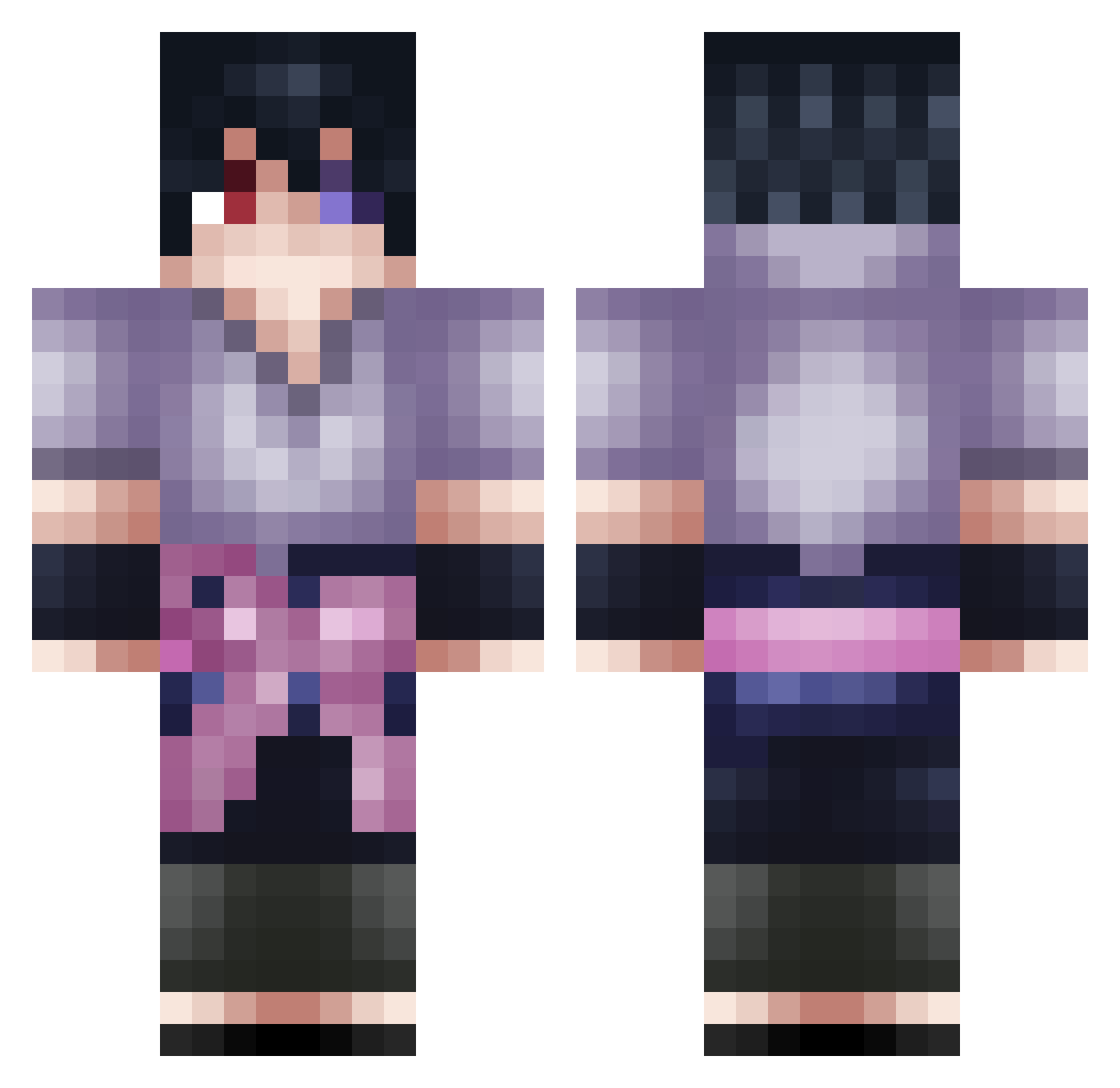
Current Minecraft skin of the player Raqe7, loaded from the official Mojang API. Rotate the 3D model with your mouse or finger, then download the skin as a PNG file and use it in Minecraft: Bedrock Edition or Java Edition for free. When Raqe7 changes their skin, this page updates automatically and the old skin stays in the history below.
Other players with this skin (125)
Raqe7 was the 122nd player we have seen with this skin, first spotted on 18.11.2026. The same skin was seen on these players. Open a nickname to see their current skin and skin history.
 KoriboSan jperezcarletti RetroSavagery xiezll ZePhyyrrr namnam1213 Alllcor WestSavage Shvetsov nasser1nm SixTails Slewage R0venn junko1115 Dessiggner Sv2ao5QfiQRjYSv2 WiKi2391 BigBootyLatina3 reNm1 TheToorah Staninnit RHOKASU BestNezayork quangewudi ATTOM1C sudanRunner Yekiyyy Stormamadou Bright_Blue_ RAAD707 Raiderab RaZoR_InStiNkS Kamii_Fox _TaneReverse_ skingw NiceHappy cornettotvonyt qwerty0115 thisisfreedom R0B1N_ yuli_0811 WildRiceNinja Canal_LeoNoff iiLUCIFERx Tatoramed SillyVisionary Arwonq cavalaremitobrkk purepurpp b_nson Luchiinho aloocard1 Bontrike miscao Lubber Nucleic PlasmaFluxPwrOrb mikeinca Jinxy420 MatheooshK
More Sasuke Uchiha Minecraft skins
See all 843 Sasuke Uchiha skins
How to install the Raqe7 skin
- Press the Download button above to save the skin as a PNG file.
- Minecraft: Bedrock Edition (PE): open the Dressing Room from the main menu (or tap your character → Edit Character), go to Classic Skins → Owned, press the + (new skin) button, choose the downloaded PNG and pick the Classic (Steve) model. Works on PC and mobile; consoles cannot import custom skins.
- Minecraft: Java Edition: open the Minecraft Launcher, go to the Skins tab, click New Skin, load the PNG, pick the Classic (Steve) model and press Save & Use. You can also upload it at minecraft.net → Profile → Change Skin.
The skin does not show up after import - what should I do?
Restart Minecraft and open the Dressing Room again - imported skins sometimes appear only after a restart. Also make sure you selected the imported skin and picked the Classic (Steve) model.
Which model should I choose, Classic or Slim?
This skin is designed for the Classic (Steve) model. If you pick the wrong model, the arms of the skin will look stretched or squeezed.
Is the skin of Raqe7 free to download?
Yes. Press Download, save the PNG file and use it in Minecraft: Bedrock Edition or Java Edition - no payment or registration needed. The skin also works on multiplayer servers and Realms.
More skins
Looking for more? Go back to all Minecraft skins and check the top skins of the week, month and all time, or find any player's skin by nickname.