
RapBo420 - Minecraft Skins & Skin History
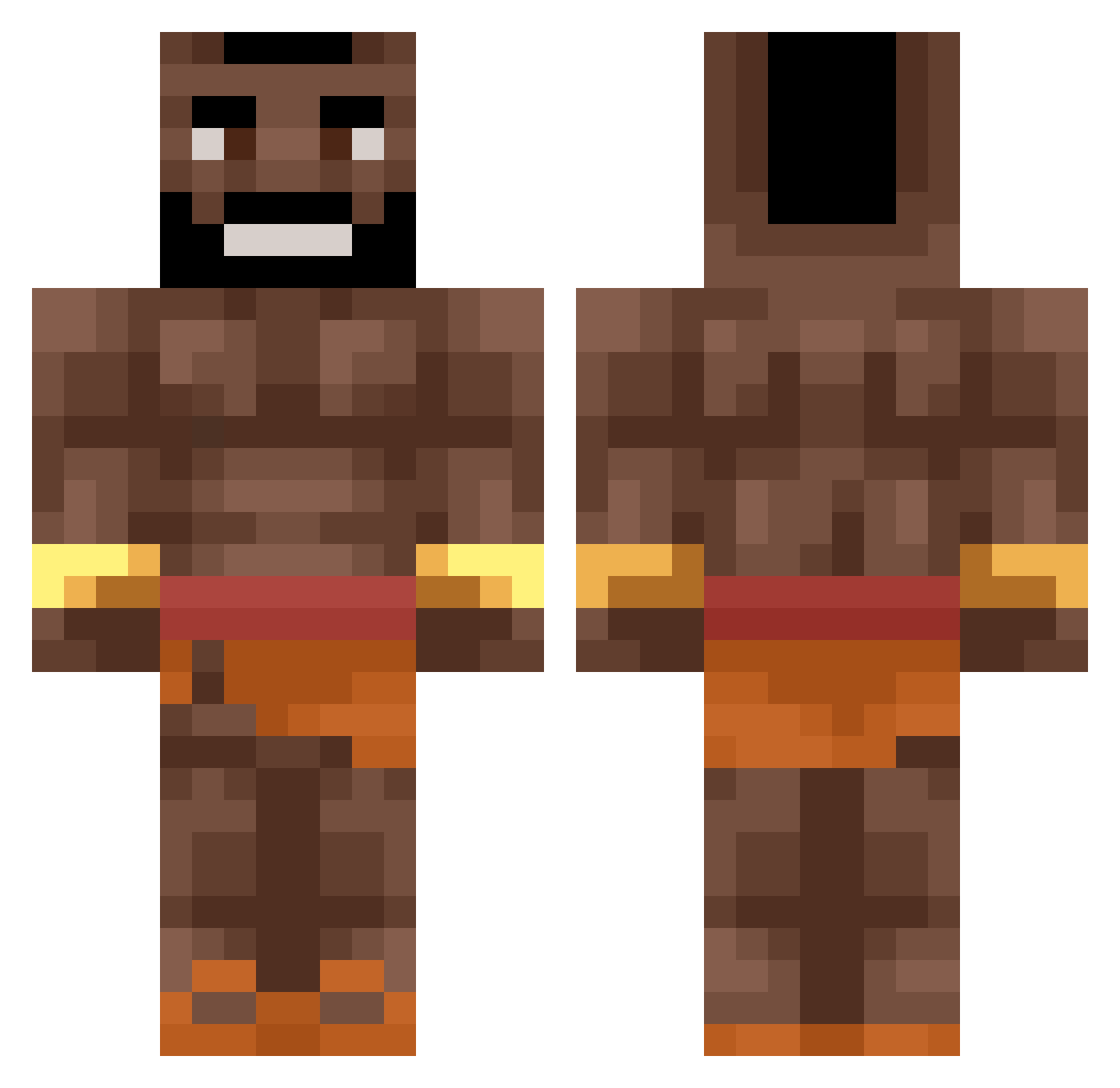
Current Minecraft skin of the player RapBo420, loaded from the official Mojang API. Rotate the 3D model with your mouse or finger, then download the skin as a PNG file and use it in Minecraft: Bedrock Edition or Java Edition for free. When RapBo420 changes their skin, this page updates automatically and the old skin stays in the history below.
Other players with this skin (464)
RapBo420 was the 39th player we have seen with this skin, first spotted on 31.07.2026. The same skin was seen on these players. Open a nickname to see their current skin and skin history.
 PabloMonkey YVETZALLLL Yametekudassaiy umut978 Zypi_ FadedFlowerStory Fnj386 Jum4l4 Jak3_0304 ragnarda vipPrada Flartoe
 Marik1208 Noveno56 Omniiks _tisnga tutus59 Hanslero HogRiduh KokeFilho ItsTufoo Blizzyylol firesoda1234 pollamasiva696 Decling SlayerDemon7013 CounterCobra XTSSUltrA PippiBio ImaginedIan teerahb Z3r0K1ra Hyperpop3105 LikeThatDoctor ElderlyDragon Konstyntyn Creediusz MoodyBluus Ikono__ Shadow_fazeq dzienciel crab_cc
 xHaHiuu1825 g0mez__ XxTumorenito42xX NoxalyF1 iTSWomby yy3y saggyballs102 ZoloFV GeilerGiho Legend_Shark20 qfvjd casitanew Azberzv umutchiekyy Klausloves69 Finduscotto OwnedByStormZ TargetGreen
More Actor Minecraft skins
How to install the RapBo420 skin
- Press the Download button above to save the skin as a PNG file.
- Minecraft: Bedrock Edition (PE): open the Dressing Room from the main menu (or tap your character → Edit Character), go to Classic Skins → Owned, press the + (new skin) button, choose the downloaded PNG and pick the Classic (Steve) model. Works on PC and mobile; consoles cannot import custom skins.
- Minecraft: Java Edition: open the Minecraft Launcher, go to the Skins tab, click New Skin, load the PNG, pick the Classic (Steve) model and press Save & Use. You can also upload it at minecraft.net → Profile → Change Skin.
The skin does not show up after import - what should I do?
Restart Minecraft and open the Dressing Room again - imported skins sometimes appear only after a restart. Also make sure you selected the imported skin and picked the Classic (Steve) model.
Which model should I choose, Classic or Slim?
This skin is designed for the Classic (Steve) model. If you pick the wrong model, the arms of the skin will look stretched or squeezed.
Is the skin of RapBo420 free to download?
Yes. Press Download, save the PNG file and use it in Minecraft: Bedrock Edition or Java Edition - no payment or registration needed. The skin also works on multiplayer servers and Realms.
More skins
Looking for more? Go back to all Minecraft skins and check the top skins of the week, month and all time, or find any player's skin by nickname.