
RaionaSensei - Minecraft Skins & Skin History
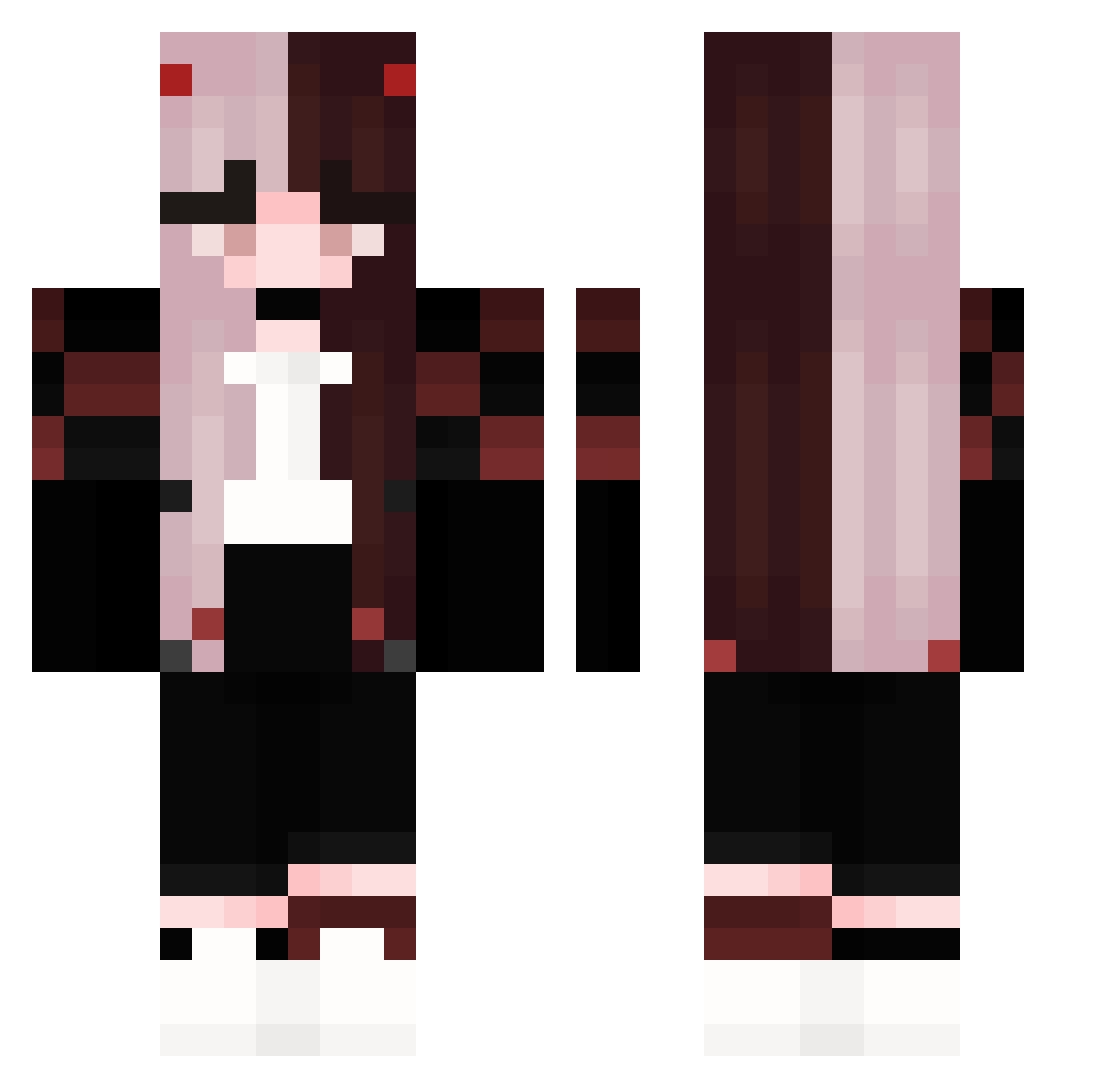
Current Minecraft skin of the player RaionaSensei, loaded from the official Mojang API. Rotate the 3D model with your mouse or finger, then download the skin as a PNG file and use it in Minecraft: Bedrock Edition or Java Edition for free. When RaionaSensei changes their skin, this page updates automatically and the old skin stays in the history below.
Other players with this skin (162)
RaionaSensei was the 117th player we have seen with this skin, first spotted on 08.10.2026. The same skin was seen on these players. Open a nickname to see their current skin and skin history.
 Mekkolas reshiram456006 Zwijgen MidnightLaura GiuCanicoba evreless_dream Cansu_0 Ruquqia NotMickZ ewhhh Schokella Crimson_Usagi Rana9 BlindNeko stupidbadbijsh naeun42 HatDwag69 F3n1Xo Azhrael_ Ambea BladeZ35 Sammpaiii Rose0611 Spodol King_Undead OdinsDaddy sjajenne HeartOnU nikkitaets pau0_0 Melody_1223 thewh1msyangel jakklex 0PERKA0 Yuinekona Lumi777 Hitsuki_tt KazimZ kanitama08 LFC123 GONG_MINECRAFTS Itz_Brooke8 Soulil zayanv SHEN_SHEN_1030 juniperpuppy MCplayer_pl Leaf_low Dinchen97 zeldris____ Kay_Kitten11 nikkoop44 MayllonSchneider Hide_on_Diamond Shoboy_XD TheProudGamer Anna_136 ayman9002 dima798 choose_done
More E-Girl Minecraft skins
How to install the RaionaSensei skin
- Press the Download button above to save the skin as a PNG file.
- Minecraft: Bedrock Edition (PE): open the Dressing Room from the main menu (or tap your character → Edit Character), go to Classic Skins → Owned, press the + (new skin) button, choose the downloaded PNG and pick the Classic (Steve) model. Works on PC and mobile; consoles cannot import custom skins.
- Minecraft: Java Edition: open the Minecraft Launcher, go to the Skins tab, click New Skin, load the PNG, pick the Classic (Steve) model and press Save & Use. You can also upload it at minecraft.net → Profile → Change Skin.
The skin does not show up after import - what should I do?
Restart Minecraft and open the Dressing Room again - imported skins sometimes appear only after a restart. Also make sure you selected the imported skin and picked the Classic (Steve) model.
Which model should I choose, Classic or Slim?
This skin is designed for the Classic (Steve) model. If you pick the wrong model, the arms of the skin will look stretched or squeezed.
Is the skin of RaionaSensei free to download?
Yes. Press Download, save the PNG file and use it in Minecraft: Bedrock Edition or Java Edition - no payment or registration needed. The skin also works on multiplayer servers and Realms.
More skins
Looking for more? Go back to all Minecraft skins and check the top skins of the week, month and all time, or find any player's skin by nickname.