
Rainwy - Minecraft Skins & Skin History
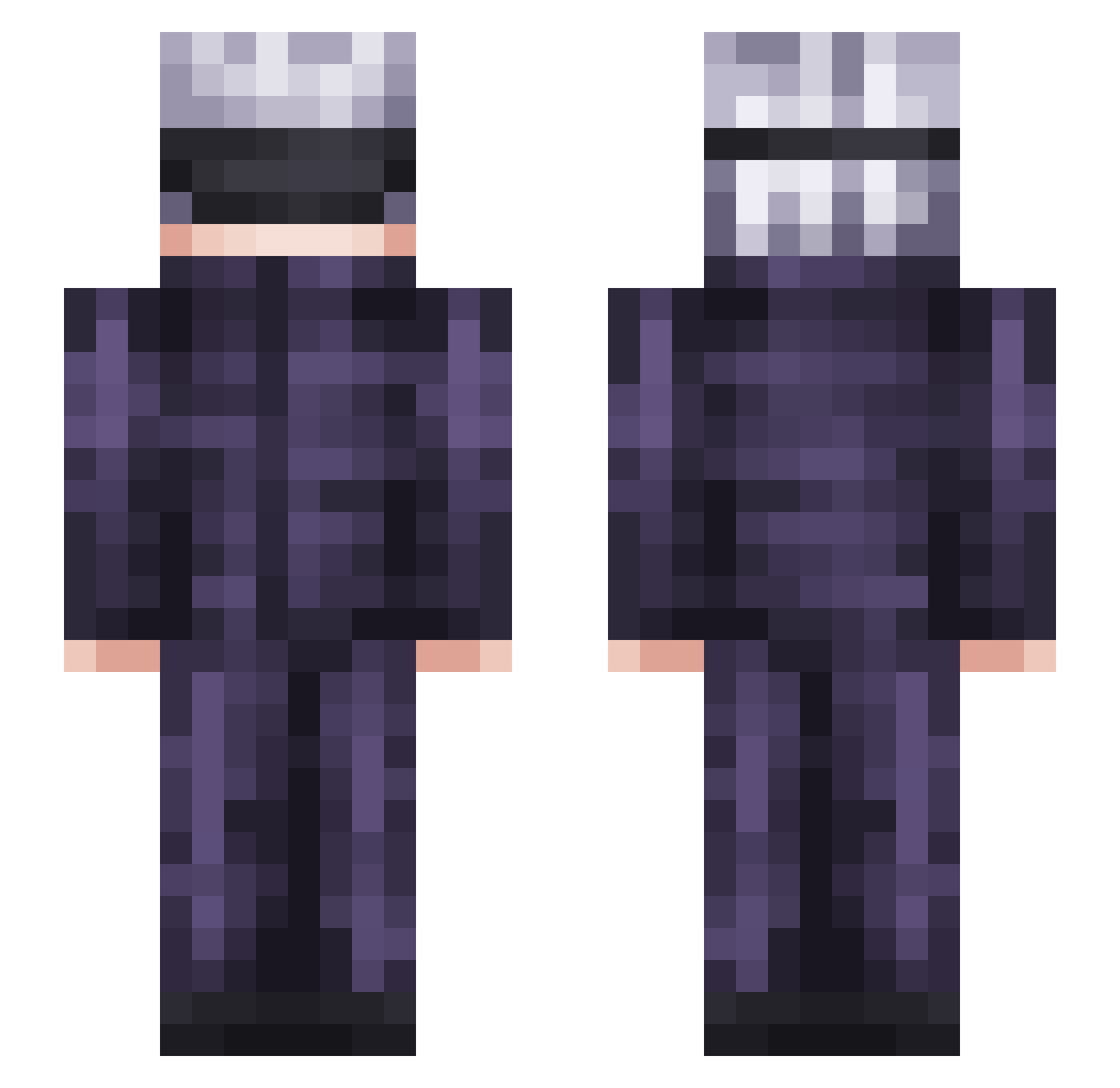
Current Minecraft skin of the player Rainwy, loaded from the official Mojang API. Rotate the 3D model with your mouse or finger, then download the skin as a PNG file and use it in Minecraft: Bedrock Edition or Java Edition for free. When Rainwy changes their skin, this page updates automatically and the old skin stays in the history below.
Other players with this skin (350)
Rainwy was the 276th player we have seen with this skin, first spotted on 21.10.2026. The same skin was seen on these players. Open a nickname to see their current skin and skin history.
 S0n0mas Savagemc12 PLUSHRIVER87824 bernieeeeeeee AANARAHH ChillPhil19 StrawHatMason Sk1ckz uhh_alii VK_Is_Back shrip69 ZEHO1102 DogeFame Xx_y_xX tebow5 Sparthia Salvimus AmelieMC StrawConch35016 _valza Britzzle YL_69 syyynnnn DRKOOM FpFlayme TianTian1999 yoshisan443 PredatorX2 santos0344 SatoruGojo14 SixClop3s ThaaRealZeldris NiKi239 MomentoMori Kalamarium Fattoooo evanlol124 LoLTriton 4pollozor vigyil LobsterOfJustice Pvp_Simulator Hasss_san Matikun thedyingdongo JAKOIP struffoli Zilphyv2 itsnox1 Lawlesssss rebellb42 Roo234 Tidgebot Proto0o Grphcz N1trate IngeOlivera happaye Tensa__ libobasian
More Satoru Gojo Minecraft skins
See all 1375 Satoru Gojo skins
How to install the Rainwy skin
- Press the Download button above to save the skin as a PNG file.
- Minecraft: Bedrock Edition (PE): open the Dressing Room from the main menu (or tap your character → Edit Character), go to Classic Skins → Owned, press the + (new skin) button, choose the downloaded PNG and pick the Slim (Alex) model. Works on PC and mobile; consoles cannot import custom skins.
- Minecraft: Java Edition: open the Minecraft Launcher, go to the Skins tab, click New Skin, load the PNG, pick the Slim (Alex) model and press Save & Use. You can also upload it at minecraft.net → Profile → Change Skin.
The skin does not show up after import - what should I do?
Restart Minecraft and open the Dressing Room again - imported skins sometimes appear only after a restart. Also make sure you selected the imported skin and picked the Slim (Alex) model.
Which model should I choose, Classic or Slim?
This skin is designed for the Slim (Alex) model. If you pick the wrong model, the arms of the skin will look stretched or squeezed.
Is the skin of Rainwy free to download?
Yes. Press Download, save the PNG file and use it in Minecraft: Bedrock Edition or Java Edition - no payment or registration needed. The skin also works on multiplayer servers and Realms.
More skins
Looking for more? Go back to all Minecraft skins and check the top skins of the week, month and all time, or find any player's skin by nickname.