
Raindrops060128 - Minecraft Skins & Skin History
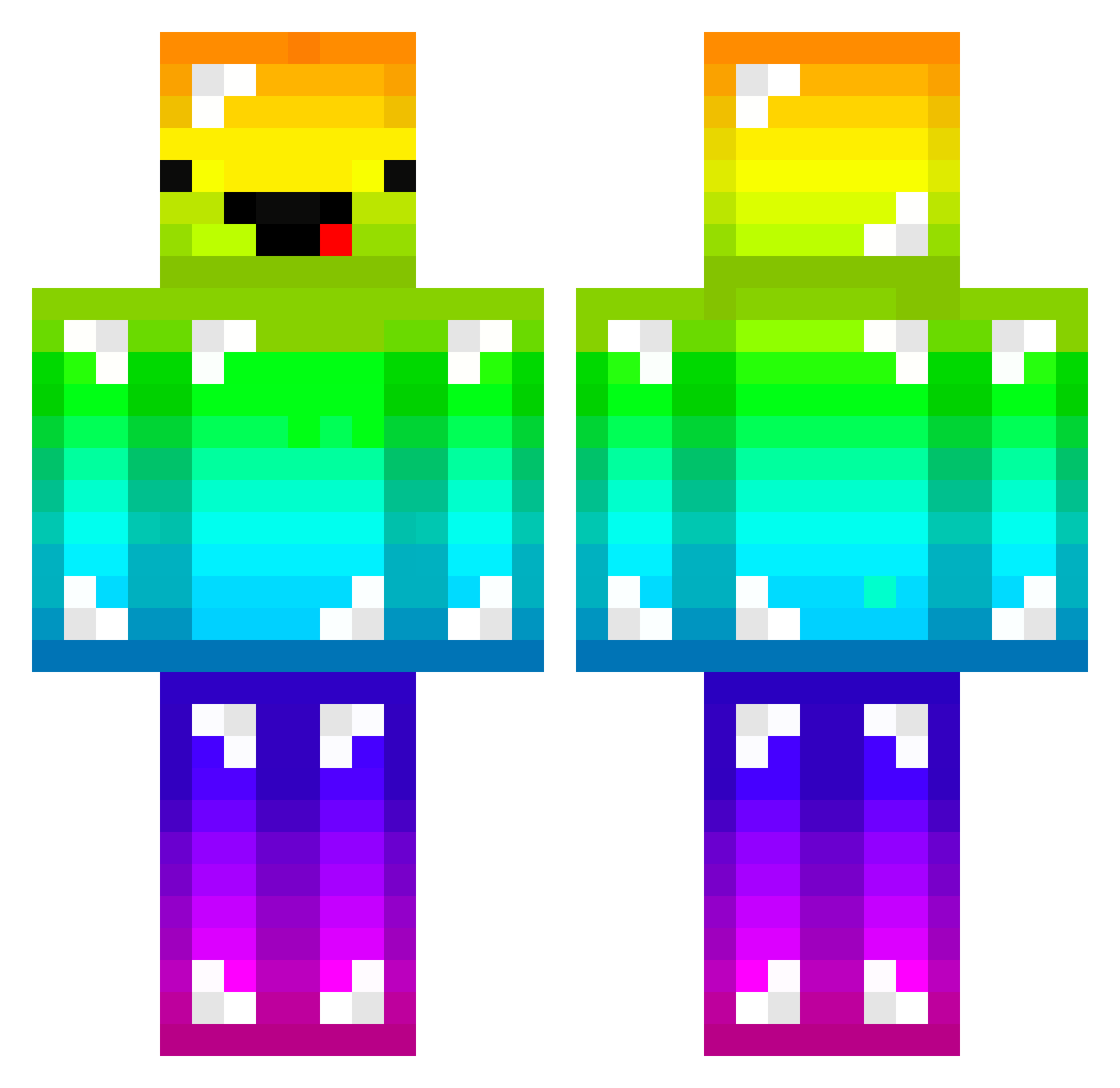
Current Minecraft skin of the player Raindrops060128, loaded from the official Mojang API. Rotate the 3D model with your mouse or finger, then download the skin as a PNG file and use it in Minecraft: Bedrock Edition or Java Edition for free. When Raindrops060128 changes their skin, this page updates automatically and the old skin stays in the history below.
Other players with this skin (203)
Raindrops060128 was the 190th player we have seen with this skin, first spotted on 12.11.2026. The same skin was seen on these players. Open a nickname to see their current skin and skin history.
 bvitor feucc Nadrium jibayang_ Greenday2400_ KampfKecks1504 Sasael Molosa gamenamk4 Seb9582 Zen1201 ZYX1221 cleardd LutzPappen Le_Petit_Orginal KanoSnack jimmy41725 SuddenFear666 kartalus proanvil mzjsj Vest1an EdvinKarl sgim Nagito3 AlbertXiao yoko_ken XH57 CARLOREHNSTEDT Yeteneksiz hu6677 TheTenthKing haozijieshuo330 H2Chan whdmstjd0416 Frierenxx Shinchang SpinAWheel tenczowy_winer LINooo_ HecticPlayer915 PinchSteak41925 MushroomZeus7 Bio_MEAL rjsdn234 KR_screw_bar Paneer6 Nullifii_ Nanchoba epjx M4n1ek96 MrFoxerbaz sspal2 kentarou0726 hoangvinh06kk yeran305 Matt_0_6 Melonaiz heeseok chao6
More Diamond Armor Minecraft skins
See all 317 Diamond Armor skins
How to install the Raindrops060128 skin
- Press the Download button above to save the skin as a PNG file.
- Minecraft: Bedrock Edition (PE): open the Dressing Room from the main menu (or tap your character → Edit Character), go to Classic Skins → Owned, press the + (new skin) button, choose the downloaded PNG and pick the Classic (Steve) model. Works on PC and mobile; consoles cannot import custom skins.
- Minecraft: Java Edition: open the Minecraft Launcher, go to the Skins tab, click New Skin, load the PNG, pick the Classic (Steve) model and press Save & Use. You can also upload it at minecraft.net → Profile → Change Skin.
The skin does not show up after import - what should I do?
Restart Minecraft and open the Dressing Room again - imported skins sometimes appear only after a restart. Also make sure you selected the imported skin and picked the Classic (Steve) model.
Which model should I choose, Classic or Slim?
This skin is designed for the Classic (Steve) model. If you pick the wrong model, the arms of the skin will look stretched or squeezed.
Is the skin of Raindrops060128 free to download?
Yes. Press Download, save the PNG file and use it in Minecraft: Bedrock Edition or Java Edition - no payment or registration needed. The skin also works on multiplayer servers and Realms.
More skins
Looking for more? Go back to all Minecraft skins and check the top skins of the week, month and all time, or find any player's skin by nickname.