
Rain__love - Minecraft Skins & Skin History
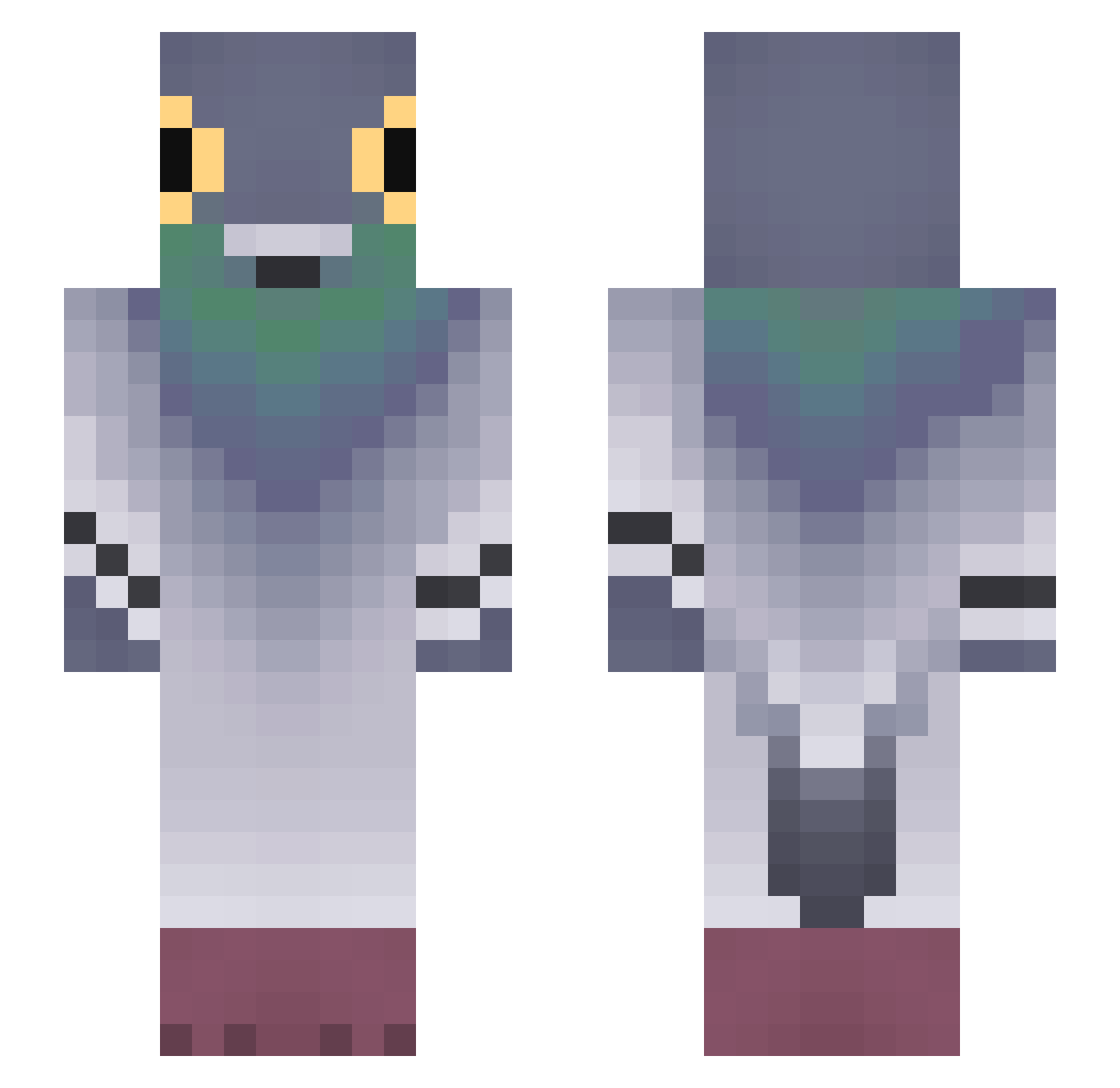
Current Minecraft skin of the player Rain__love, loaded from the official Mojang API. Rotate the 3D model with your mouse or finger, then download the skin as a PNG file and use it in Minecraft: Bedrock Edition or Java Edition for free. When Rain__love changes their skin, this page updates automatically and the old skin stays in the history below.
Other players with this skin (753)
Rain__love was the 331st player we have seen with this skin, first spotted on 08.09.2026. The same skin was seen on these players. Open a nickname to see their current skin and skin history.
 Spektr1zxc hangtodry JordiSpl Szafcia Novix01 KGFP itzz_Franiu2020 Sonichkalooo Alli550 SchmutzStaffel69 Popolino63 KasztanOo_1 Tymo02 VeryCreativeNama seunghag cinebench_ GOGOASA12 billma47 klepsztajn Jiro12321 K_Pokemon Piddow_ SUKJUNHO0215 vicensx_cc bociann123 Phanter771 zuez_27 LastingSymphony emmyxd132 _TadeuszSzczotka fatman69016 SAMUELJR30 MR_DUCKS12 Lanitial Cizas27 mynouwu LadaceK5 kierownica 9998746788 LilacSkiez KONATAwww Kuwee m1ksaa BullMan641 j0pnj SoyeonBAE magginator12 222000000 BoBa_FaKe FAMER_D_DEASICK stlaaaas mateusz233 seete TheLiterary53 kwrc007 Lindawg_ PresumedSteam89 WaterLife326 Eljest Susplex
More Pigeon Minecraft skins
How to install the Rain__love skin
- Press the Download button above to save the skin as a PNG file.
- Minecraft: Bedrock Edition (PE): open the Dressing Room from the main menu (or tap your character → Edit Character), go to Classic Skins → Owned, press the + (new skin) button, choose the downloaded PNG and pick the Slim (Alex) model. Works on PC and mobile; consoles cannot import custom skins.
- Minecraft: Java Edition: open the Minecraft Launcher, go to the Skins tab, click New Skin, load the PNG, pick the Slim (Alex) model and press Save & Use. You can also upload it at minecraft.net → Profile → Change Skin.
The skin does not show up after import - what should I do?
Restart Minecraft and open the Dressing Room again - imported skins sometimes appear only after a restart. Also make sure you selected the imported skin and picked the Slim (Alex) model.
Which model should I choose, Classic or Slim?
This skin is designed for the Slim (Alex) model. If you pick the wrong model, the arms of the skin will look stretched or squeezed.
Is the skin of Rain__love free to download?
Yes. Press Download, save the PNG file and use it in Minecraft: Bedrock Edition or Java Edition - no payment or registration needed. The skin also works on multiplayer servers and Realms.
More skins
Looking for more? Go back to all Minecraft skins and check the top skins of the week, month and all time, or find any player's skin by nickname.