
RafaGamerjo - Minecraft Skins & Skin History
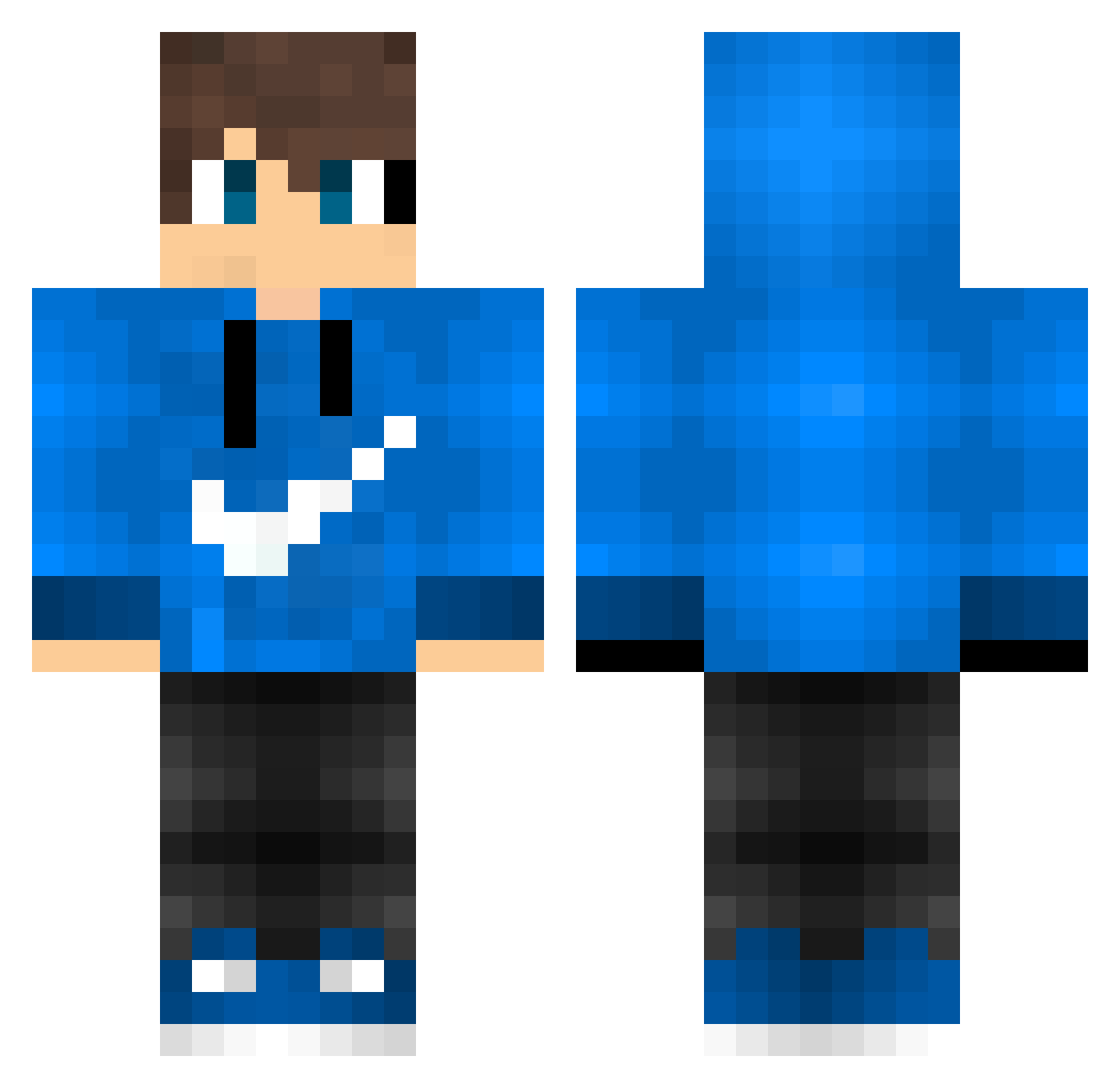
Current Minecraft skin of the player RafaGamerjo, loaded from the official Mojang API. Rotate the 3D model with your mouse or finger, then download the skin as a PNG file and use it in Minecraft: Bedrock Edition or Java Edition for free. When RafaGamerjo changes their skin, this page updates automatically and the old skin stays in the history below.
Other players with this skin (595)
RafaGamerjo was the 275th player we have seen with this skin, first spotted on 24.09.2026. The same skin was seen on these players. Open a nickname to see their current skin and skin history.
 qt_widl Victor_BR You_better_run NutmEgear Ladalada1 StormIwnl ThiagoGolden Z3B4LA kaji0222 mrjohn94 Saweq1337 Urluu vvitor _Iseda_ KoujiYS Cjbro6000 Jordan_Darrow Unholy_King_X Fayel darkcraft123 smozsom teshi17 danny0910 FireDragon030 Neo16 XinzuoKK Lil_Pabs999 erya14 guga93 Majura12 xreeper121x lolMarko1 HannCok Leigh35 leo_gameplays Altofunk Twistedd412 ybabg xhxdxrx BIueberry93 Slurgs Hey_Posti Cosermito blazethefox2004 choker7 TheEpic22 Delosantos xboxnico16 captaaiin NetoAM Radecek666 hyperpixel34 Dany_Musica yusuf3044 Jargoben Falcon2428 Sunny_Noob denisuuukt n0mail2 Koernis
How to install the RafaGamerjo skin
- Press the Download button above to save the skin as a PNG file.
- Minecraft: Bedrock Edition (PE): open the Dressing Room from the main menu (or tap your character → Edit Character), go to Classic Skins → Owned, press the + (new skin) button, choose the downloaded PNG and pick the Classic (Steve) model. Works on PC and mobile; consoles cannot import custom skins.
- Minecraft: Java Edition: open the Minecraft Launcher, go to the Skins tab, click New Skin, load the PNG, pick the Classic (Steve) model and press Save & Use. You can also upload it at minecraft.net → Profile → Change Skin.
The skin does not show up after import - what should I do?
Restart Minecraft and open the Dressing Room again - imported skins sometimes appear only after a restart. Also make sure you selected the imported skin and picked the Classic (Steve) model.
Which model should I choose, Classic or Slim?
This skin is designed for the Classic (Steve) model. If you pick the wrong model, the arms of the skin will look stretched or squeezed.
Is the skin of RafaGamerjo free to download?
Yes. Press Download, save the PNG file and use it in Minecraft: Bedrock Edition or Java Edition - no payment or registration needed. The skin also works on multiplayer servers and Realms.
More skins
Looking for more? Go back to all Minecraft skins and check the top skins of the week, month and all time, or find any player's skin by nickname.