
Radiation_ - Minecraft Skins & Skin History
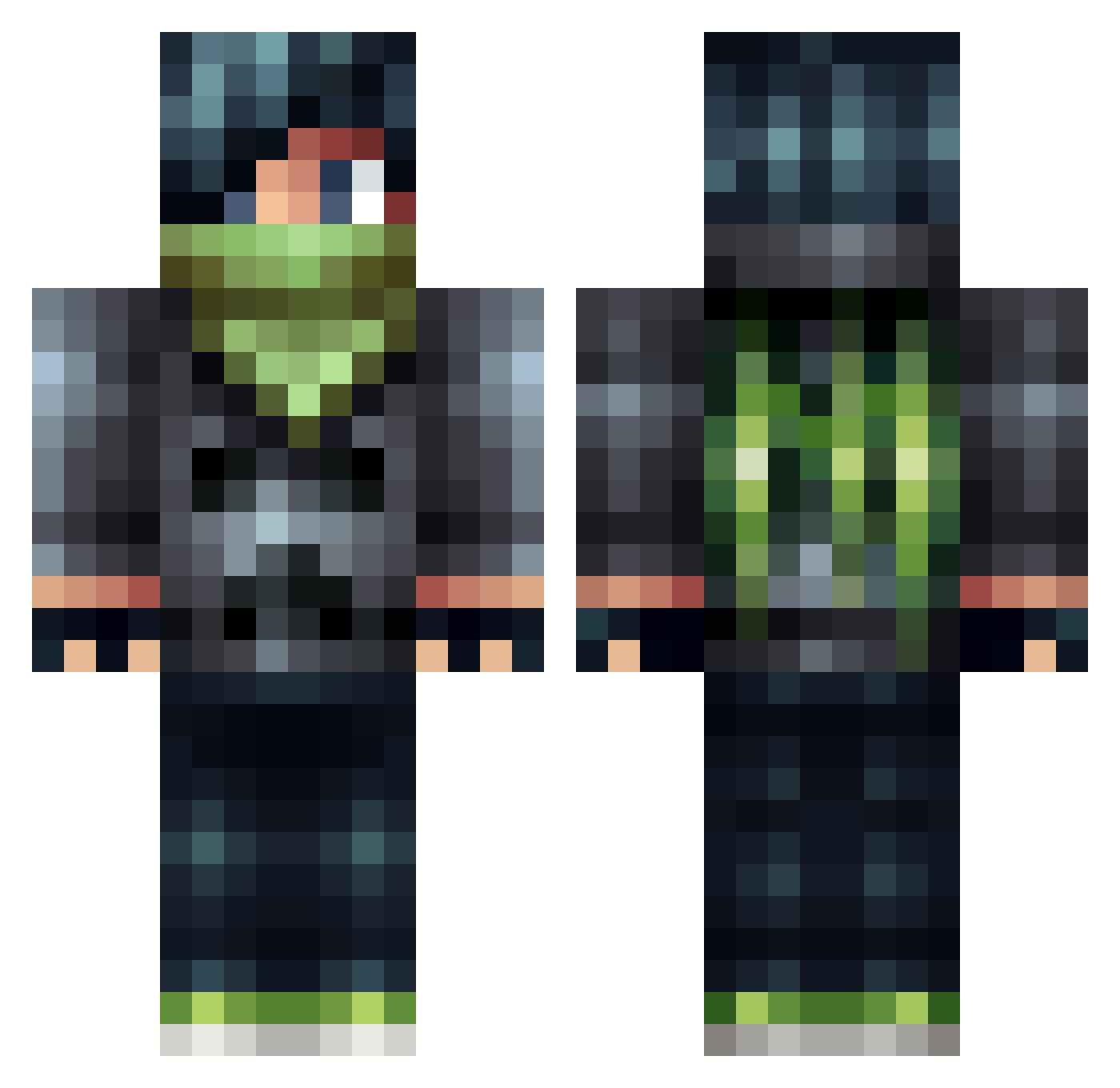
Current Minecraft skin of the player Radiation_, loaded from the official Mojang API. Rotate the 3D model with your mouse or finger, then download the skin as a PNG file and use it in Minecraft: Bedrock Edition or Java Edition for free. When Radiation_ changes their skin, this page updates automatically and the old skin stays in the history below.
Other players with this skin (505)
Radiation_ was the 481st player we have seen with this skin, first spotted on 27.10.2026. The same skin was seen on these players. Open a nickname to see their current skin and skin history.
 darthumphrey DiamondBack8 ZegativeNer0 BaconBro25 LoyalKing35 oisunburst FishLamp trboundy28 DDragonite Vertssss ASAPMX Rextreme22 codyj09 ibrahim_k97 OsoDropOut jackon2002 CurtainL whatimp2 Mr_Eruthien PowerCityGaming nealewiel Jambom03 Anpafi macncheese08 GarudaSupreme Markelele kkdog194 the_supermage Machocho backs1de xapse Dashicle toxiklank crafter_yang HyprYT CubedSquare2 manfredplayz chunky101 flash237 minesven12 yougotlicked Zackman3131 Toplasher d3booly NeonNinja108 dpkramer88 WiredSound Sidkyll Plasmo_Krs Acknot evoltheft BallPython JHCroon LeftoverDaZe02 Gr82live TheCoolFred ncvisser RazaHD jacipoo RustyDogers
More Bandit Minecraft skins
How to install the Radiation_ skin
- Press the Download button above to save the skin as a PNG file.
- Minecraft: Bedrock Edition (PE): open the Dressing Room from the main menu (or tap your character → Edit Character), go to Classic Skins → Owned, press the + (new skin) button, choose the downloaded PNG and pick the Classic (Steve) model. Works on PC and mobile; consoles cannot import custom skins.
- Minecraft: Java Edition: open the Minecraft Launcher, go to the Skins tab, click New Skin, load the PNG, pick the Classic (Steve) model and press Save & Use. You can also upload it at minecraft.net → Profile → Change Skin.
The skin does not show up after import - what should I do?
Restart Minecraft and open the Dressing Room again - imported skins sometimes appear only after a restart. Also make sure you selected the imported skin and picked the Classic (Steve) model.
Which model should I choose, Classic or Slim?
This skin is designed for the Classic (Steve) model. If you pick the wrong model, the arms of the skin will look stretched or squeezed.
Is the skin of Radiation_ free to download?
Yes. Press Download, save the PNG file and use it in Minecraft: Bedrock Edition or Java Edition - no payment or registration needed. The skin also works on multiplayer servers and Realms.
More skins
Looking for more? Go back to all Minecraft skins and check the top skins of the week, month and all time, or find any player's skin by nickname.