
Rabbit_king2 - Minecraft Skins & Skin History
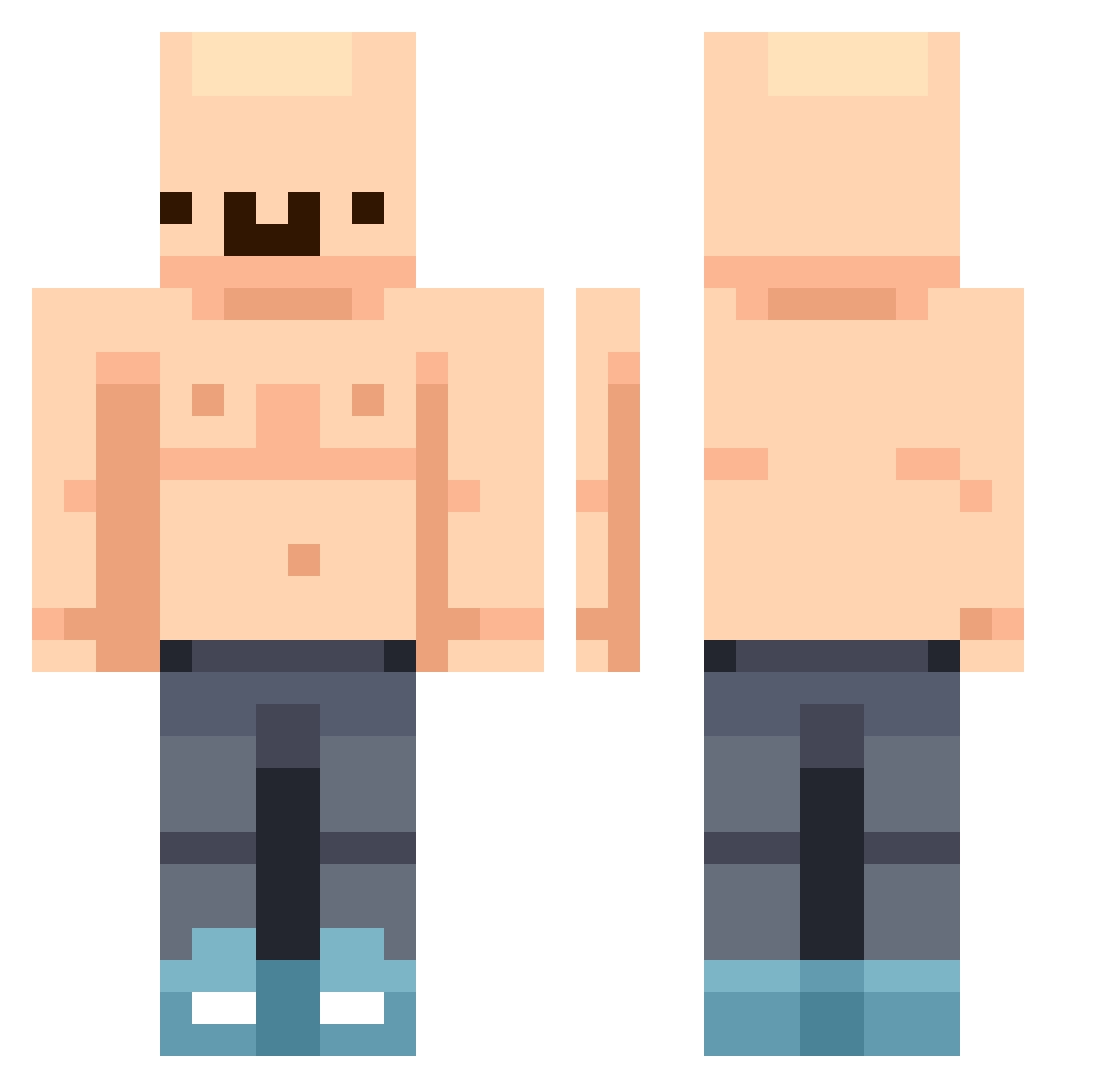
Current Minecraft skin of the player Rabbit_king2, loaded from the official Mojang API. Rotate the 3D model with your mouse or finger, then download the skin as a PNG file and use it in Minecraft: Bedrock Edition or Java Edition for free. When Rabbit_king2 changes their skin, this page updates automatically and the old skin stays in the history below.
Other players with this skin (389)
Rabbit_king2 was the 189th player we have seen with this skin, first spotted on 10.09.2026. The same skin was seen on these players. Open a nickname to see their current skin and skin history.
 MoosEnthusiast AfroSteve45 camycam123 Leohopp mudauna Shbeveeee woogz123 nitropis PapiiMangu Dundi_ Timwwwwwe A1kery GeileHendrik69 skitvicius Miggro HydratedLoaf Tuttyz_ WakeMeUp245 LotsOfSchmeckles Fille0401 dgrizzlyy MrExe33 JackMartinez6 JLinx_angie BigPapa0909 CiccioPippo Spit_Bottle ezuzeLLL NKMX Eggus420 Aiblue007 luisitp iggo_ MotorLlama43142 conejocanijo Johansen_7 GGE_19_ Olimillar160216 TaxEvasion_Asian Cjayy_69 Ashiir9S Saam_El_Maco ATETODO OTGETHAN Angel_Map Megalolipop BBAKJU SpeakEZ7 imjustnewbie jakubox96 Awyorn itzjustlightning YINCHENJIA jbag123 RevolvingFloor citizenskippy Larry_Nassar Scatatu CheaterFiggs MonsterHunter87
More Bald Minecraft skins
How to install the Rabbit_king2 skin
- Press the Download button above to save the skin as a PNG file.
- Minecraft: Bedrock Edition (PE): open the Dressing Room from the main menu (or tap your character → Edit Character), go to Classic Skins → Owned, press the + (new skin) button, choose the downloaded PNG and pick the Classic (Steve) model. Works on PC and mobile; consoles cannot import custom skins.
- Minecraft: Java Edition: open the Minecraft Launcher, go to the Skins tab, click New Skin, load the PNG, pick the Classic (Steve) model and press Save & Use. You can also upload it at minecraft.net → Profile → Change Skin.
The skin does not show up after import - what should I do?
Restart Minecraft and open the Dressing Room again - imported skins sometimes appear only after a restart. Also make sure you selected the imported skin and picked the Classic (Steve) model.
Which model should I choose, Classic or Slim?
This skin is designed for the Classic (Steve) model. If you pick the wrong model, the arms of the skin will look stretched or squeezed.
Is the skin of Rabbit_king2 free to download?
Yes. Press Download, save the PNG file and use it in Minecraft: Bedrock Edition or Java Edition - no payment or registration needed. The skin also works on multiplayer servers and Realms.
More skins
Looking for more? Go back to all Minecraft skins and check the top skins of the week, month and all time, or find any player's skin by nickname.