
RRogerr - Minecraft Skins & Skin History
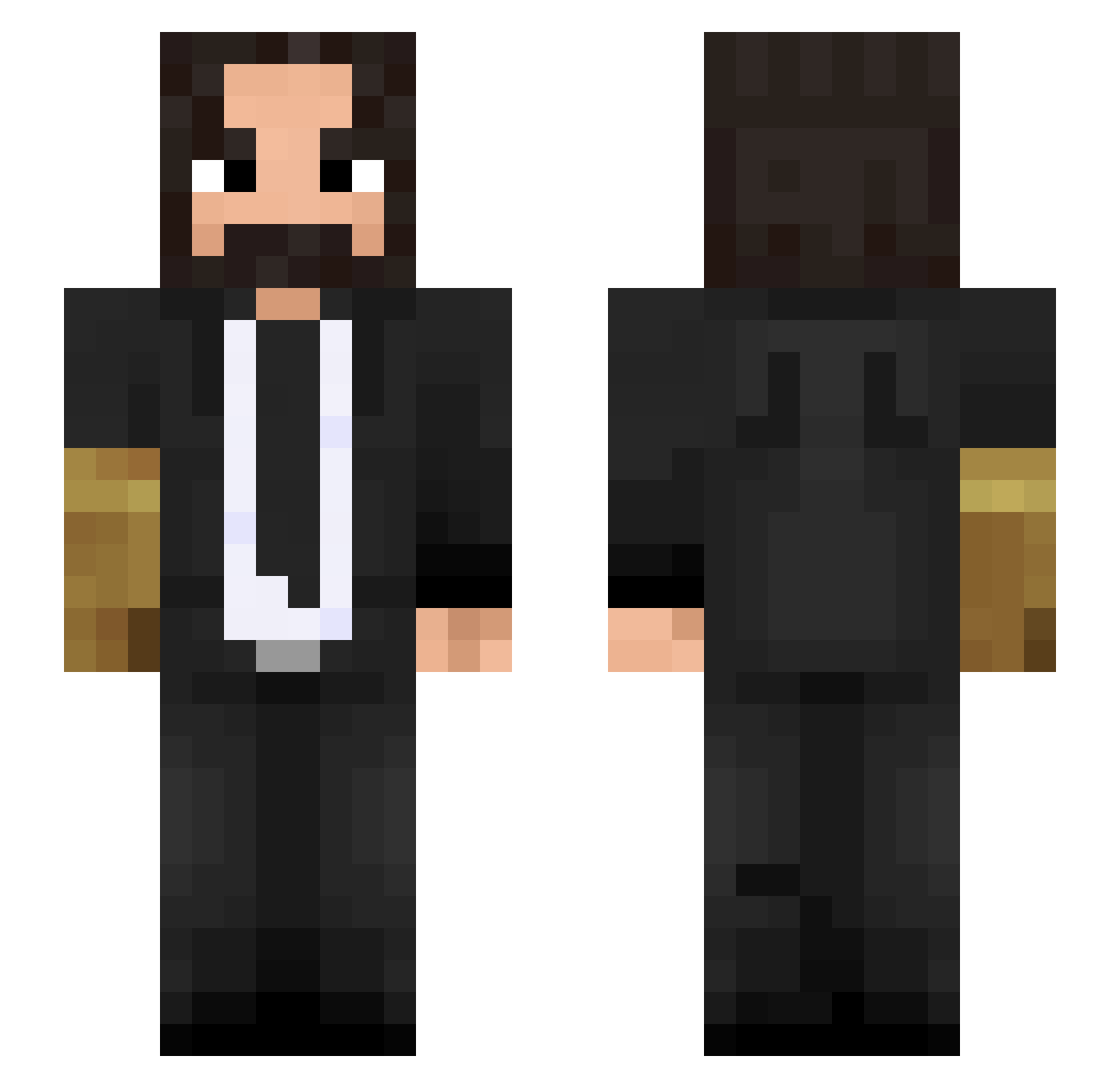
Current Minecraft skin of the player RRogerr, loaded from the official Mojang API. Rotate the 3D model with your mouse or finger, then download the skin as a PNG file and use it in Minecraft: Bedrock Edition or Java Edition for free. When RRogerr changes their skin, this page updates automatically and the old skin stays in the history below.
Other players with this skin (388)
RRogerr was the 331st player we have seen with this skin, first spotted on 14.10.2026. The same skin was seen on these players. Open a nickname to see their current skin and skin history.
 lauthingamer AddGriff zjc7115 TTVChickWingDing YAV3N mannyzwole Dadlo Howeyboiii2 _MrTOXIC_ Xxb_Xixi Chunkier_11 zMorato SpliTTerZz IsGeo fersilva123 Natalshadow SMJ0518 Mxtsiaz ANoctis Pioneerlover1 the_moel Ikatsuke Killzone8546 Thanatoz13 JamesRamz Dalfuri JackFreezing JugoFrutal turk13t0n IllComboYou the_king_ofrats kabitsu0 Leonituss Tribbi Stilerr DJJDBOSS Nosherz Tommaso2003_ LisaAdjr Aummm18 SpecialSKG __MySTerY_ BhupendraJogi Benni6124 JavierAstorga JhonAlonzo TheGodHands Antop2137 ThePenguin_Mafia Liptio atomicfire290 Fongkun ixPingu Hispanoct Spampenion1305 7jh_Verse_p50 xqisit95 FlipadorMolador Fliper751 Dav4id
More John Wick Minecraft skins
How to install the RRogerr skin
- Press the Download button above to save the skin as a PNG file.
- Minecraft: Bedrock Edition (PE): open the Dressing Room from the main menu (or tap your character → Edit Character), go to Classic Skins → Owned, press the + (new skin) button, choose the downloaded PNG and pick the Slim (Alex) model. Works on PC and mobile; consoles cannot import custom skins.
- Minecraft: Java Edition: open the Minecraft Launcher, go to the Skins tab, click New Skin, load the PNG, pick the Slim (Alex) model and press Save & Use. You can also upload it at minecraft.net → Profile → Change Skin.
The skin does not show up after import - what should I do?
Restart Minecraft and open the Dressing Room again - imported skins sometimes appear only after a restart. Also make sure you selected the imported skin and picked the Slim (Alex) model.
Which model should I choose, Classic or Slim?
This skin is designed for the Slim (Alex) model. If you pick the wrong model, the arms of the skin will look stretched or squeezed.
Is the skin of RRogerr free to download?
Yes. Press Download, save the PNG file and use it in Minecraft: Bedrock Edition or Java Edition - no payment or registration needed. The skin also works on multiplayer servers and Realms.
More skins
Looking for more? Go back to all Minecraft skins and check the top skins of the week, month and all time, or find any player's skin by nickname.