
RONYFELL - Minecraft Skins & Skin History
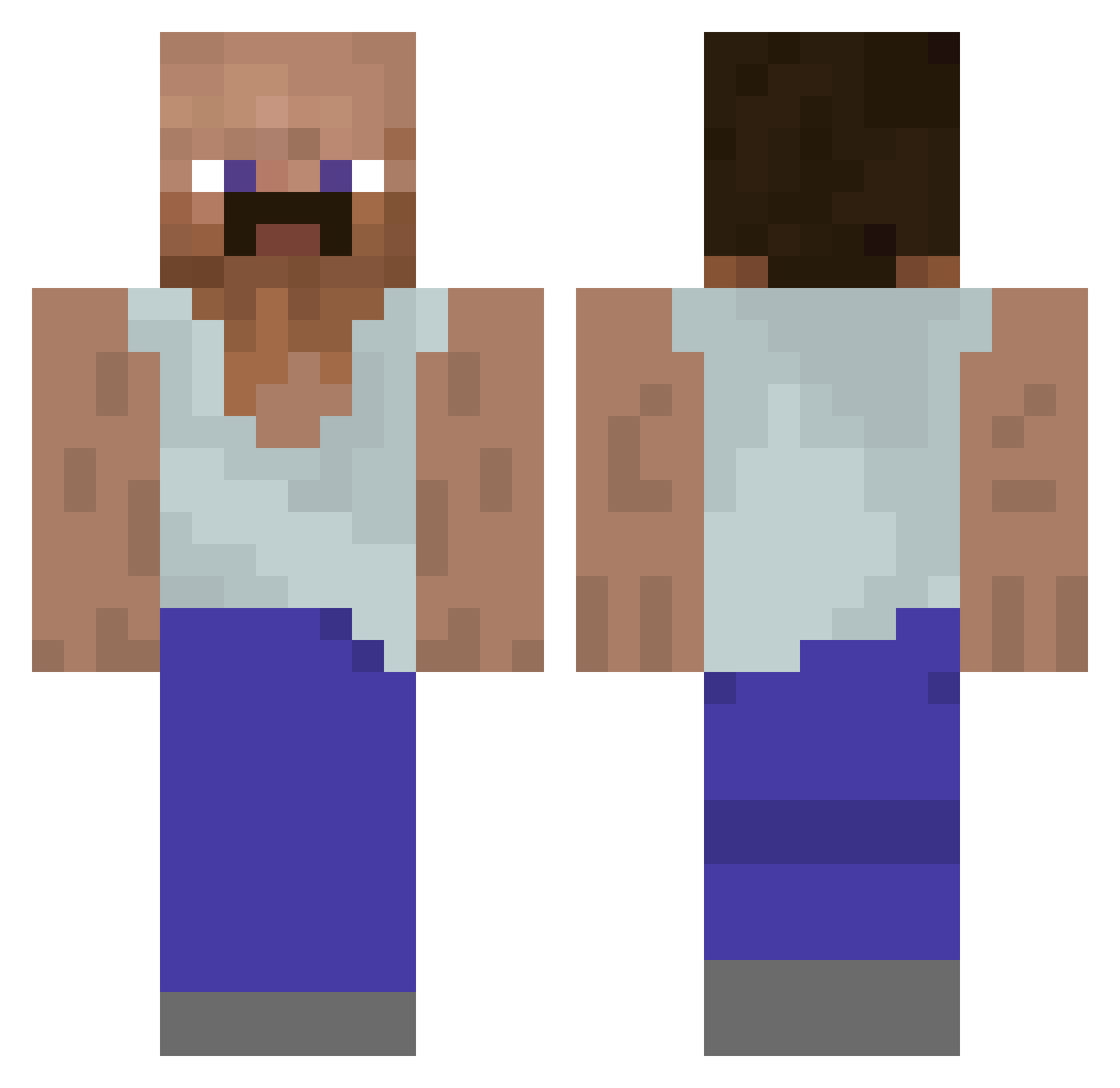
Current Minecraft skin of the player RONYFELL, loaded from the official Mojang API. Rotate the 3D model with your mouse or finger, then download the skin as a PNG file and use it in Minecraft: Bedrock Edition or Java Edition for free. When RONYFELL changes their skin, this page updates automatically and the old skin stays in the history below.
Other players with this skin (930)
RONYFELL was the 579th player we have seen with this skin, first spotted on 29.09.2026. The same skin was seen on these players. Open a nickname to see their current skin and skin history.
 PEPPONENAPOLI qMk_ ragaboioey Zacollac3 OnlyJob BlackAnal21 BOOMDAKKA Meow4MeUwU laardilate Not_Burritsu 5wt6 Tevastator_02 massil60 xcqz Lelykk Monoboulos Avrxx kosemke Rakeup Kyozu6 Lidzi levaser LaZoNa53 Zizimi_Palto dixis9 Firehelmet999 xWeeDix Domnei yurhhh jessdr Ajitae Winstoniann KIngbino1 xXBaySametXx Chomperslizard Puk11 Guyster_02 Ammo7474 PinkJake Flexl_Brate diddylover ollipeikko BadDealsBTW Pet0max BigMacTheThird UncleBad_ Jerryes _JoshQuest_ HaxenFaxe AcnWlogia Anonis_ iemonke Extrupilson_Jr Friday_fire zLukxF DungDonkey2 jusilver herbvciarz jujalag Vontox23
More Mustache Minecraft skins
How to install the RONYFELL skin
- Press the Download button above to save the skin as a PNG file.
- Minecraft: Bedrock Edition (PE): open the Dressing Room from the main menu (or tap your character → Edit Character), go to Classic Skins → Owned, press the + (new skin) button, choose the downloaded PNG and pick the Classic (Steve) model. Works on PC and mobile; consoles cannot import custom skins.
- Minecraft: Java Edition: open the Minecraft Launcher, go to the Skins tab, click New Skin, load the PNG, pick the Classic (Steve) model and press Save & Use. You can also upload it at minecraft.net → Profile → Change Skin.
The skin does not show up after import - what should I do?
Restart Minecraft and open the Dressing Room again - imported skins sometimes appear only after a restart. Also make sure you selected the imported skin and picked the Classic (Steve) model.
Which model should I choose, Classic or Slim?
This skin is designed for the Classic (Steve) model. If you pick the wrong model, the arms of the skin will look stretched or squeezed.
Is the skin of RONYFELL free to download?
Yes. Press Download, save the PNG file and use it in Minecraft: Bedrock Edition or Java Edition - no payment or registration needed. The skin also works on multiplayer servers and Realms.
More skins
Looking for more? Go back to all Minecraft skins and check the top skins of the week, month and all time, or find any player's skin by nickname.