
RAWSUM - Minecraft Skins & Skin History
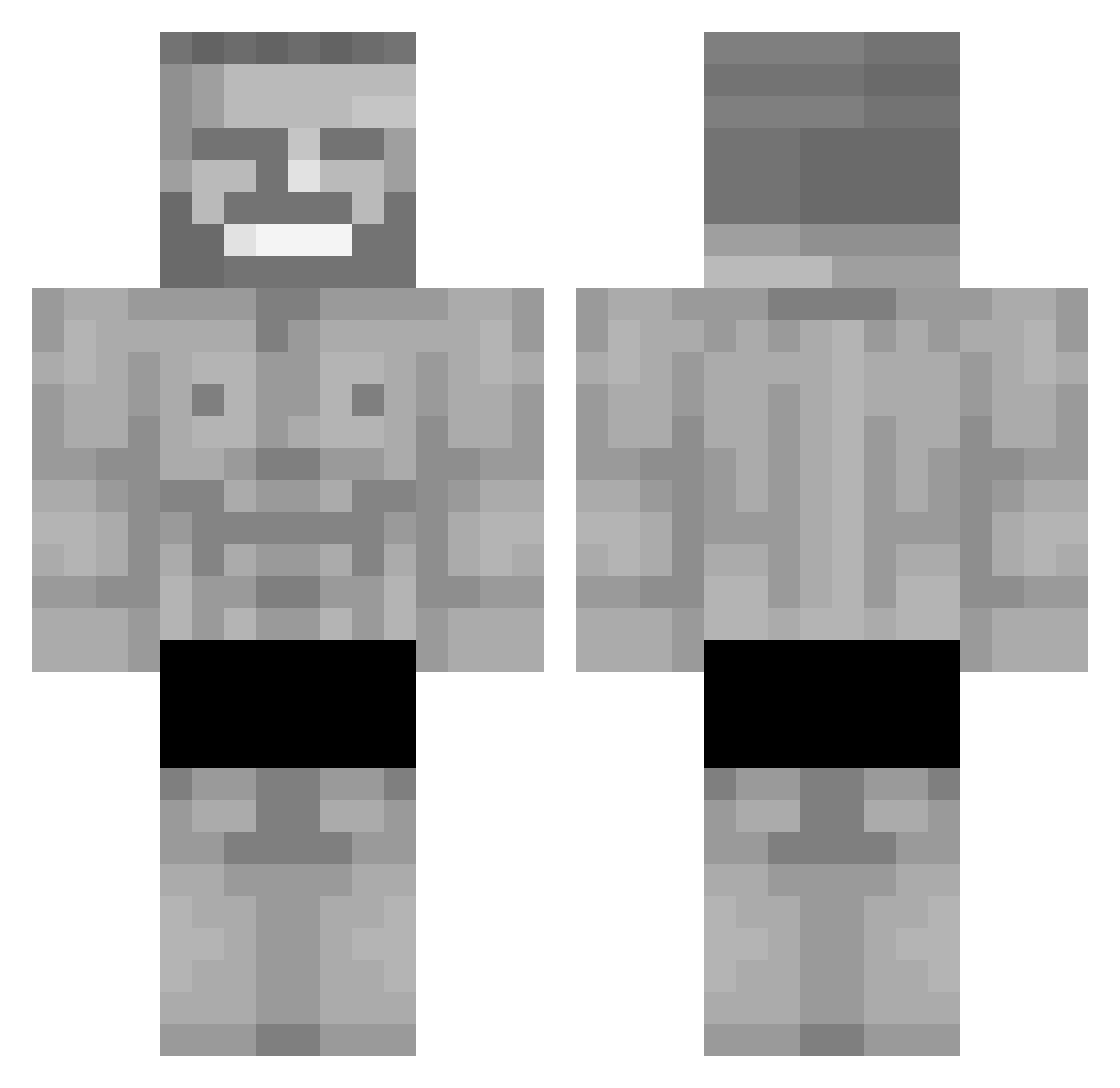
Current Minecraft skin of the player RAWSUM, loaded from the official Mojang API. Rotate the 3D model with your mouse or finger, then download the skin as a PNG file and use it in Minecraft: Bedrock Edition or Java Edition for free. When RAWSUM changes their skin, this page updates automatically and the old skin stays in the history below.
Other players with this skin (298)
RAWSUM was the 127th player we have seen with this skin, first spotted on 08.09.2026. The same skin was seen on these players. Open a nickname to see their current skin and skin history.
 Maniek97 av1enn mr_coww John_Wick111 MeqMeq saiiinttt MAXEEEM DAM4GE_YT Tim_Tam_3945 Avuzum StrokinItToSteve HolzWurm069 _moniqueeee_ Siebfood The_Geeko_ Wojcieszka Diegoch09 Hey_Bestays Marcuccccus_1110 Jervos Dahyun9 apez420 MJ_011 SgtThundr Cosmoqo oiddocro IvanPyw NicoRico12 Dennis132 Hilwine vCNDv ASC55 FatihErenler0 Kita428 Dapness oto_123 Naniikun KD_DOGS PeachDragoon610 TheDragonet 5starEvan RelaxedGalaxy fepese_ Grazeli yahav_123 Yalizer XanWorm olivers2013 MakonoAkira sto1ci Jirux Cejrondo_ Lixior71 TNG_ZXC BBSKuati renaelcraklol NuggetaBageta LumizYT PheonixArcBow Mikpass
More Gigachad Minecraft skins
How to install the RAWSUM skin
- Press the Download button above to save the skin as a PNG file.
- Minecraft: Bedrock Edition (PE): open the Dressing Room from the main menu (or tap your character → Edit Character), go to Classic Skins → Owned, press the + (new skin) button, choose the downloaded PNG and pick the Classic (Steve) model. Works on PC and mobile; consoles cannot import custom skins.
- Minecraft: Java Edition: open the Minecraft Launcher, go to the Skins tab, click New Skin, load the PNG, pick the Classic (Steve) model and press Save & Use. You can also upload it at minecraft.net → Profile → Change Skin.
The skin does not show up after import - what should I do?
Restart Minecraft and open the Dressing Room again - imported skins sometimes appear only after a restart. Also make sure you selected the imported skin and picked the Classic (Steve) model.
Which model should I choose, Classic or Slim?
This skin is designed for the Classic (Steve) model. If you pick the wrong model, the arms of the skin will look stretched or squeezed.
Is the skin of RAWSUM free to download?
Yes. Press Download, save the PNG file and use it in Minecraft: Bedrock Edition or Java Edition - no payment or registration needed. The skin also works on multiplayer servers and Realms.
More skins
Looking for more? Go back to all Minecraft skins and check the top skins of the week, month and all time, or find any player's skin by nickname.