
RARX101 - Minecraft Skins & Skin History
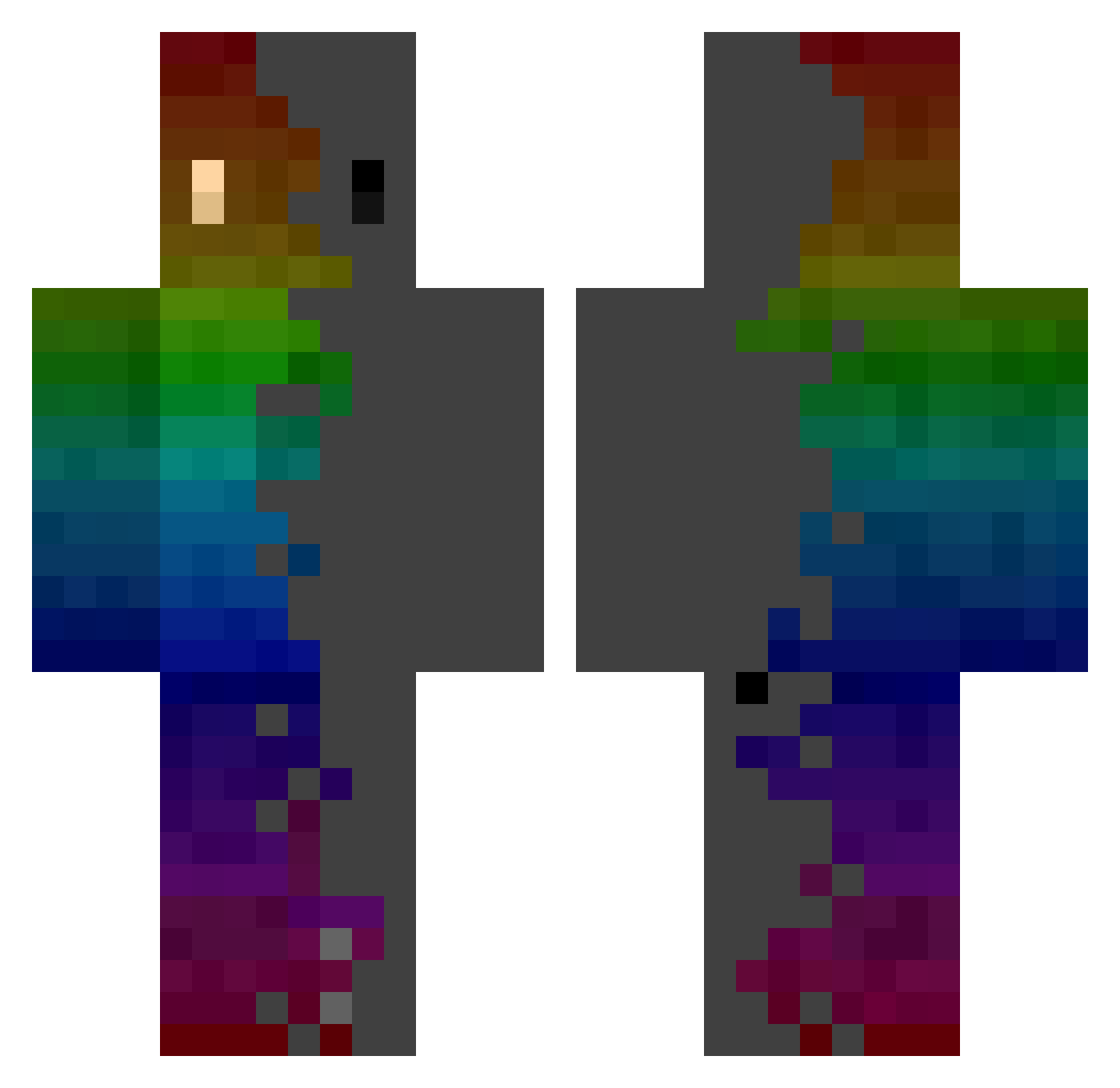
Current Minecraft skin of the player RARX101, loaded from the official Mojang API. Rotate the 3D model with your mouse or finger, then download the skin as a PNG file and use it in Minecraft: Bedrock Edition or Java Edition for free. When RARX101 changes their skin, this page updates automatically and the old skin stays in the history below.
Other players with this skin (769)
RARX101 was the 287th player we have seen with this skin, first spotted on 31.08.2026. The same skin was seen on these players. Open a nickname to see their current skin and skin history.
 Szymon10snif ZhouYujian chimmychunga Ulysses_x Atu1111 lansingh18 Hr0X rufus542p The_Lion_Junior SirLagzLot Juanotto broodjemrtryhard barbecuefosse Dead_Control_ itz_Syn SlyFoxJr7 Jakub190327 JIHUN0030 Reverietides Bekaherceg DARE7792 pyogeon1720 Vonk1 Jinxed92 phoenixxh Fullmoon03 TekGen GenZ_A SOKyle gagazos QseK_DRN Bubba3950 Sykerx_
 EmeraldTuva InnerFearenc3 PrEcti3 Foxdonut666 _oO000Oo_ Total_fish UWU_0609 _RowN_ NokternaI Bastory bluesmile088 Mirasus Abbie_Crafter Kyremya AloneFox1 rryong prof_mittens Hogosharu AbstractRz FromTheDarkness NunoMM TionTheAble pawel1085 DieBear98 kurei0w0 Kriskie Jonah112307
How to install the RARX101 skin
- Press the Download button above to save the skin as a PNG file.
- Minecraft: Bedrock Edition (PE): open the Dressing Room from the main menu (or tap your character → Edit Character), go to Classic Skins → Owned, press the + (new skin) button, choose the downloaded PNG and pick the Classic (Steve) model. Works on PC and mobile; consoles cannot import custom skins.
- Minecraft: Java Edition: open the Minecraft Launcher, go to the Skins tab, click New Skin, load the PNG, pick the Classic (Steve) model and press Save & Use. You can also upload it at minecraft.net → Profile → Change Skin.
The skin does not show up after import - what should I do?
Restart Minecraft and open the Dressing Room again - imported skins sometimes appear only after a restart. Also make sure you selected the imported skin and picked the Classic (Steve) model.
Which model should I choose, Classic or Slim?
This skin is designed for the Classic (Steve) model. If you pick the wrong model, the arms of the skin will look stretched or squeezed.
Is the skin of RARX101 free to download?
Yes. Press Download, save the PNG file and use it in Minecraft: Bedrock Edition or Java Edition - no payment or registration needed. The skin also works on multiplayer servers and Realms.
More skins
Looking for more? Go back to all Minecraft skins and check the top skins of the week, month and all time, or find any player's skin by nickname.