
RAP3LL - Minecraft Skins & Skin History
Current Minecraft skin of the player RAP3LL, loaded from the official Mojang API. Rotate the 3D model with your mouse or finger, then download the skin as a PNG file and use it in Minecraft: Bedrock Edition or Java Edition for free. When RAP3LL changes their skin, this page updates automatically and the old skin stays in the history below.
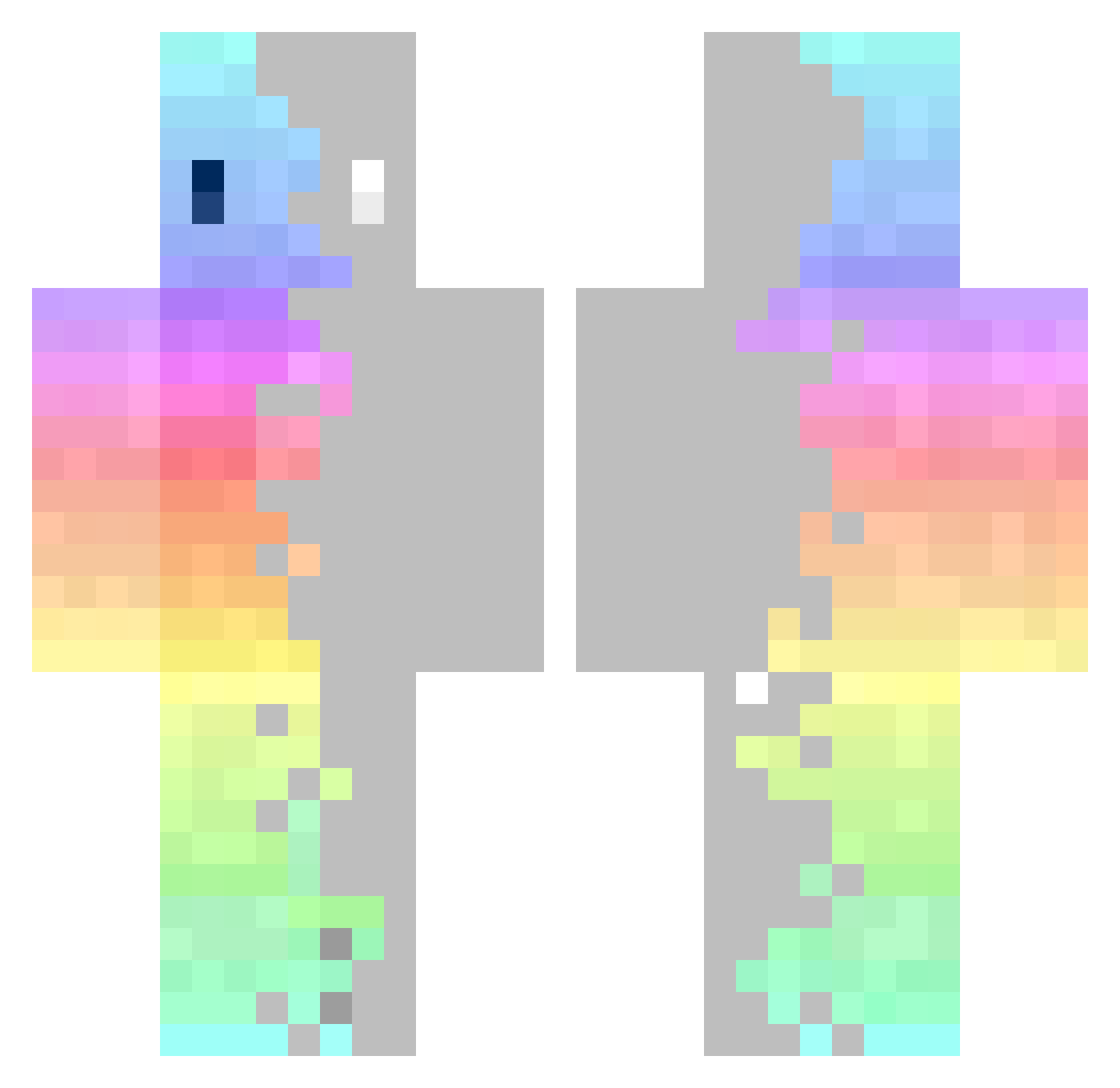
Other players with this skin (283)
RAP3LL was the 203rd player we have seen with this skin, first spotted on 30.09.2026. The same skin was seen on these players. Open a nickname to see their current skin and skin history.
 MINGYUN7279 PhiPhiTan Bovins2021 ThorHueterin22 MilkaII SAKURA_GOZILLA leeki13 EamonThePwner JackyLTRaid kelmor46 Malo5629 Tartins Proodu SamirDuran Zhen_0504 TheWoollyOne Melon_desu Bas_Mulderij entrid UrDadsFavDad KindaDinosaur DedeX18 Saifurious zamillion236 Kittiaan GrabTheBlow xoak02 SirPEARguy ted_yu xXSlimepie777Xx Dogewyn Mulyrio Mast3rSkill12 Rubber_dropper_ nadav1283 wxbbbb __xixi Sahwa37 MinhNhatinVN raresmg6 Xyvarn_ Nuguri07 yoray dkgmeoic golgotam downgods NMPblared Mr_Phenix Von_Bear HauntedBurgerz STARWOLF_6 ImnotECUPERRO Assasin_69 StefMef LEK_8956 Dreibaby GymShark13 AcedIt TomyRAM VxSenju
How to install the RAP3LL skin
- Press the Download button above to save the skin as a PNG file.
- Minecraft: Bedrock Edition (PE): open the Dressing Room from the main menu (or tap your character → Edit Character), go to Classic Skins → Owned, press the + (new skin) button, choose the downloaded PNG and pick the Classic (Steve) model. Works on PC and mobile; consoles cannot import custom skins.
- Minecraft: Java Edition: open the Minecraft Launcher, go to the Skins tab, click New Skin, load the PNG, pick the Classic (Steve) model and press Save & Use. You can also upload it at minecraft.net → Profile → Change Skin.
The skin does not show up after import - what should I do?
Restart Minecraft and open the Dressing Room again - imported skins sometimes appear only after a restart. Also make sure you selected the imported skin and picked the Classic (Steve) model.
Which model should I choose, Classic or Slim?
This skin is designed for the Classic (Steve) model. If you pick the wrong model, the arms of the skin will look stretched or squeezed.
Is the skin of RAP3LL free to download?
Yes. Press Download, save the PNG file and use it in Minecraft: Bedrock Edition or Java Edition - no payment or registration needed. The skin also works on multiplayer servers and Realms.
More skins
Looking for more? Go back to all Minecraft skins and check the top skins of the week, month and all time, or find any player's skin by nickname.