
R0CKETMAN2136 - Minecraft Skins & Skin History
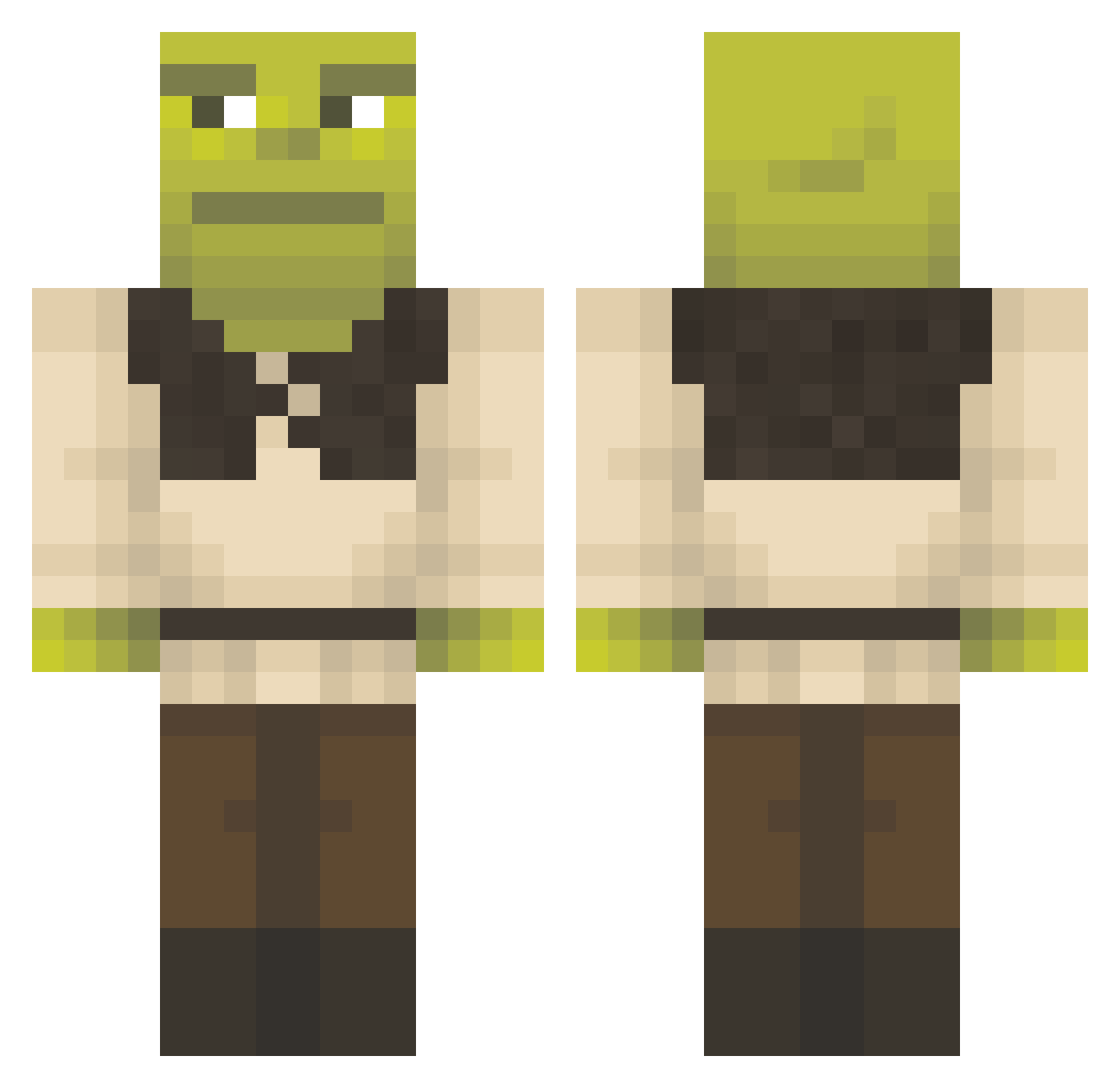
Current Minecraft skin of the player R0CKETMAN2136, loaded from the official Mojang API. Rotate the 3D model with your mouse or finger, then download the skin as a PNG file and use it in Minecraft: Bedrock Edition or Java Edition for free. When R0CKETMAN2136 changes their skin, this page updates automatically and the old skin stays in the history below.
Other players with this skin (1577)
R0CKETMAN2136 was the 1454th player we have seen with this skin, first spotted on 11.11.2026. The same skin was seen on these players. Open a nickname to see their current skin and skin history.
 BigTreeT storageddon CHUNGOOOO sucukopatra Handry997 Blueroge04 PHP_Rhoades BigKentai Moka_Poka djibix Gerardplay moys_vr karas1k99 The_Small_One_ DrAklahpoute Delbert_B_Baker WaxySoda Itz_Gabe4106 jojifun RushHourVillian NoobDemo1 helmmm soft206 Kaaeg TsugiTsugi123 ClyFTaN Elinexistible flyingoscar Flambiffle GinyBean Yeti_Master KPZOK123 g4udN succayomi GRiiss Kanddora Karmad_ cheetoisgonnabus maxkingoflolz Kiguin Kayne_Ahnung Danielk25 Eyesaiah Unproloko28 Adrilolazo055 Mikazigamer civispacem TraxlerT BOOPbeepBOOPbeep sermixbaysox gaming_with_jake jkraemer01 Landerrednal SgtHerbie Tipovolador kndall QELLAP JimGill Dopaminos MoonBay_
More Shrek Minecraft skins
How to install the R0CKETMAN2136 skin
- Press the Download button above to save the skin as a PNG file.
- Minecraft: Bedrock Edition (PE): open the Dressing Room from the main menu (or tap your character → Edit Character), go to Classic Skins → Owned, press the + (new skin) button, choose the downloaded PNG and pick the Classic (Steve) model. Works on PC and mobile; consoles cannot import custom skins.
- Minecraft: Java Edition: open the Minecraft Launcher, go to the Skins tab, click New Skin, load the PNG, pick the Classic (Steve) model and press Save & Use. You can also upload it at minecraft.net → Profile → Change Skin.
The skin does not show up after import - what should I do?
Restart Minecraft and open the Dressing Room again - imported skins sometimes appear only after a restart. Also make sure you selected the imported skin and picked the Classic (Steve) model.
Which model should I choose, Classic or Slim?
This skin is designed for the Classic (Steve) model. If you pick the wrong model, the arms of the skin will look stretched or squeezed.
Is the skin of R0CKETMAN2136 free to download?
Yes. Press Download, save the PNG file and use it in Minecraft: Bedrock Edition or Java Edition - no payment or registration needed. The skin also works on multiplayer servers and Realms.
More skins
Looking for more? Go back to all Minecraft skins and check the top skins of the week, month and all time, or find any player's skin by nickname.