
Qwazum - Minecraft Skins & Skin History
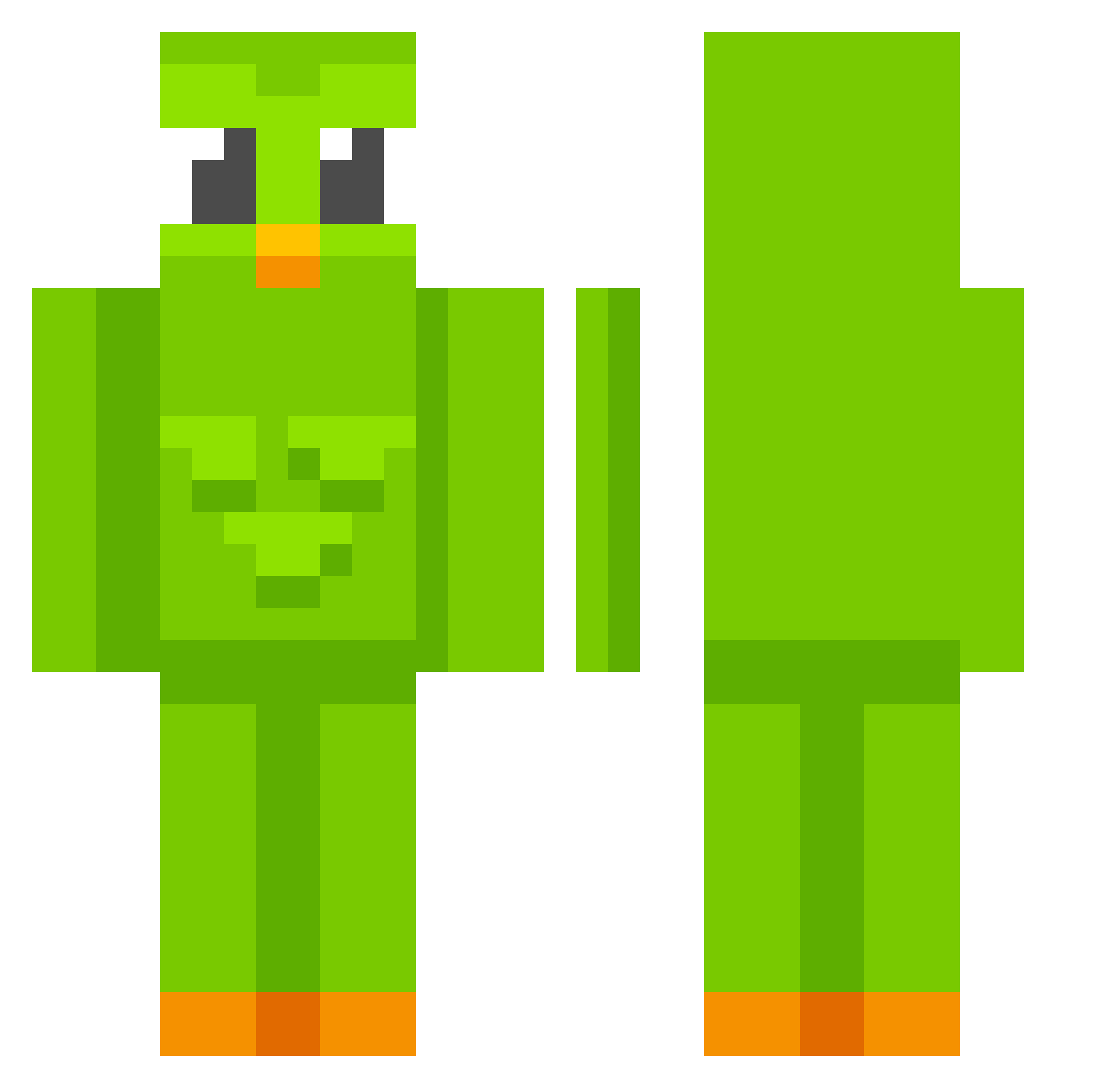
Current Minecraft skin of the player Qwazum, loaded from the official Mojang API. Rotate the 3D model with your mouse or finger, then download the skin as a PNG file and use it in Minecraft: Bedrock Edition or Java Edition for free. When Qwazum changes their skin, this page updates automatically and the old skin stays in the history below.
Other players with this skin (630)
Qwazum was the 591st player we have seen with this skin, first spotted on 20.10.2026. The same skin was seen on these players. Open a nickname to see their current skin and skin history.
 zofyyy_ jieuneee eitjebeidje chkfan123 TuTiaLupita lynnlynn17 kskskkk ChillierCorn66 Wiraa_a jotaivo Salosta PedroGuillermo ynxo Noiseless_Person C9Egor MIKISASIA Barteq332 WuYanzu1292 Turquest001 chengcheng1232 Minijanach_ BSJ12 KX12NGG Aston_UwU paubs0 Tofu_White HUI1004 ggGOLDENPLAYERgg Mampfrits mortitotito Andrew120324 AthenaX08 ryya345 lalvorie Madison_not_Madi FuttBart04 Kieran2001 Jprocher C0in_Master iammali W3nzyFr3nzy ELderMen999 lucasmonsan BjornCapalot Wishy807 Sk3wer_ 10Aschente Corndoogler MC_BTXZ JuliBuli123_ willy989 Panzerbilly Nixel2115 Mattyee_ ChazzWaldo HatePepsi Romi104 _VortZi_ ullaaahl TheBigBeardedBoy
More Duo Minecraft skins
How to install the Qwazum skin
- Press the Download button above to save the skin as a PNG file.
- Minecraft: Bedrock Edition (PE): open the Dressing Room from the main menu (or tap your character → Edit Character), go to Classic Skins → Owned, press the + (new skin) button, choose the downloaded PNG and pick the Classic (Steve) model. Works on PC and mobile; consoles cannot import custom skins.
- Minecraft: Java Edition: open the Minecraft Launcher, go to the Skins tab, click New Skin, load the PNG, pick the Classic (Steve) model and press Save & Use. You can also upload it at minecraft.net → Profile → Change Skin.
The skin does not show up after import - what should I do?
Restart Minecraft and open the Dressing Room again - imported skins sometimes appear only after a restart. Also make sure you selected the imported skin and picked the Classic (Steve) model.
Which model should I choose, Classic or Slim?
This skin is designed for the Classic (Steve) model. If you pick the wrong model, the arms of the skin will look stretched or squeezed.
Is the skin of Qwazum free to download?
Yes. Press Download, save the PNG file and use it in Minecraft: Bedrock Edition or Java Edition - no payment or registration needed. The skin also works on multiplayer servers and Realms.
More skins
Looking for more? Go back to all Minecraft skins and check the top skins of the week, month and all time, or find any player's skin by nickname.