
Qvensyk - Minecraft Skins & Skin History
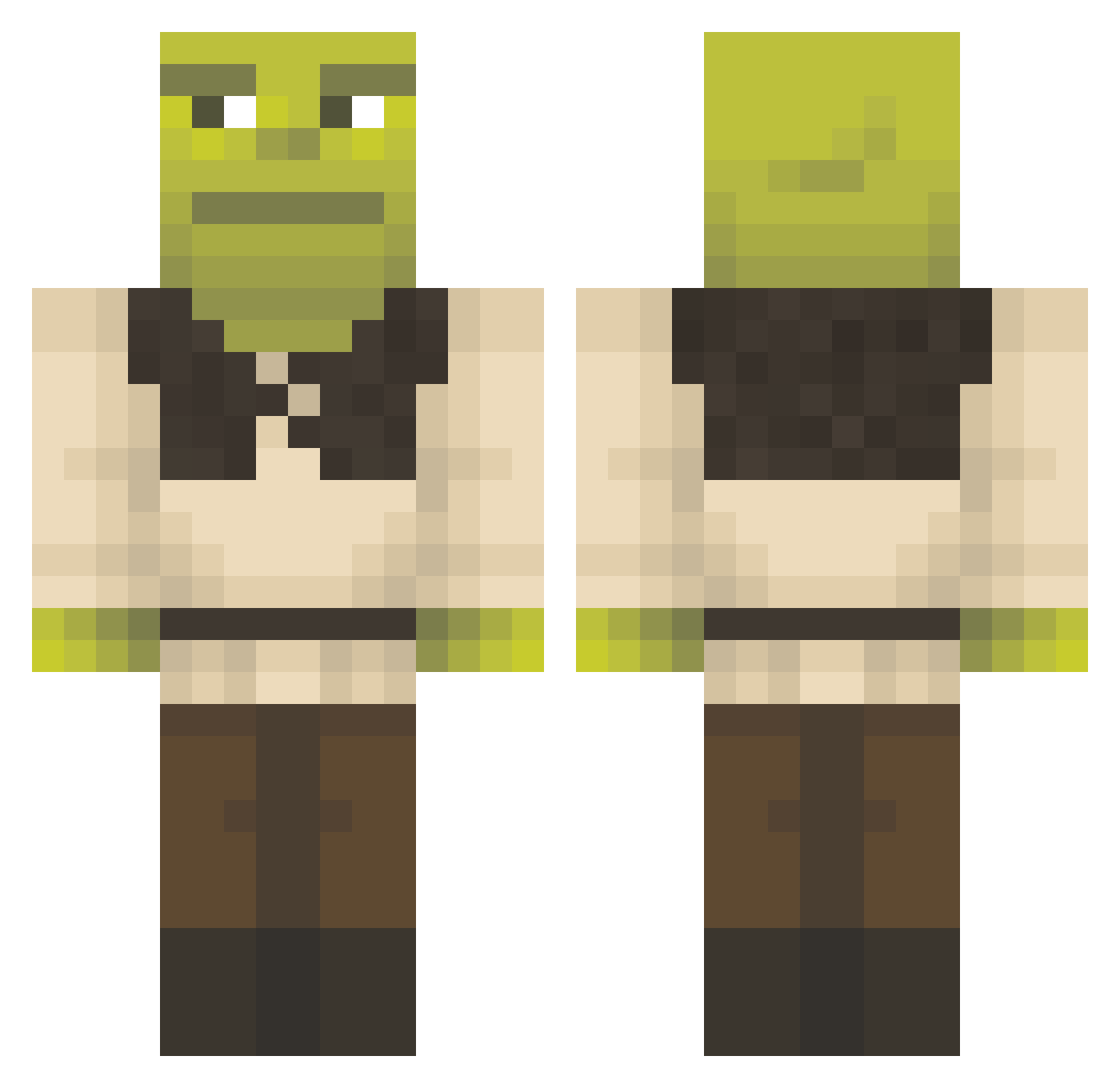
Current Minecraft skin of the player Qvensyk, loaded from the official Mojang API. Rotate the 3D model with your mouse or finger, then download the skin as a PNG file and use it in Minecraft: Bedrock Edition or Java Edition for free. When Qvensyk changes their skin, this page updates automatically and the old skin stays in the history below.
Other players with this skin (1577)
Qvensyk was the 1576th player we have seen with this skin, first spotted on 20.11.2026. The same skin was seen on these players. Open a nickname to see their current skin and skin history.
 DrPepino wiktorexo323 ARIIPB D4rkness004 AndyGundersen IamClaiment O_B_City ompalompa300 FRIKitsHOWARD leesiu67 Melody_Tune_ Cyrex121 Cecevert krokral11 FlippyFloopy007 mjs66 yohan794 Ryannzu AimBotAvi Oskaritek111 Apflexo HunterRUBS fazuro Manheim323 noe886 etherealgirl5 Danitg2008 WonkyYuh Szeretni_Burger l0v3rm1a VerySmolPP Manteca_Peluda Kikaenjoyer AlphaGeoduck26 CallumIguess TheDark20099503 Flozko_XiNdL_ hanksyy QFELIX007Q mammerser0 goobiewoobie6969 Logulas GumballDM oatmommy Italianoplumber shrekdalf various_soups _Spxct_ Hakenssie Idunnodude23 jess832 Frostenn_ ItsSayzr thebloodyguardin Jeannaa LoryKrK Tuvno PrincessBells03 SteveisTuff ufusavage
More Shrek Minecraft skins
How to install the Qvensyk skin
- Press the Download button above to save the skin as a PNG file.
- Minecraft: Bedrock Edition (PE): open the Dressing Room from the main menu (or tap your character → Edit Character), go to Classic Skins → Owned, press the + (new skin) button, choose the downloaded PNG and pick the Classic (Steve) model. Works on PC and mobile; consoles cannot import custom skins.
- Minecraft: Java Edition: open the Minecraft Launcher, go to the Skins tab, click New Skin, load the PNG, pick the Classic (Steve) model and press Save & Use. You can also upload it at minecraft.net → Profile → Change Skin.
The skin does not show up after import - what should I do?
Restart Minecraft and open the Dressing Room again - imported skins sometimes appear only after a restart. Also make sure you selected the imported skin and picked the Classic (Steve) model.
Which model should I choose, Classic or Slim?
This skin is designed for the Classic (Steve) model. If you pick the wrong model, the arms of the skin will look stretched or squeezed.
Is the skin of Qvensyk free to download?
Yes. Press Download, save the PNG file and use it in Minecraft: Bedrock Edition or Java Edition - no payment or registration needed. The skin also works on multiplayer servers and Realms.
More skins
Looking for more? Go back to all Minecraft skins and check the top skins of the week, month and all time, or find any player's skin by nickname.