
QuinnPeen - Minecraft Skins & Skin History
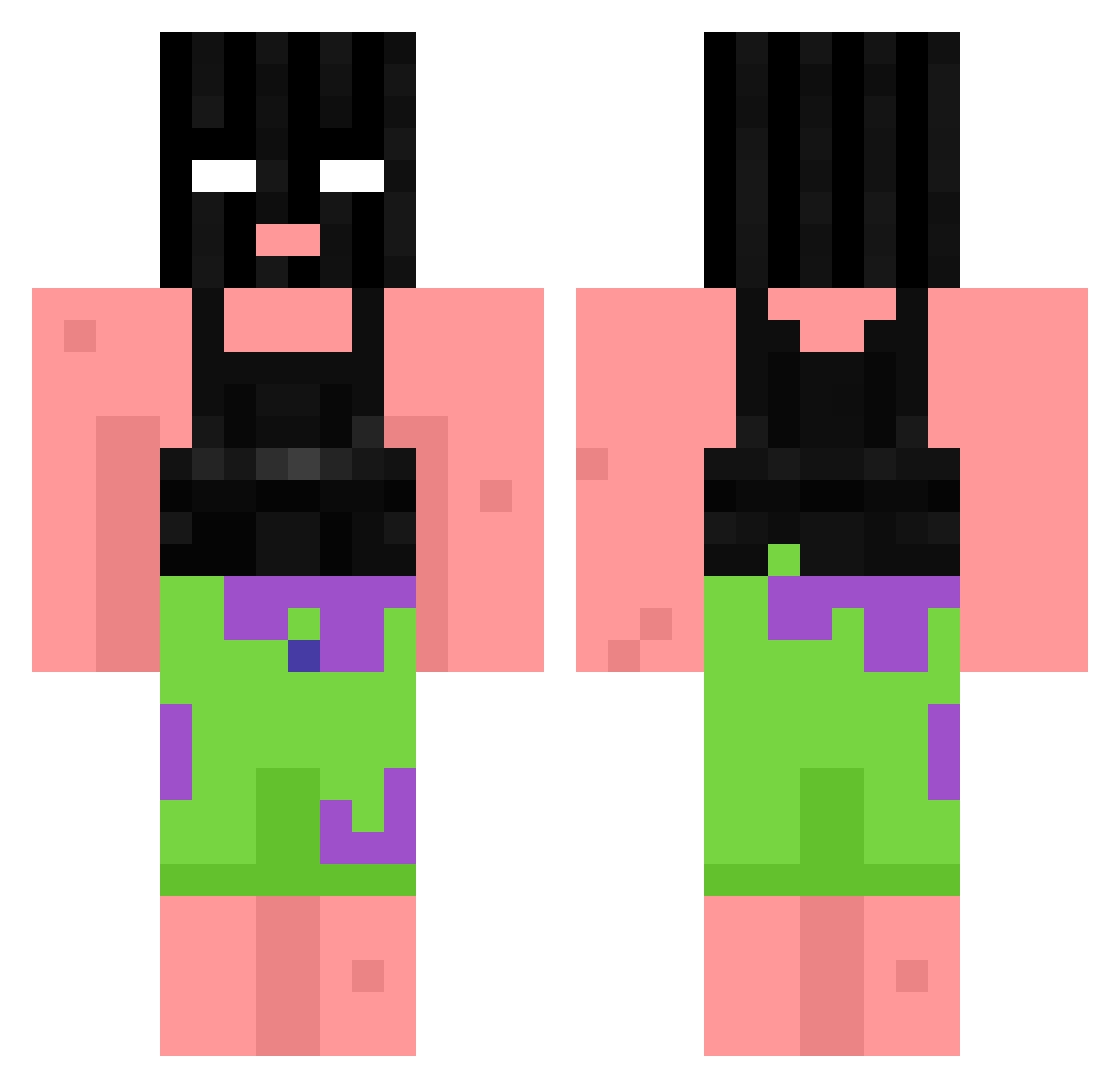
Current Minecraft skin of the player QuinnPeen, loaded from the official Mojang API. Rotate the 3D model with your mouse or finger, then download the skin as a PNG file and use it in Minecraft: Bedrock Edition or Java Edition for free. When QuinnPeen changes their skin, this page updates automatically and the old skin stays in the history below.
Other players with this skin (868)
QuinnPeen was the 709th player we have seen with this skin, first spotted on 16.10.2026. The same skin was seen on these players. Open a nickname to see their current skin and skin history.
 W1zarDez clevsy AyoKris ogGrizz Maik1111 Tru_09 itsyourboyjohny OdinJohnGotti Felix07 WeedzyPoulet ferol08 darry45 xmomo43 FzUnknown CallminV2 ErMatranga supakronk IZANTPVPPROXX taykirk Megadump23 Wazzok_ MistaBombastic courtneymccb Kffk bigmanbarnes NotYourMom01 Drax256 JarnoV01 R1sen_Madness Roi_Couscous Patrickdk01 frjaw CerealSloth DEZ3RZ69 partykow Bare_Your_Squssy Al3cKleinman1 2_Andrei_1 Kacpereekkk bootEgrab Rifflettn_ALT09 alfredisbad FxWeirdo ivypro MaZZe_131 userdf4a63d73a kzuisi Anto_tv ChoiInseo mrscroogebeneeze NotSoAngryDoinks ardaerkmenn ThaliaSt GianlucaC15 lssaJack Kiwizza kameo5583 Biopasko BHenz_ ifsixwasnin3
More Ski Mask Minecraft skins
How to install the QuinnPeen skin
- Press the Download button above to save the skin as a PNG file.
- Minecraft: Bedrock Edition (PE): open the Dressing Room from the main menu (or tap your character → Edit Character), go to Classic Skins → Owned, press the + (new skin) button, choose the downloaded PNG and pick the Classic (Steve) model. Works on PC and mobile; consoles cannot import custom skins.
- Minecraft: Java Edition: open the Minecraft Launcher, go to the Skins tab, click New Skin, load the PNG, pick the Classic (Steve) model and press Save & Use. You can also upload it at minecraft.net → Profile → Change Skin.
The skin does not show up after import - what should I do?
Restart Minecraft and open the Dressing Room again - imported skins sometimes appear only after a restart. Also make sure you selected the imported skin and picked the Classic (Steve) model.
Which model should I choose, Classic or Slim?
This skin is designed for the Classic (Steve) model. If you pick the wrong model, the arms of the skin will look stretched or squeezed.
Is the skin of QuinnPeen free to download?
Yes. Press Download, save the PNG file and use it in Minecraft: Bedrock Edition or Java Edition - no payment or registration needed. The skin also works on multiplayer servers and Realms.
More skins
Looking for more? Go back to all Minecraft skins and check the top skins of the week, month and all time, or find any player's skin by nickname.