
QuietMC - Minecraft Skins & Skin History
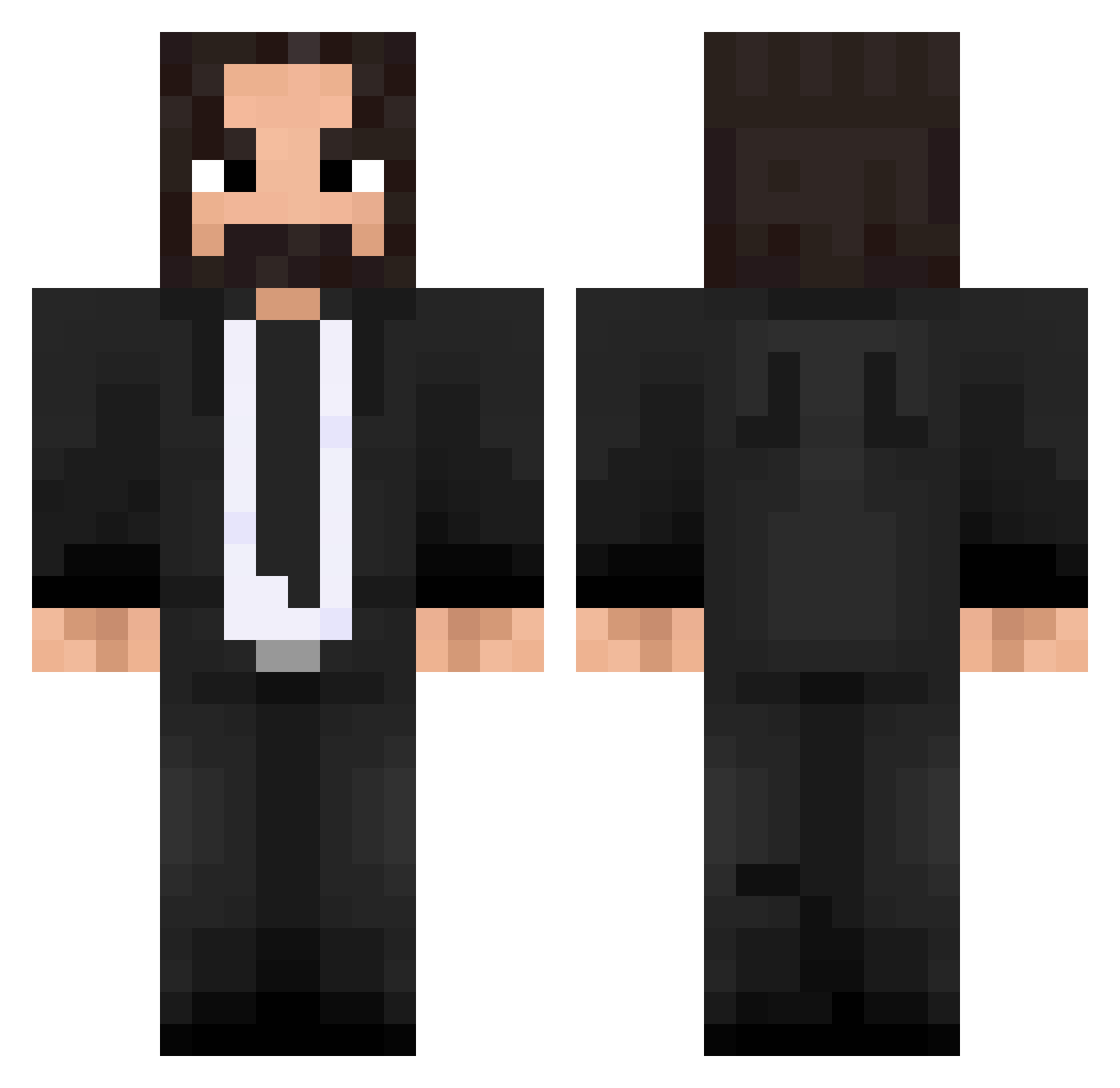
Current Minecraft skin of the player QuietMC, loaded from the official Mojang API. Rotate the 3D model with your mouse or finger, then download the skin as a PNG file and use it in Minecraft: Bedrock Edition or Java Edition for free. When QuietMC changes their skin, this page updates automatically and the old skin stays in the history below.
Other players with this skin (475)
QuietMC was the 102nd player we have seen with this skin, first spotted on 17.08.2026. The same skin was seen on these players. Open a nickname to see their current skin and skin history.
 ra_gi cakma_dream Catarama_ CallDream Takseth FunkyMonkeyTM Nooddles123 L_Zeltos Piknoir DzaDzi 13Treize Sylzen Weather___ JohnnyWilken Jett_Stark MuffinEnzim3841 M00dy25 Ghobbz Alchemistxd ThaiGod69 ajkajk1998 Im_A_Yeye MinecraftAki Sky_Fronter llaattttee Cartarez Dreszen BIarp Wischus SnakeZ1000 Bafou44 A7xDemonZ eatingpizzarn Mikaeru51 LaleMikic cobblestoon Spencatron2k Albineww TomahawkYummy Sharkmasteur kenia1100 Kosmos1709 fitzayye Tsayka HeartlessClaws xZoRaNox JimHQ Squalls2018 Gilwopi UncleSam89 Armrik2 TinderSnowflake jmdpablos LuckyNoodles122 Edison420 MaroEoj Noddles57 mative95 Pikchu94 rogerkkj
More John Wick Minecraft skins
How to install the QuietMC skin
- Press the Download button above to save the skin as a PNG file.
- Minecraft: Bedrock Edition (PE): open the Dressing Room from the main menu (or tap your character → Edit Character), go to Classic Skins → Owned, press the + (new skin) button, choose the downloaded PNG and pick the Classic (Steve) model. Works on PC and mobile; consoles cannot import custom skins.
- Minecraft: Java Edition: open the Minecraft Launcher, go to the Skins tab, click New Skin, load the PNG, pick the Classic (Steve) model and press Save & Use. You can also upload it at minecraft.net → Profile → Change Skin.
The skin does not show up after import - what should I do?
Restart Minecraft and open the Dressing Room again - imported skins sometimes appear only after a restart. Also make sure you selected the imported skin and picked the Classic (Steve) model.
Which model should I choose, Classic or Slim?
This skin is designed for the Classic (Steve) model. If you pick the wrong model, the arms of the skin will look stretched or squeezed.
Is the skin of QuietMC free to download?
Yes. Press Download, save the PNG file and use it in Minecraft: Bedrock Edition or Java Edition - no payment or registration needed. The skin also works on multiplayer servers and Realms.
More skins
Looking for more? Go back to all Minecraft skins and check the top skins of the week, month and all time, or find any player's skin by nickname.