
Quest1158 - Minecraft Skins & Skin History
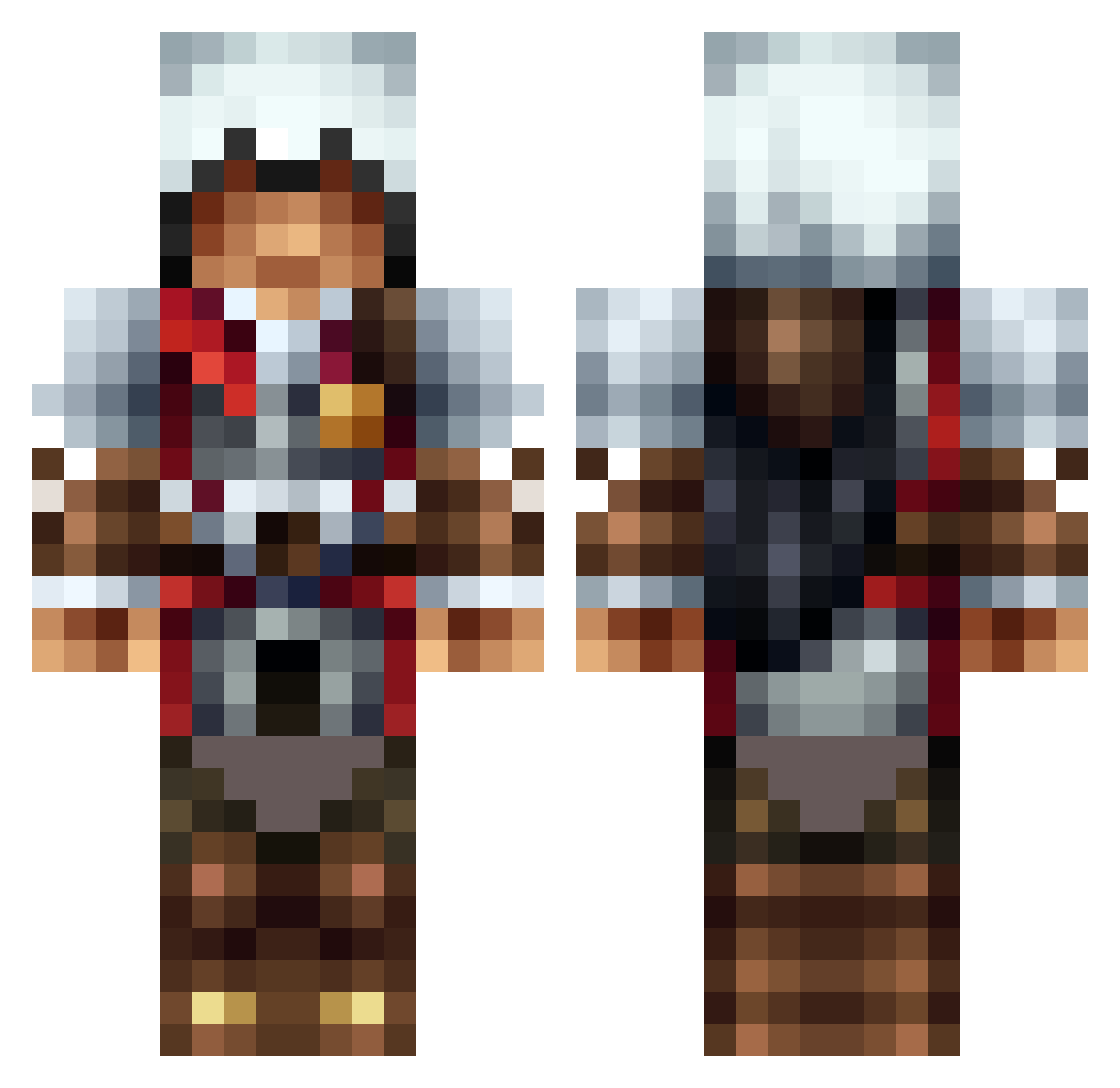
Current Minecraft skin of the player Quest1158, loaded from the official Mojang API. Rotate the 3D model with your mouse or finger, then download the skin as a PNG file and use it in Minecraft: Bedrock Edition or Java Edition for free. When Quest1158 changes their skin, this page updates automatically and the old skin stays in the history below.
Other players with this skin (1308)
Quest1158 was the 1278th player we have seen with this skin, first spotted on 30.10.2026. The same skin was seen on these players. Open a nickname to see their current skin and skin history.
 MachineGunNiki doofes4321 vEN3S CrazyPasian89 lilybug_ truejustice182 NightShadow_10 Zimr18 AMars02 ExpertChief309 flamehfur Explorer_Henk gun1173 Shadow1696 Pker8556 Dizzycozer anthonyfarmer GovSchoolSwag blacksmoke23 stephenRC Shohinzo Reaper_boss UselessWaste DaVenenoBoss GenesisNA Hakranian NorthernSteam Silencerrr sporthunt FishFlyer jackswens awesomesword313 bluebaron60 IdleCanvas538 BearInABox LDancedOn12 RuutuX HunziGod Rothy12 Noname_moco shawnbudlong ItsTheTurtle KrYpe0 dillon16416 tallowy7 JustAnotherHero_ SpicyGav101 quentinou23 my_love_zed Lakerunner shepherdjs freezer3455 pinshock ForsakenDZ RealFranican ZeroTalont Mezenes bmandla hnj07 Ardianzmii
More Altair Minecraft skins
How to install the Quest1158 skin
- Press the Download button above to save the skin as a PNG file.
- Minecraft: Bedrock Edition (PE): open the Dressing Room from the main menu (or tap your character → Edit Character), go to Classic Skins → Owned, press the + (new skin) button, choose the downloaded PNG and pick the Classic (Steve) model. Works on PC and mobile; consoles cannot import custom skins.
- Minecraft: Java Edition: open the Minecraft Launcher, go to the Skins tab, click New Skin, load the PNG, pick the Classic (Steve) model and press Save & Use. You can also upload it at minecraft.net → Profile → Change Skin.
The skin does not show up after import - what should I do?
Restart Minecraft and open the Dressing Room again - imported skins sometimes appear only after a restart. Also make sure you selected the imported skin and picked the Classic (Steve) model.
Which model should I choose, Classic or Slim?
This skin is designed for the Classic (Steve) model. If you pick the wrong model, the arms of the skin will look stretched or squeezed.
Is the skin of Quest1158 free to download?
Yes. Press Download, save the PNG file and use it in Minecraft: Bedrock Edition or Java Edition - no payment or registration needed. The skin also works on multiplayer servers and Realms.
More skins
Looking for more? Go back to all Minecraft skins and check the top skins of the week, month and all time, or find any player's skin by nickname.