
QuakBawkBawk - Minecraft Skins & Skin History
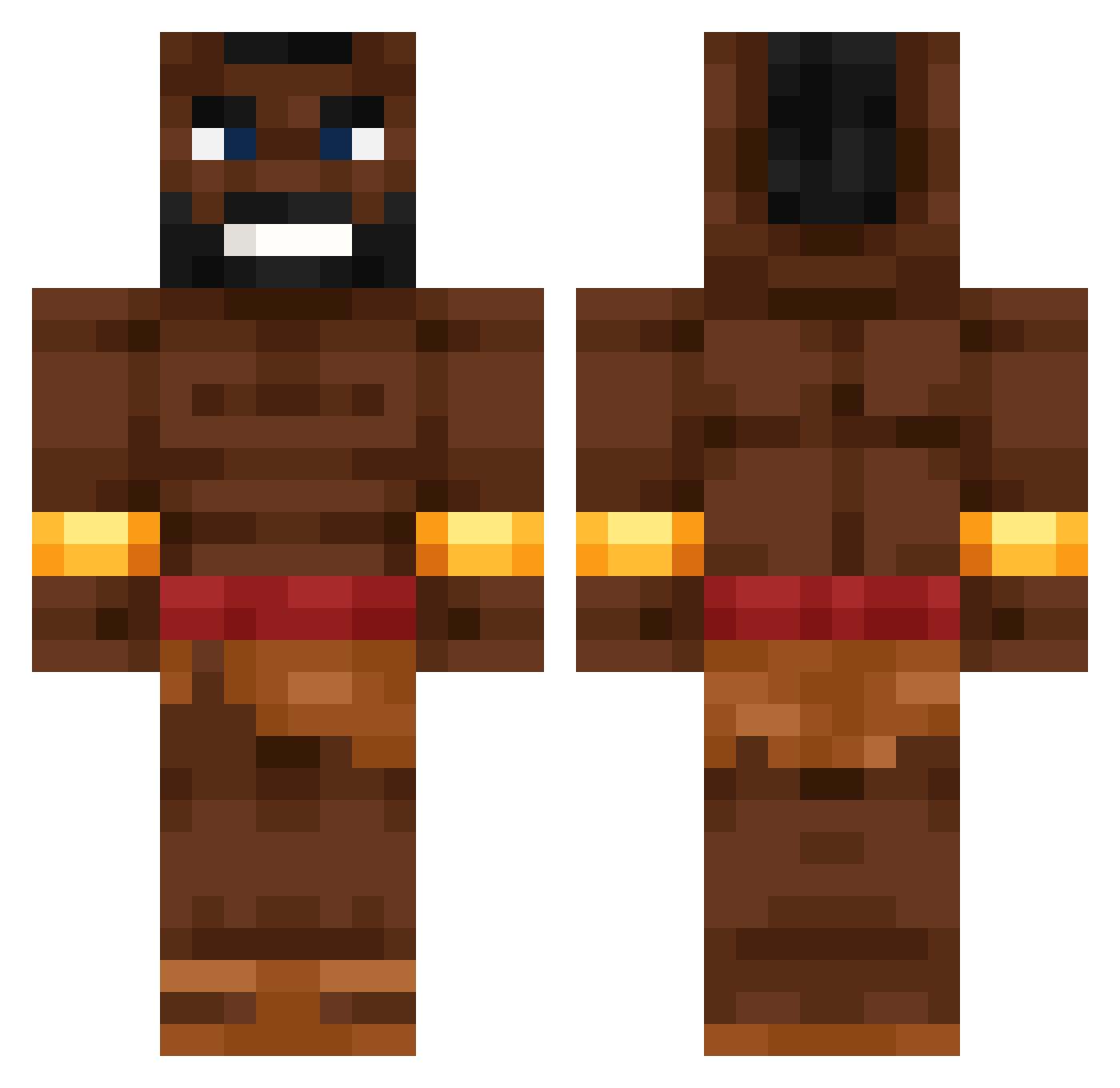
Current Minecraft skin of the player QuakBawkBawk, loaded from the official Mojang API. Rotate the 3D model with your mouse or finger, then download the skin as a PNG file and use it in Minecraft: Bedrock Edition or Java Edition for free. When QuakBawkBawk changes their skin, this page updates automatically and the old skin stays in the history below.
Other players with this skin (531)
QuakBawkBawk was the 201st player we have seen with this skin, first spotted on 30.08.2026. The same skin was seen on these players. Open a nickname to see their current skin and skin history.
 Halowarrior08 pencizurna CreamD3mon schmerty AssSniffer420 YoungLandoBloom h0g_r1der Levaktor JoelPedreiro2 MaxGamer1233 chipotlebb Earthman_187
 Seal0cket Sylkreon ezaayy Kurekk20 TheEraser04 mariankokos Blaupunkt653 icedteadino goodboy6000 crackedjulian 16432 Igni23 Sillebil_ benjax666 Zailan67 sebbyaus
 oxyn_ porkacy_xD pepforneer daxmen_ Flavioshx Ryuulionn WolKonst KFCKunde na3ty_ I_Nuke_Charts RATKAKA hogride Quadzx Schreibauz VoodiLina dogireis piszczan sucodecimento Metalwolf1 plooopi MustaKukko Noattention_ chris8k PeX0o0
 Flaviostorm ilad0904 Zlatakan Woutsnout_ Towarzysz__ anime2009pro Juflington Greyunicorn7559
More Actor Minecraft skins
How to install the QuakBawkBawk skin
- Press the Download button above to save the skin as a PNG file.
- Minecraft: Bedrock Edition (PE): open the Dressing Room from the main menu (or tap your character → Edit Character), go to Classic Skins → Owned, press the + (new skin) button, choose the downloaded PNG and pick the Classic (Steve) model. Works on PC and mobile; consoles cannot import custom skins.
- Minecraft: Java Edition: open the Minecraft Launcher, go to the Skins tab, click New Skin, load the PNG, pick the Classic (Steve) model and press Save & Use. You can also upload it at minecraft.net → Profile → Change Skin.
The skin does not show up after import - what should I do?
Restart Minecraft and open the Dressing Room again - imported skins sometimes appear only after a restart. Also make sure you selected the imported skin and picked the Classic (Steve) model.
Which model should I choose, Classic or Slim?
This skin is designed for the Classic (Steve) model. If you pick the wrong model, the arms of the skin will look stretched or squeezed.
Is the skin of QuakBawkBawk free to download?
Yes. Press Download, save the PNG file and use it in Minecraft: Bedrock Edition or Java Edition - no payment or registration needed. The skin also works on multiplayer servers and Realms.
More skins
Looking for more? Go back to all Minecraft skins and check the top skins of the week, month and all time, or find any player's skin by nickname.