
Qarbel - Minecraft Skins & Skin History
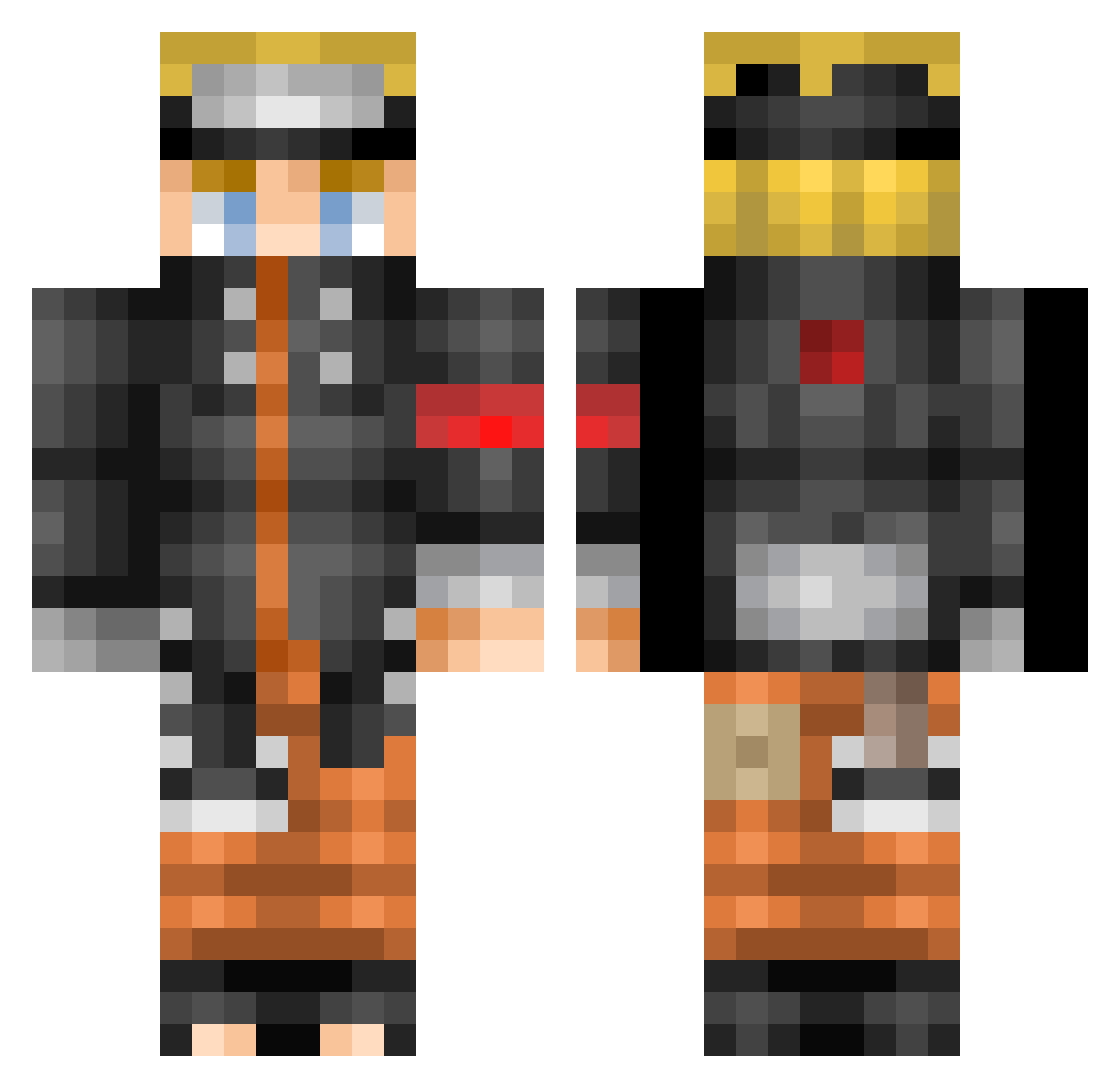
Current Minecraft skin of the player Qarbel, loaded from the official Mojang API. Rotate the 3D model with your mouse or finger, then download the skin as a PNG file and use it in Minecraft: Bedrock Edition or Java Edition for free. When Qarbel changes their skin, this page updates automatically and the old skin stays in the history below.
Other players with this skin (523)
Qarbel was the 57th player we have seen with this skin, first spotted on 04.08.2026. The same skin was seen on these players. Open a nickname to see their current skin and skin history.
 shotake110 HappyZX Hiibba jiuasc Arkanh _Snownight_ Shinobi_of_gloom shakalalala one_punch_K6 megusuri28 Mizachop bizorilla chmh0103 GIOrce MotoZierra0009 sowon0606 Mattprrt Maltism prince_dog pimpof Cheese_Poo NarutoUzumake Draco_Husky Zenyortto HardEddi Danger282004 ThankfulPluto44 msRiver gtffgghhghghgggf NarutoUzumaki777 Hellrai85 Nicktenndo ThousandBirds BPrImE_ XMarDerVinX vladmany Hamoud_GAMER Elwillis Rhetnaa Rochelle21 downsouthhunter VenomFo2 russlnd Trapzzi HenculeK ShowTsai exes273 Olivers92 MFGOOMS allen776 Prosemik Skrill207 ItsZippo BluDragons Fala42 IZombiatic dem_doges Darko_brk Senpai0523 ljs1201
More Naruto Uzumaki Minecraft skins
See all 472 Naruto Uzumaki skins
How to install the Qarbel skin
- Press the Download button above to save the skin as a PNG file.
- Minecraft: Bedrock Edition (PE): open the Dressing Room from the main menu (or tap your character → Edit Character), go to Classic Skins → Owned, press the + (new skin) button, choose the downloaded PNG and pick the Classic (Steve) model. Works on PC and mobile; consoles cannot import custom skins.
- Minecraft: Java Edition: open the Minecraft Launcher, go to the Skins tab, click New Skin, load the PNG, pick the Classic (Steve) model and press Save & Use. You can also upload it at minecraft.net → Profile → Change Skin.
The skin does not show up after import - what should I do?
Restart Minecraft and open the Dressing Room again - imported skins sometimes appear only after a restart. Also make sure you selected the imported skin and picked the Classic (Steve) model.
Which model should I choose, Classic or Slim?
This skin is designed for the Classic (Steve) model. If you pick the wrong model, the arms of the skin will look stretched or squeezed.
Is the skin of Qarbel free to download?
Yes. Press Download, save the PNG file and use it in Minecraft: Bedrock Edition or Java Edition - no payment or registration needed. The skin also works on multiplayer servers and Realms.
More skins
Looking for more? Go back to all Minecraft skins and check the top skins of the week, month and all time, or find any player's skin by nickname.