
QFemtoQ - Minecraft Skins & Skin History
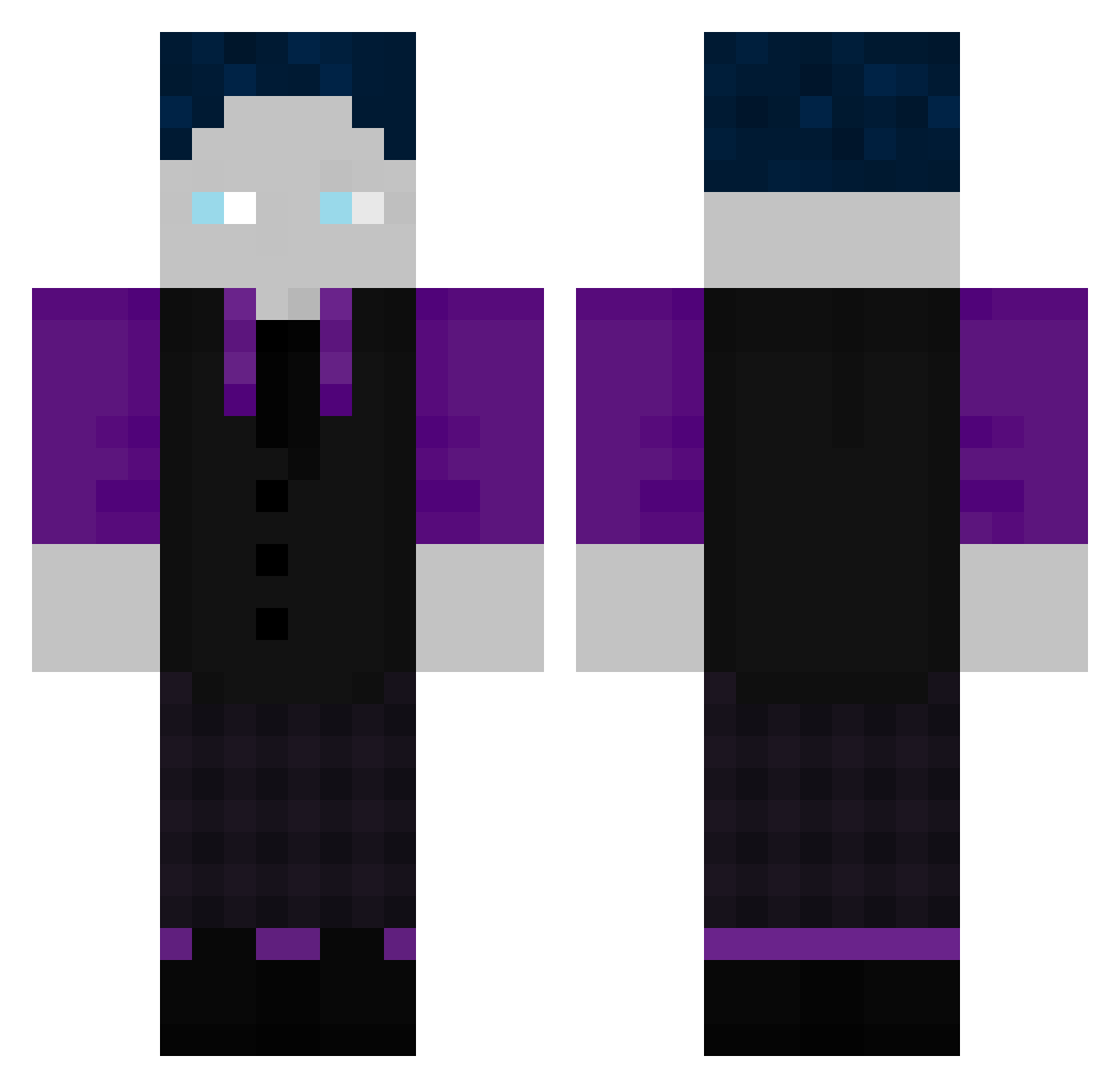
Current Minecraft skin of the player QFemtoQ, loaded from the official Mojang API. Rotate the 3D model with your mouse or finger, then download the skin as a PNG file and use it in Minecraft: Bedrock Edition or Java Edition for free. When QFemtoQ changes their skin, this page updates automatically and the old skin stays in the history below.
Other players with this skin (507)
QFemtoQ was the 405th player we have seen with this skin, first spotted on 15.10.2026. The same skin was seen on these players. Open a nickname to see their current skin and skin history.
 Hanno2 JooJonah faris777z Galaxy_Marian Bob_gaminG_yt t_spet la2357 NaaaDu Volte0101 creepermanscarf FloStrorm01 Neptune361 Bjerndsson seRealFrohlix Frimsy FENDTFAHRER10 NSGGAMING_ Bastiwido Minneemavs Matteo1238 linoderechte kiba244 TheErio13 Joshua31077 StarKiller8264 SneakySpace2174 Friedrich8484 H19_220 linusmarvin Der_Echte_GHG Lnzby AtRaX_xD RoccatGHG scaredtp joel_blumi Lucaluc4000 Schneemulle TheoAbe Roblox14014 qOnFocuz Glatzmire lucaschmidt2803 musialaog Deathking3101 Tobify_lp_ DaVol12 SuperAuto2014 Tanzi187 TGS_HYPER Olli104 C1borg_MC Nicibro2 Z0tex grundstabil MA762 LiL_Jason09 luca57321 Krypton1337 hfyp Wetterfrosch888
How to install the QFemtoQ skin
- Press the Download button above to save the skin as a PNG file.
- Minecraft: Bedrock Edition (PE): open the Dressing Room from the main menu (or tap your character → Edit Character), go to Classic Skins → Owned, press the + (new skin) button, choose the downloaded PNG and pick the Classic (Steve) model. Works on PC and mobile; consoles cannot import custom skins.
- Minecraft: Java Edition: open the Minecraft Launcher, go to the Skins tab, click New Skin, load the PNG, pick the Classic (Steve) model and press Save & Use. You can also upload it at minecraft.net → Profile → Change Skin.
The skin does not show up after import - what should I do?
Restart Minecraft and open the Dressing Room again - imported skins sometimes appear only after a restart. Also make sure you selected the imported skin and picked the Classic (Steve) model.
Which model should I choose, Classic or Slim?
This skin is designed for the Classic (Steve) model. If you pick the wrong model, the arms of the skin will look stretched or squeezed.
Is the skin of QFemtoQ free to download?
Yes. Press Download, save the PNG file and use it in Minecraft: Bedrock Edition or Java Edition - no payment or registration needed. The skin also works on multiplayer servers and Realms.
More skins
Looking for more? Go back to all Minecraft skins and check the top skins of the week, month and all time, or find any player's skin by nickname.