
QANstar - Minecraft Skins & Skin History
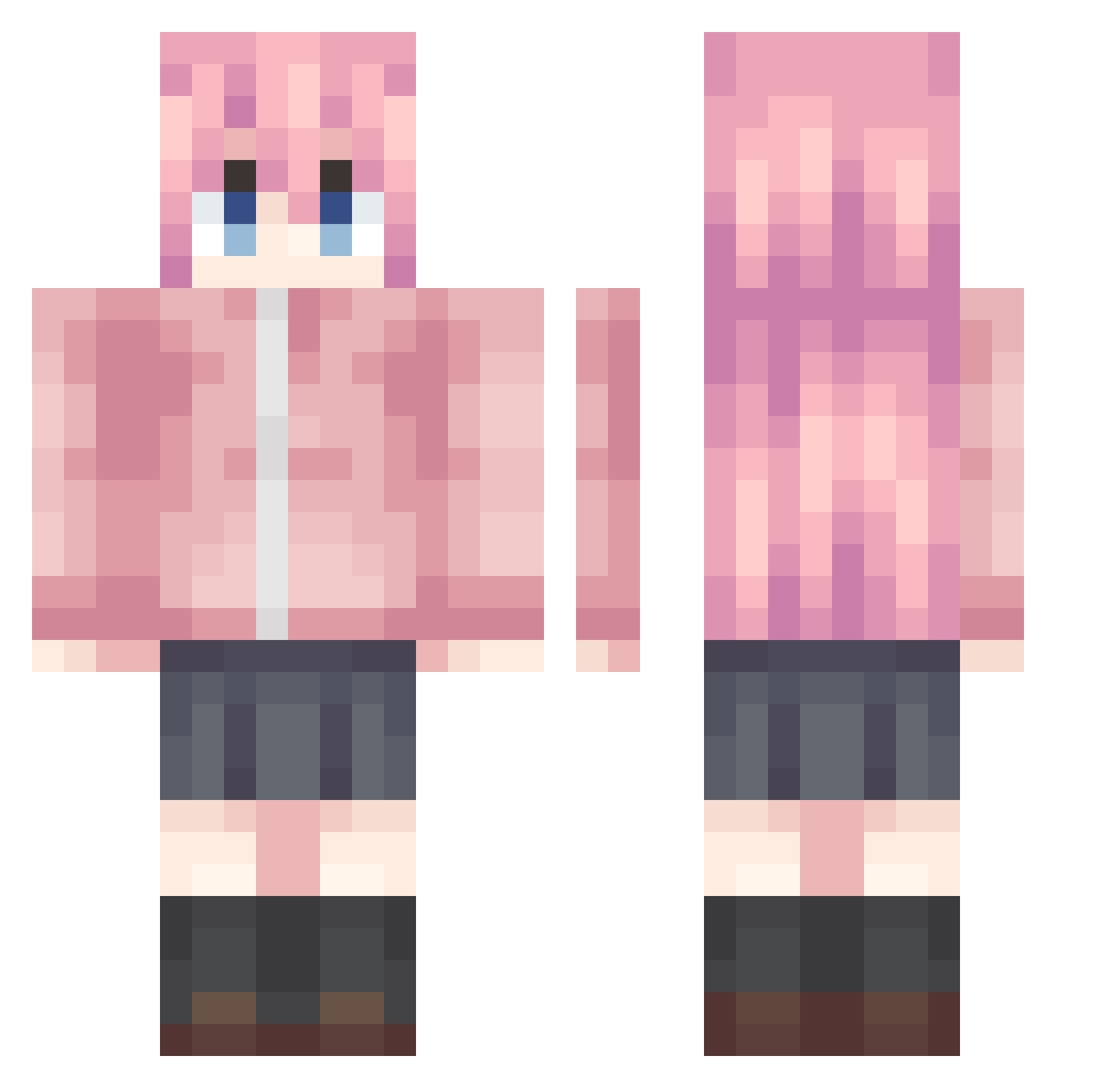
Current Minecraft skin of the player QANstar, loaded from the official Mojang API. Rotate the 3D model with your mouse or finger, then download the skin as a PNG file and use it in Minecraft: Bedrock Edition or Java Edition for free. When QANstar changes their skin, this page updates automatically and the old skin stays in the history below.
Other players with this skin (992)
QANstar was the 304th player we have seen with this skin, first spotted on 28.08.2026. The same skin was seen on these players. Open a nickname to see their current skin and skin history.
 HP_LOW HTpa_YL BLADEEmageddon _laurra gotn_ kyq11 Bocchi_awa ElonGatesJobs xiaoranQAQ YIXUN7274 CN_chiyan shuaige159 Judgmenters Christmas_Tina kishimoto1234 misalover MWTQWQ Hetax xiao_ku_ zxelanTwO __Hiro___ piao2333 skeskin Ballingmote rjq3839 vamos___ rex103016 Aguang_517 Knight22222 DeepSea3652 Achai030 kilig_11 B1f0rst IsaraMao SkadiLaopo_520 Sirius011 Yoku_yi ZhangPi Ui11 2443391316 4A7MD_ Lulhannes Yes_Kong 1336764 qianhe02 Houraiji_Kyuusyo cornking Elucidator_K harry22333 cruw7777 ZHZHAN
 lukedias jlc111 jormungand0524 lmor_ azimiao1111 miaomiaodala yuu0506 ailixiya668 KelvinKam
More Bocchi Minecraft skins
How to install the QANstar skin
- Press the Download button above to save the skin as a PNG file.
- Minecraft: Bedrock Edition (PE): open the Dressing Room from the main menu (or tap your character → Edit Character), go to Classic Skins → Owned, press the + (new skin) button, choose the downloaded PNG and pick the Classic (Steve) model. Works on PC and mobile; consoles cannot import custom skins.
- Minecraft: Java Edition: open the Minecraft Launcher, go to the Skins tab, click New Skin, load the PNG, pick the Classic (Steve) model and press Save & Use. You can also upload it at minecraft.net → Profile → Change Skin.
The skin does not show up after import - what should I do?
Restart Minecraft and open the Dressing Room again - imported skins sometimes appear only after a restart. Also make sure you selected the imported skin and picked the Classic (Steve) model.
Which model should I choose, Classic or Slim?
This skin is designed for the Classic (Steve) model. If you pick the wrong model, the arms of the skin will look stretched or squeezed.
Is the skin of QANstar free to download?
Yes. Press Download, save the PNG file and use it in Minecraft: Bedrock Edition or Java Edition - no payment or registration needed. The skin also works on multiplayer servers and Realms.
More skins
Looking for more? Go back to all Minecraft skins and check the top skins of the week, month and all time, or find any player's skin by nickname.