
Pyrroline - Minecraft Skins & Skin History
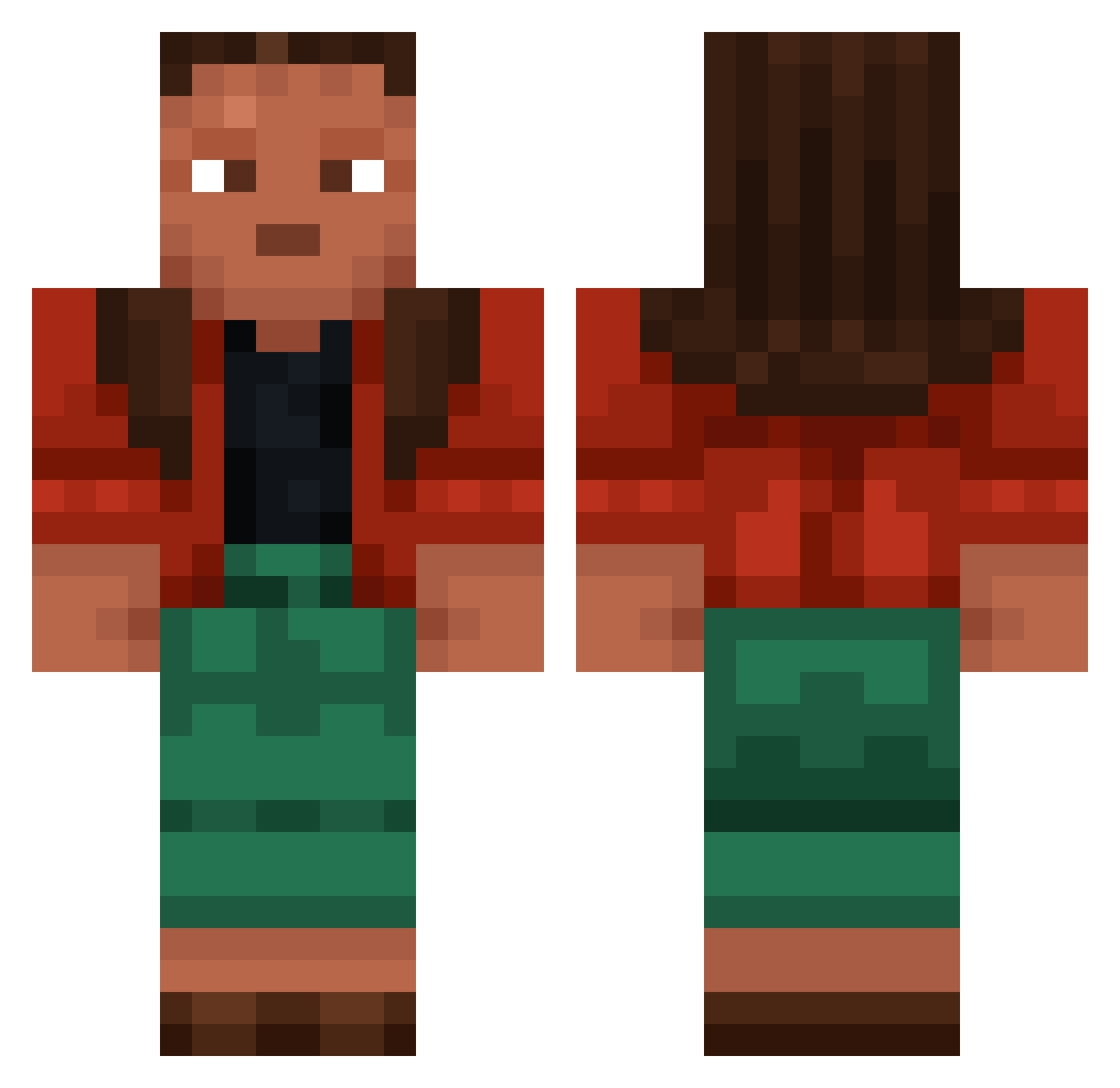
Current Minecraft skin of the player Pyrroline, loaded from the official Mojang API. Rotate the 3D model with your mouse or finger, then download the skin as a PNG file and use it in Minecraft: Bedrock Edition or Java Edition for free. When Pyrroline changes their skin, this page updates automatically and the old skin stays in the history below.
Other players with this skin (952)
Pyrroline was the 598th player we have seen with this skin, first spotted on 04.10.2026. The same skin was seen on these players. Open a nickname to see their current skin and skin history.
 plyboy_L carcinosis Karzas Maiiki_ DreamyDoge personhood musculoso Underarm Haker_Doublecont Trophoblast EBP_Logic PuR3ZoMbIe Abjective Goothie The_Terwilliger Y4zn BaTroly gelmodd witamekkk Whammo RosalieDu38 sackbutt kansan bigboot777 Available_9224 skinnytommy Tomlili Henry_Wibbler b_4cj Disemboweled Jrmainedoesitall Chinafish Terrorists pizzeria Meatious modality BezaKiing Antebodi Belgium Phatic Tengas xd9m lilin3 Grasset Crowfeet Endergonic Owes kaianw Daljot Mcapstevefan420 08Logan80 Toasty08 superdivine Alya JOEY_GAD RielitoX Langsyne Genitor LesbianLlama SniperPanama
More Moana Minecraft skins
How to install the Pyrroline skin
- Press the Download button above to save the skin as a PNG file.
- Minecraft: Bedrock Edition (PE): open the Dressing Room from the main menu (or tap your character → Edit Character), go to Classic Skins → Owned, press the + (new skin) button, choose the downloaded PNG and pick the Classic (Steve) model. Works on PC and mobile; consoles cannot import custom skins.
- Minecraft: Java Edition: open the Minecraft Launcher, go to the Skins tab, click New Skin, load the PNG, pick the Classic (Steve) model and press Save & Use. You can also upload it at minecraft.net → Profile → Change Skin.
The skin does not show up after import - what should I do?
Restart Minecraft and open the Dressing Room again - imported skins sometimes appear only after a restart. Also make sure you selected the imported skin and picked the Classic (Steve) model.
Which model should I choose, Classic or Slim?
This skin is designed for the Classic (Steve) model. If you pick the wrong model, the arms of the skin will look stretched or squeezed.
Is the skin of Pyrroline free to download?
Yes. Press Download, save the PNG file and use it in Minecraft: Bedrock Edition or Java Edition - no payment or registration needed. The skin also works on multiplayer servers and Realms.
More skins
Looking for more? Go back to all Minecraft skins and check the top skins of the week, month and all time, or find any player's skin by nickname.