
Pyhexi - Minecraft Skins & Skin History
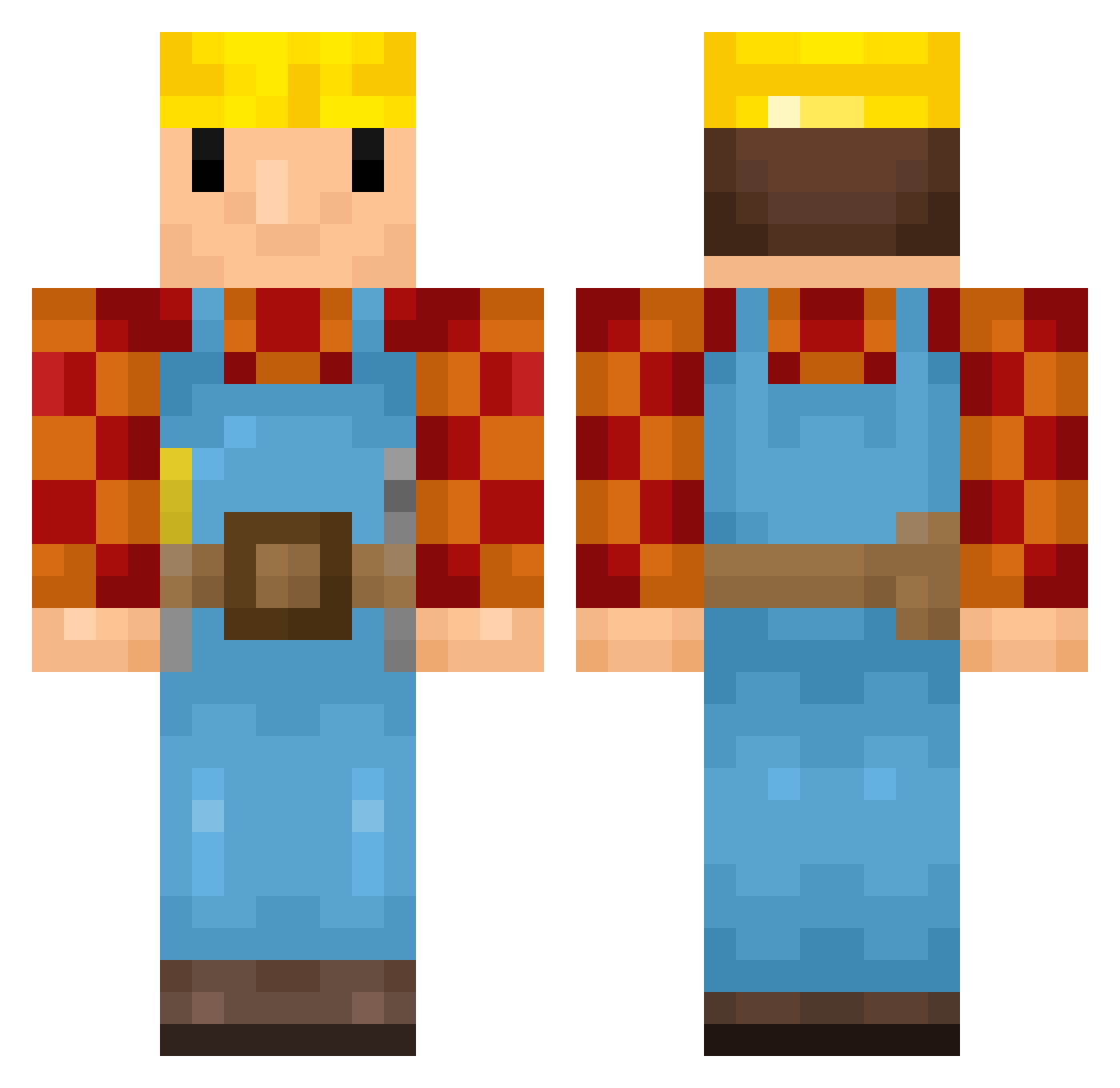
Current Minecraft skin of the player Pyhexi, loaded from the official Mojang API. Rotate the 3D model with your mouse or finger, then download the skin as a PNG file and use it in Minecraft: Bedrock Edition or Java Edition for free. When Pyhexi changes their skin, this page updates automatically and the old skin stays in the history below.
Other players with this skin (345)
Pyhexi was the 151st player we have seen with this skin, first spotted on 31.08.2026. The same skin was seen on these players. Open a nickname to see their current skin and skin history.
 DaBigLST 10PLM10 FunkyMonk420 BaggyB123 carryRonny underhatedd Thome_gangster Migl04 Bigtee10 brian895 DziwnyKolega CallsignWalrus s00geun Barkima tschbbl Brezel73 niklas9155 Lightning_bolter Brekkja Pricaan Brunah342 BigDawgDrewski Chips_Deluxe Crowleeyy xTwitchy94 TRomeijn Photosynthese FernandoJPS2006 ikeman123465 Berni4747 Kerrona NIKO1103 Cimeriel MaazyN09 lefishe69 IncubatingBob sytheaa bobconstrutor87 WalMartSocks joelvm146 SinkingVoid darthmaul_100518 AnteH05 VanessaPrinsessa sgh_ La_Teil degcol silkieshoe Boltheren virtuosus_ Alterludos Martin_Lugter
 PapaHemuls S2JAIMEPC1 Telemaschus Bensor6 MCGratify angust40 Bender572 Jacobbarry
More Bob The Builder Minecraft skins
See all 65 Bob The Builder skins
How to install the Pyhexi skin
- Press the Download button above to save the skin as a PNG file.
- Minecraft: Bedrock Edition (PE): open the Dressing Room from the main menu (or tap your character → Edit Character), go to Classic Skins → Owned, press the + (new skin) button, choose the downloaded PNG and pick the Classic (Steve) model. Works on PC and mobile; consoles cannot import custom skins.
- Minecraft: Java Edition: open the Minecraft Launcher, go to the Skins tab, click New Skin, load the PNG, pick the Classic (Steve) model and press Save & Use. You can also upload it at minecraft.net → Profile → Change Skin.
The skin does not show up after import - what should I do?
Restart Minecraft and open the Dressing Room again - imported skins sometimes appear only after a restart. Also make sure you selected the imported skin and picked the Classic (Steve) model.
Which model should I choose, Classic or Slim?
This skin is designed for the Classic (Steve) model. If you pick the wrong model, the arms of the skin will look stretched or squeezed.
Is the skin of Pyhexi free to download?
Yes. Press Download, save the PNG file and use it in Minecraft: Bedrock Edition or Java Edition - no payment or registration needed. The skin also works on multiplayer servers and Realms.
More skins
Looking for more? Go back to all Minecraft skins and check the top skins of the week, month and all time, or find any player's skin by nickname.