
Pude1 - Minecraft Skins & Skin History
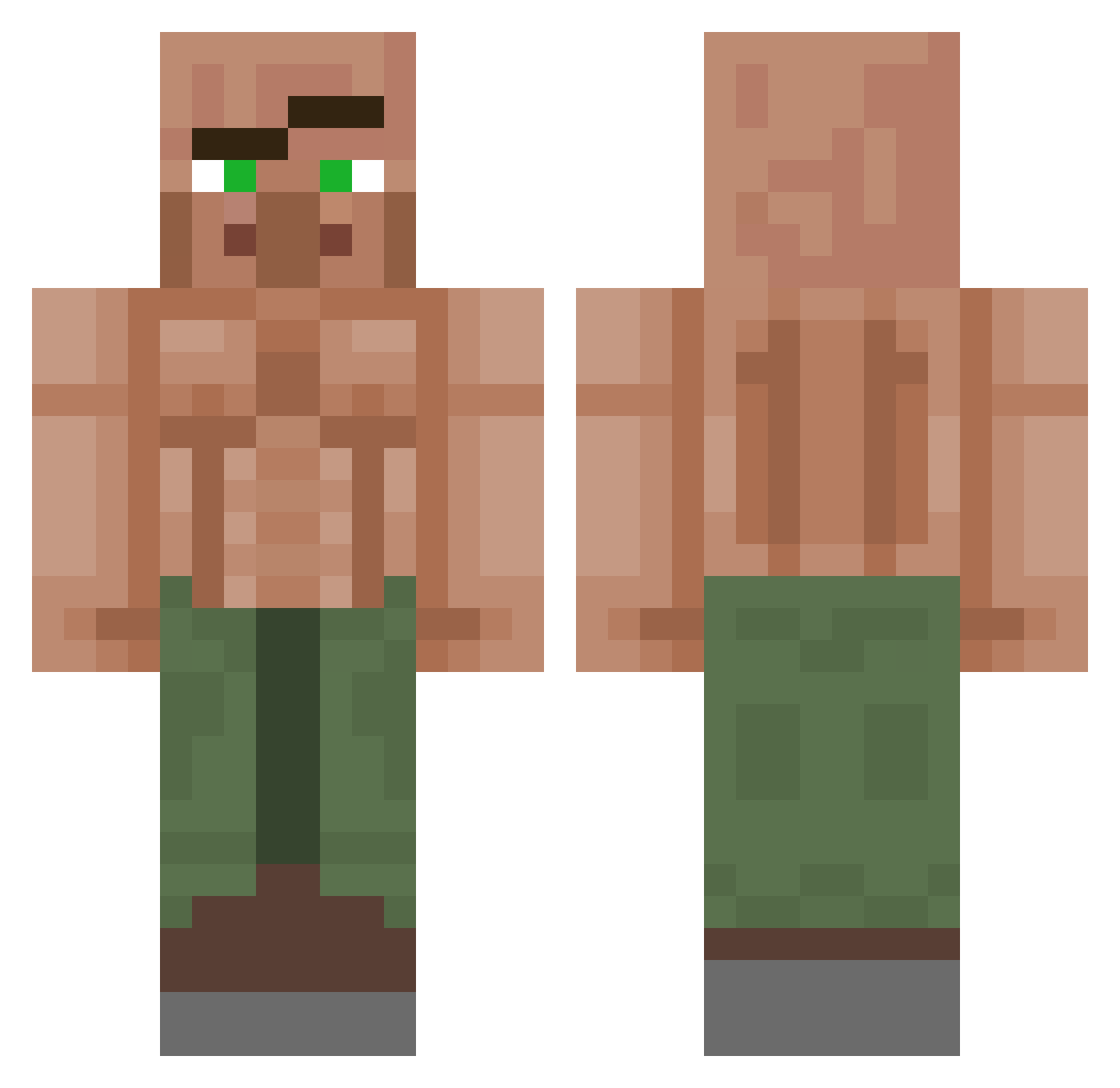
Current Minecraft skin of the player Pude1, loaded from the official Mojang API. Rotate the 3D model with your mouse or finger, then download the skin as a PNG file and use it in Minecraft: Bedrock Edition or Java Edition for free. When Pude1 changes their skin, this page updates automatically and the old skin stays in the history below.
Other players with this skin (1152)
Pude1 was the 627th player we have seen with this skin, first spotted on 25.09.2026. The same skin was seen on these players. Open a nickname to see their current skin and skin history.
 X3MTV insom_wolf PhilaMaster lasershark06 Mackaman_ Alexk75rtx Wozang6408 Witherson2006 larspont 4uTTuk Kowatsch BanditBoy541 xACExI FitiZen_ Apac_On_MS _MrFailure legoblobbyman Azerkatil Low_Lies UltimateSpice1 whoskaia LePEG Spud2017 xxbayonettaxx36 3ASRA AdriMN420 BootyBandido Battlerow CosmicCatto Davidutzul08 KaiserJosef680 Wetfishy GoroLado Arttu_xD GoatedGibbon MrJanitors http_Plato Krosmitos Termx4 66Apollo66 MicroHamsy Henshrek SpicyDad simerslink gtboom MicroJordo Dieguoin Dylanatar Legendary_Chikky Adrian0990 MAST3RMOM Reckless_Kid coficom sometwit roboticSholva Tyluhs SumseBiene2 Steffenien Puilus DaiDaiJerome
More Buff Villager Minecraft skins
See all 40 Buff Villager skins
How to install the Pude1 skin
- Press the Download button above to save the skin as a PNG file.
- Minecraft: Bedrock Edition (PE): open the Dressing Room from the main menu (or tap your character → Edit Character), go to Classic Skins → Owned, press the + (new skin) button, choose the downloaded PNG and pick the Classic (Steve) model. Works on PC and mobile; consoles cannot import custom skins.
- Minecraft: Java Edition: open the Minecraft Launcher, go to the Skins tab, click New Skin, load the PNG, pick the Classic (Steve) model and press Save & Use. You can also upload it at minecraft.net → Profile → Change Skin.
The skin does not show up after import - what should I do?
Restart Minecraft and open the Dressing Room again - imported skins sometimes appear only after a restart. Also make sure you selected the imported skin and picked the Classic (Steve) model.
Which model should I choose, Classic or Slim?
This skin is designed for the Classic (Steve) model. If you pick the wrong model, the arms of the skin will look stretched or squeezed.
Is the skin of Pude1 free to download?
Yes. Press Download, save the PNG file and use it in Minecraft: Bedrock Edition or Java Edition - no payment or registration needed. The skin also works on multiplayer servers and Realms.
More skins
Looking for more? Go back to all Minecraft skins and check the top skins of the week, month and all time, or find any player's skin by nickname.