
Prothonek - Minecraft Skins & Skin History
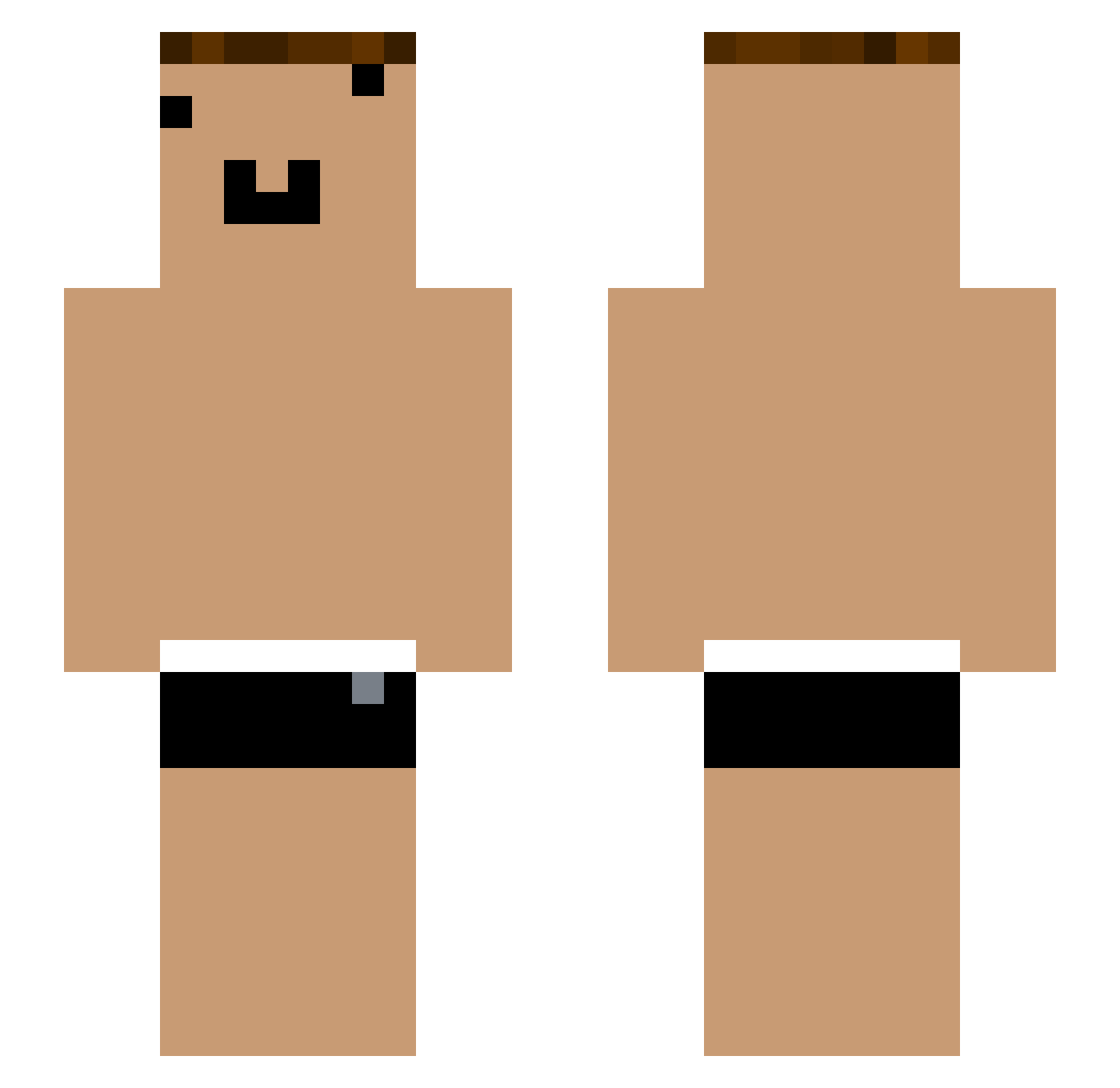
Current Minecraft skin of the player Prothonek, loaded from the official Mojang API. Rotate the 3D model with your mouse or finger, then download the skin as a PNG file and use it in Minecraft: Bedrock Edition or Java Edition for free. When Prothonek changes their skin, this page updates automatically and the old skin stays in the history below.
Other players with this skin (1057)
Prothonek was the 477th player we have seen with this skin, first spotted on 14.09.2026. The same skin was seen on these players. Open a nickname to see their current skin and skin history.
 yYa_ch9wPi_05_21 Tzi_7FR7mO_05_25 va_sxj552 Tzi_wrblZz_06_28 _imD3Jk Tzi_q4gtop_04_24 Tzi_NjVuMh_06_05 GLD_CedqSi_07_18 yYa_h133tY_05_02 Tzi_jtrSBy_07_08 Tzi_pSfNEX_06_10 Augustern0 Tzi_3JIYhi_07_01 yYa_utJLto_05_05 yf_jsu736 Tzi_p3iz6h_05_02 Tzi_tox7ny_06_16 WhiteDog_689cMh che_fTYSl1_05_01 GLD_l9AbHb_07_10 Tzi_fogkJX_05_27 Tzi_UEZha6_04_14 Tzi_JKs8TA_07_14 yYa_lbhsKd_05_20 HY_qWVSlV boyY72 Tzi_3Sv0YK_05_18 Aks_8wSA1X_06_28 Tzi_WuLn5U_08_20 yYa_cEwgb0_08_18 chen_jinnuo yYa_q4gtop_04_28 ONE_674PbD yYa_Wd7KKQ_05_05 Tzi_3ySjWr_05_23 che_8wSA1X_04_29 RishG ONE_utJLto oz_osz686 yYa_FRaqbC_08_09 Tzi_R4ZDgC_08_05 Tzi_ch9wPi_06_04 che_JSiqAb_04_30 Tzi_NEVJpj_07_14 yYa_euwdUT_05_02 yYa_A7OIkU_05_01 OIa_7Yq55k Aks_OAkK5L_07_07 Tzi_i89Qtp_07_13 Tzi_cf3edn_06_12 yYa_XwKHvy_05_02 wagaga1 che_wlib4g_04_30 yYa_MwVN7m_06_19 yYa_oOWGMh_05_22 yYa_3Sv0YK_05_16 vk_bdn671 Tzi_8wSA1X_06_24 yYa_27kBnc_05_07 yYa_GWSa1a_05_02
More Funny Face Minecraft skins
How to install the Prothonek skin
- Press the Download button above to save the skin as a PNG file.
- Minecraft: Bedrock Edition (PE): open the Dressing Room from the main menu (or tap your character → Edit Character), go to Classic Skins → Owned, press the + (new skin) button, choose the downloaded PNG and pick the Slim (Alex) model. Works on PC and mobile; consoles cannot import custom skins.
- Minecraft: Java Edition: open the Minecraft Launcher, go to the Skins tab, click New Skin, load the PNG, pick the Slim (Alex) model and press Save & Use. You can also upload it at minecraft.net → Profile → Change Skin.
The skin does not show up after import - what should I do?
Restart Minecraft and open the Dressing Room again - imported skins sometimes appear only after a restart. Also make sure you selected the imported skin and picked the Slim (Alex) model.
Which model should I choose, Classic or Slim?
This skin is designed for the Slim (Alex) model. If you pick the wrong model, the arms of the skin will look stretched or squeezed.
Is the skin of Prothonek free to download?
Yes. Press Download, save the PNG file and use it in Minecraft: Bedrock Edition or Java Edition - no payment or registration needed. The skin also works on multiplayer servers and Realms.
More skins
Looking for more? Go back to all Minecraft skins and check the top skins of the week, month and all time, or find any player's skin by nickname.