
Promoto - Minecraft Skins & Skin History
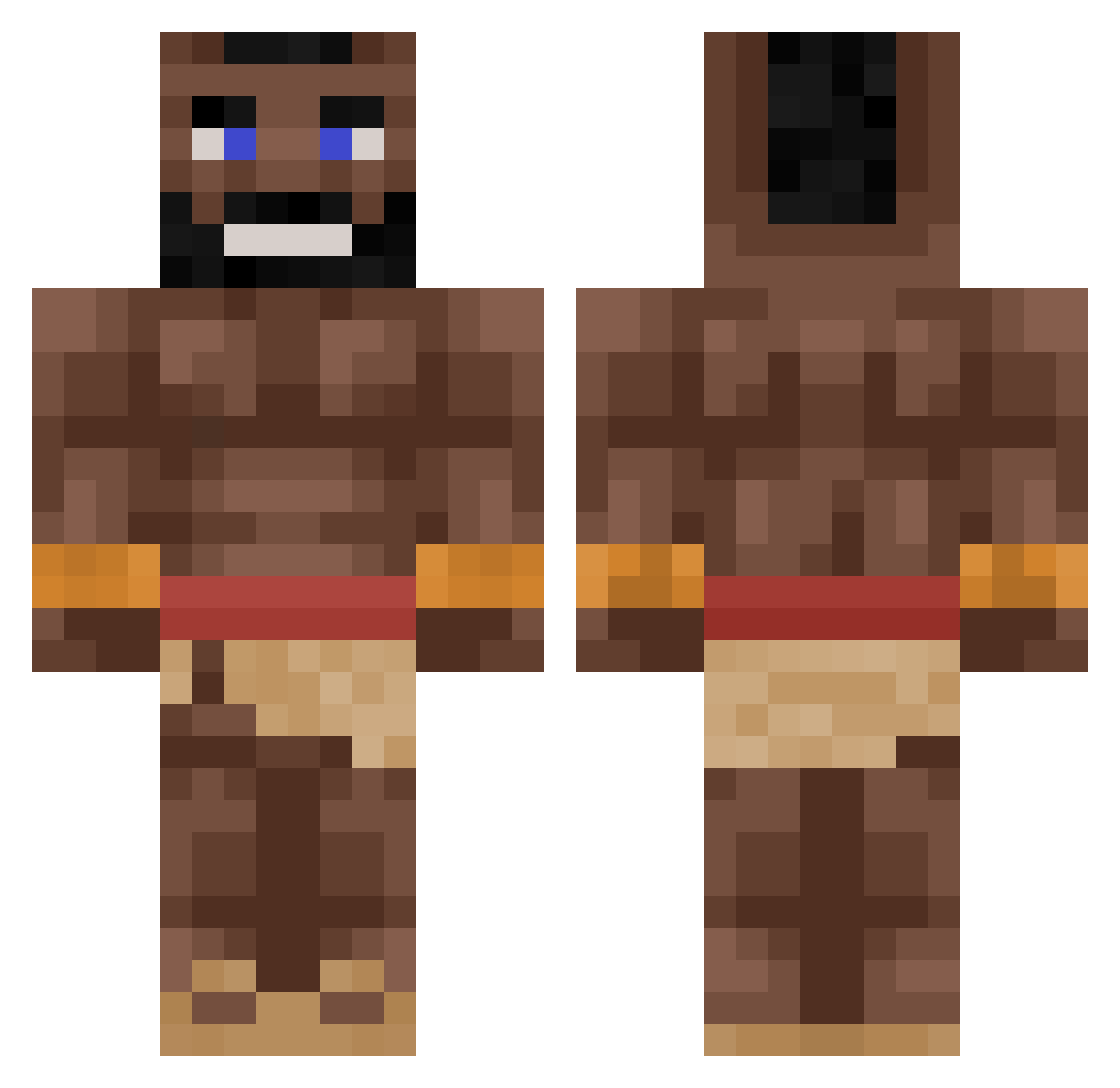
Current Minecraft skin of the player Promoto, loaded from the official Mojang API. Rotate the 3D model with your mouse or finger, then download the skin as a PNG file and use it in Minecraft: Bedrock Edition or Java Edition for free. When Promoto changes their skin, this page updates automatically and the old skin stays in the history below.
Other players with this skin (264)
Promoto was the 102nd player we have seen with this skin, first spotted on 30.08.2026. The same skin was seen on these players. Open a nickname to see their current skin and skin history.
 15banscantstopme __22cps__ Seanixzs Inevistone joe_blowj RafaelPT09 tmesg SurviKalle Narch1zzz m4nt3l1s Mitrion HawoHa MattOne0 pickle78901 skibidiOlaf Si4Air WcaleNiePad Pudel_Ziom asher28992 BObbinOU elmokkeli zambabie lasman1 Solandergoat AbuHDD tnog_12 MaSnY_Sokol hbodd Mafiaei klefnek Nigward012 Cactussega Axry_st darkbal99 LinusAagaard taarush Lunch121Strange RosehipSoup wise_ducky wlif IValks Ordebalt milanluca1 MrHegy Husarz1683 DarthKnechtus Trolokius ijulx Obliterator_2000 Punqy Imjustcurt Fir3claw Ulvdiaz Bar95 SuperPROMAN123 Louis_K0303 Eguine K1ng14234 bumpergoose LegolasCod
More Mohawk Minecraft skins
How to install the Promoto skin
- Press the Download button above to save the skin as a PNG file.
- Minecraft: Bedrock Edition (PE): open the Dressing Room from the main menu (or tap your character → Edit Character), go to Classic Skins → Owned, press the + (new skin) button, choose the downloaded PNG and pick the Classic (Steve) model. Works on PC and mobile; consoles cannot import custom skins.
- Minecraft: Java Edition: open the Minecraft Launcher, go to the Skins tab, click New Skin, load the PNG, pick the Classic (Steve) model and press Save & Use. You can also upload it at minecraft.net → Profile → Change Skin.
The skin does not show up after import - what should I do?
Restart Minecraft and open the Dressing Room again - imported skins sometimes appear only after a restart. Also make sure you selected the imported skin and picked the Classic (Steve) model.
Which model should I choose, Classic or Slim?
This skin is designed for the Classic (Steve) model. If you pick the wrong model, the arms of the skin will look stretched or squeezed.
Is the skin of Promoto free to download?
Yes. Press Download, save the PNG file and use it in Minecraft: Bedrock Edition or Java Edition - no payment or registration needed. The skin also works on multiplayer servers and Realms.
More skins
Looking for more? Go back to all Minecraft skins and check the top skins of the week, month and all time, or find any player's skin by nickname.