
ProisGod - Minecraft Skins & Skin History
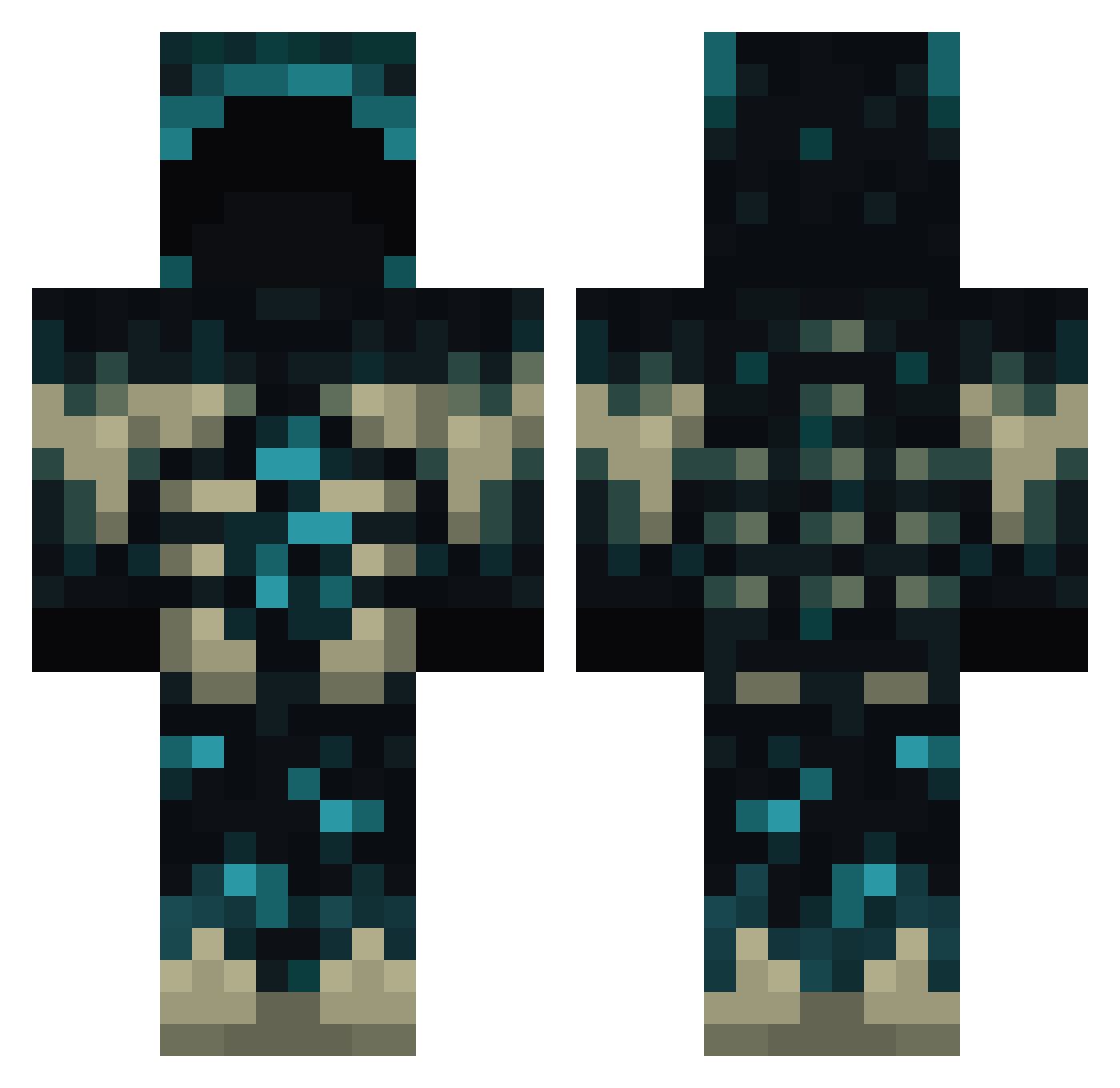
Current Minecraft skin of the player ProisGod, loaded from the official Mojang API. Rotate the 3D model with your mouse or finger, then download the skin as a PNG file and use it in Minecraft: Bedrock Edition or Java Edition for free. When ProisGod changes their skin, this page updates automatically and the old skin stays in the history below.
Other players with this skin (938)
ProisGod was the 918th player we have seen with this skin, first spotted on 16.11.2026. The same skin was seen on these players. Open a nickname to see their current skin and skin history.
 vVyrus MrDari24 VendableRain uv_x CRUYYFF Mudo95 A_Muju intheshadows362 Adequate_person JusttAlaska Xalcer QuestionableCube Zenimer AdrianUV GiantIce8 Crypto_op Ferdinand190 Aramis_Hero wristyn ziya2014 LastPlayt_360 jscantellyy Touks SQuishy_HAmpter Ultraman_Tiga_02 qaz054308 YTGAMENITO carlakas Zerock_ bickbanana Juandax40 stefred75 SleepyCaper8878 CASTLEGAMING248 The_Kisiel DipperKraft ChaosGamer2003 X1aoZhu Hua0113 LoserMp5 Crypt_Tomb Athkor974 soyelprogamer QuawkuYT Ant3xiQ leon_luknik Yaphin fl0bull07 martin4311 RelicIsBored ALEX2644 DervDemonss PYME3939 brajan2938 BoneHunter11 crystallinesoup SculkDisciple Vukooooo flowerfy DastardlyTip
More Deep Dark Minecraft skins
How to install the ProisGod skin
- Press the Download button above to save the skin as a PNG file.
- Minecraft: Bedrock Edition (PE): open the Dressing Room from the main menu (or tap your character → Edit Character), go to Classic Skins → Owned, press the + (new skin) button, choose the downloaded PNG and pick the Classic (Steve) model. Works on PC and mobile; consoles cannot import custom skins.
- Minecraft: Java Edition: open the Minecraft Launcher, go to the Skins tab, click New Skin, load the PNG, pick the Classic (Steve) model and press Save & Use. You can also upload it at minecraft.net → Profile → Change Skin.
The skin does not show up after import - what should I do?
Restart Minecraft and open the Dressing Room again - imported skins sometimes appear only after a restart. Also make sure you selected the imported skin and picked the Classic (Steve) model.
Which model should I choose, Classic or Slim?
This skin is designed for the Classic (Steve) model. If you pick the wrong model, the arms of the skin will look stretched or squeezed.
Is the skin of ProisGod free to download?
Yes. Press Download, save the PNG file and use it in Minecraft: Bedrock Edition or Java Edition - no payment or registration needed. The skin also works on multiplayer servers and Realms.
More skins
Looking for more? Go back to all Minecraft skins and check the top skins of the week, month and all time, or find any player's skin by nickname.