
Professor_Pink - Minecraft Skins & Skin History
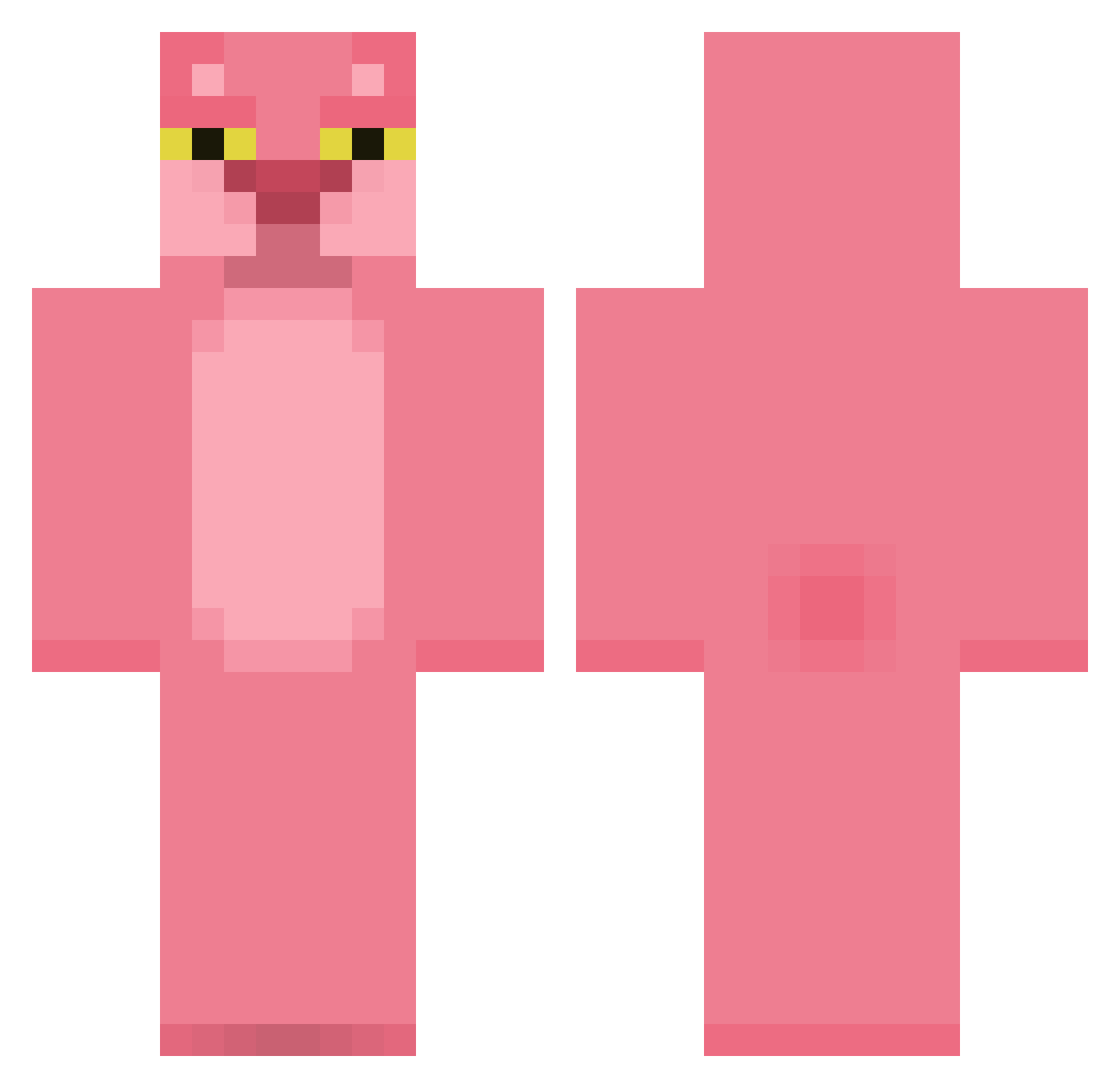
Current Minecraft skin of the player Professor_Pink, loaded from the official Mojang API. Rotate the 3D model with your mouse or finger, then download the skin as a PNG file and use it in Minecraft: Bedrock Edition or Java Edition for free. When Professor_Pink changes their skin, this page updates automatically and the old skin stays in the history below.
Other players with this skin (529)
Professor_Pink was the 469th player we have seen with this skin, first spotted on 09.11.2026. The same skin was seen on these players. Open a nickname to see their current skin and skin history.
 Bapps yoyohwan BYRNEBLACK AnotherMoniker Gusar TENGOSUERTE N0T_Panther Ep11lepsy Mikrai MiggysGF CHOCKOPIG randoodle316 JESUSFIGUEROA iyad7 landada CokeN0tPepsi Tetinh4 Franga_bea EspanaGod PoxyBag bobMidelton Echape Yumpink MrLangosta AnyeXD Okamov joaopfcunha chenremo ThatzKarma ALAURAPS Xx_9 Snehta Realite NENINONA nipil Pynkpanic xXcrazyclawXx kyitkat Dosloth Afrikkaa Tiger50994 lufutami Awei69 Yolomeus_ ColourTaster Gertie_G saucyamputee PedrinhoAzg22 kocia_paszcza christiaaan11 LeoHam2901 kunco23 Hen6y iansotnick Dalin01 petcat321 lovejiujiu alpacinoupdates XxNiu_ endus9309
More The Pink Panther Minecraft skins
See all 177 The Pink Panther skins
How to install the Professor_Pink skin
- Press the Download button above to save the skin as a PNG file.
- Minecraft: Bedrock Edition (PE): open the Dressing Room from the main menu (or tap your character → Edit Character), go to Classic Skins → Owned, press the + (new skin) button, choose the downloaded PNG and pick the Classic (Steve) model. Works on PC and mobile; consoles cannot import custom skins.
- Minecraft: Java Edition: open the Minecraft Launcher, go to the Skins tab, click New Skin, load the PNG, pick the Classic (Steve) model and press Save & Use. You can also upload it at minecraft.net → Profile → Change Skin.
The skin does not show up after import - what should I do?
Restart Minecraft and open the Dressing Room again - imported skins sometimes appear only after a restart. Also make sure you selected the imported skin and picked the Classic (Steve) model.
Which model should I choose, Classic or Slim?
This skin is designed for the Classic (Steve) model. If you pick the wrong model, the arms of the skin will look stretched or squeezed.
Is the skin of Professor_Pink free to download?
Yes. Press Download, save the PNG file and use it in Minecraft: Bedrock Edition or Java Edition - no payment or registration needed. The skin also works on multiplayer servers and Realms.
More skins
Looking for more? Go back to all Minecraft skins and check the top skins of the week, month and all time, or find any player's skin by nickname.