
Prod1gy91 - Minecraft Skins & Skin History
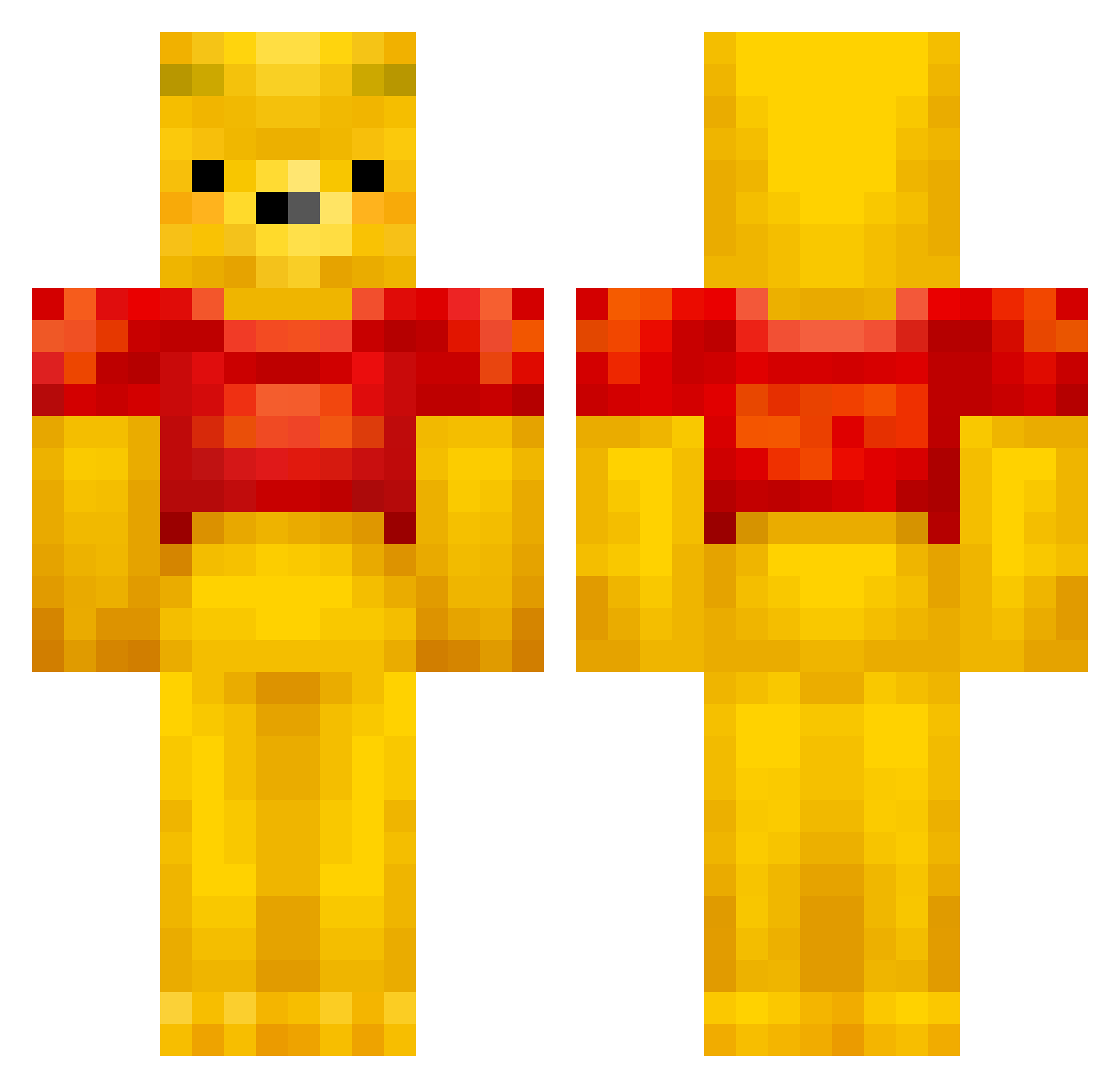
Current Minecraft skin of the player Prod1gy91, loaded from the official Mojang API. Rotate the 3D model with your mouse or finger, then download the skin as a PNG file and use it in Minecraft: Bedrock Edition or Java Edition for free. When Prod1gy91 changes their skin, this page updates automatically and the old skin stays in the history below.
Other players with this skin (432)
Prod1gy91 was the 315th player we have seen with this skin, first spotted on 04.10.2026. The same skin was seen on these players. Open a nickname to see their current skin and skin history.
 Fuzenofeeling Ckimb0 BigHoss447 ladytalitha DonaldMuylle Armaiic VENOMJ dms0919 NAOMICHI1102 Mauritsion sped_indabutthol lullabell1710 OnnyxWitch MiaSpies181 kwickssss00 shin_kamikaze fipsiosaurus Sivaaaak Wardie12 MikroBread Kron23 asjofboa waiteforme Marcus_M_2005 RobbyNL marissalef yuumu193 Tomqqa catfood1234 yechan0503 RedRevelationM Yannisch_ asdxd09 tain271 MTProduction sogefan Nabinushku markb131 line_dao WinniethDoom MaryAhriF HanaGeFire seojeong0711 scepixx ayayaman Immortal_Hippie ijensen79 CapWatty Heiharp AWinnieThePooh Yl0_0lY Hazecodfish Wiamotit1e Gugge_12 Bambi_Lambi GrumpyPants14 Rory8601 apMIMI Giuseppeee Me1onsoda
More Winnie The Pooh Minecraft skins
See all 303 Winnie The Pooh skins
How to install the Prod1gy91 skin
- Press the Download button above to save the skin as a PNG file.
- Minecraft: Bedrock Edition (PE): open the Dressing Room from the main menu (or tap your character → Edit Character), go to Classic Skins → Owned, press the + (new skin) button, choose the downloaded PNG and pick the Classic (Steve) model. Works on PC and mobile; consoles cannot import custom skins.
- Minecraft: Java Edition: open the Minecraft Launcher, go to the Skins tab, click New Skin, load the PNG, pick the Classic (Steve) model and press Save & Use. You can also upload it at minecraft.net → Profile → Change Skin.
The skin does not show up after import - what should I do?
Restart Minecraft and open the Dressing Room again - imported skins sometimes appear only after a restart. Also make sure you selected the imported skin and picked the Classic (Steve) model.
Which model should I choose, Classic or Slim?
This skin is designed for the Classic (Steve) model. If you pick the wrong model, the arms of the skin will look stretched or squeezed.
Is the skin of Prod1gy91 free to download?
Yes. Press Download, save the PNG file and use it in Minecraft: Bedrock Edition or Java Edition - no payment or registration needed. The skin also works on multiplayer servers and Realms.
More skins
Looking for more? Go back to all Minecraft skins and check the top skins of the week, month and all time, or find any player's skin by nickname.