
Pro2Call - Minecraft Skins & Skin History
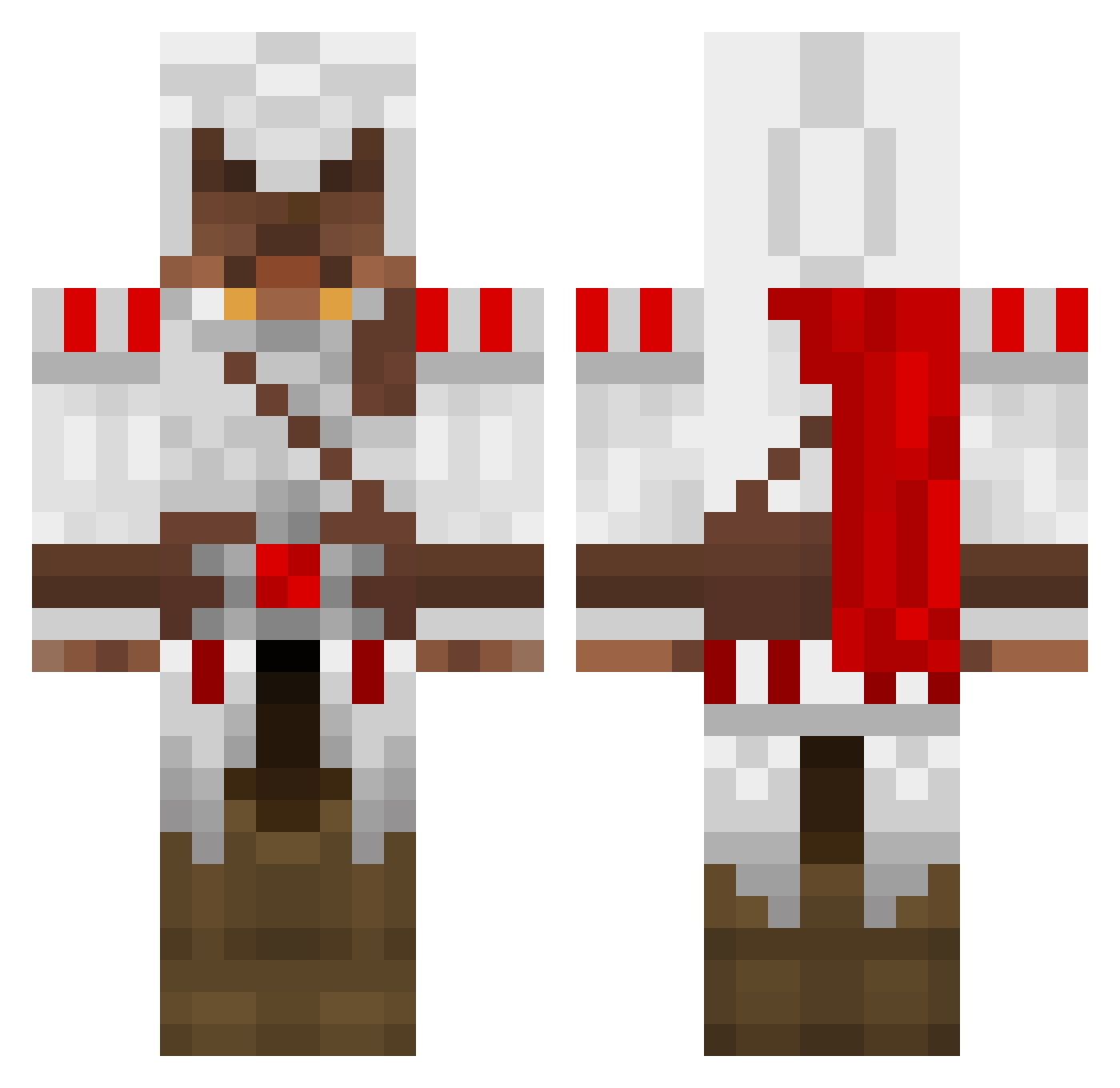
Current Minecraft skin of the player Pro2Call, loaded from the official Mojang API. Rotate the 3D model with your mouse or finger, then download the skin as a PNG file and use it in Minecraft: Bedrock Edition or Java Edition for free. When Pro2Call changes their skin, this page updates automatically and the old skin stays in the history below.
Other players with this skin (1389)
Pro2Call was the 215th player we have seen with this skin, first spotted on 09.08.2026. The same skin was seen on these players. Open a nickname to see their current skin and skin history.
 virtualcowboy jadynclark zippperPL takanome1504 oatssss Spartan139 Austinsmith766 MaptainCorgan Typhon76 FruityLoopyd geggioli666 Waynyx ukko321 genoasalami cheechlax09 Bennyj321 vLethal Sonnih aggiebeast1 ScrewLoose88 Anatoon18 BoerTi bgilbert123 paulr93 toxicslam1 Maty2014 bigboy3031 DNLGS FuSioN34 ashlaban fredrox10 theloone Skaggies MontageMania bieberkr Willbill110 Talele19 Goliath1978 diegodawson sinsin123 DebussyZ burtybin98 STARWARSxNINJA koshies ProbieWanKenobi Roy_Pherae 10dark01 cyberdude09 Enki_of_Eridu BigGregVegas Teh_Klar jessethemessy Hezeuschrist yentl264 marcgy fergus1006 deathkingty dobster1512 YouWantSomeBacon auguste_j
More Altair Ibn La Ahad Minecraft skins
See all 196 Altair Ibn La Ahad skins
How to install the Pro2Call skin
- Press the Download button above to save the skin as a PNG file.
- Minecraft: Bedrock Edition (PE): open the Dressing Room from the main menu (or tap your character → Edit Character), go to Classic Skins → Owned, press the + (new skin) button, choose the downloaded PNG and pick the Classic (Steve) model. Works on PC and mobile; consoles cannot import custom skins.
- Minecraft: Java Edition: open the Minecraft Launcher, go to the Skins tab, click New Skin, load the PNG, pick the Classic (Steve) model and press Save & Use. You can also upload it at minecraft.net → Profile → Change Skin.
The skin does not show up after import - what should I do?
Restart Minecraft and open the Dressing Room again - imported skins sometimes appear only after a restart. Also make sure you selected the imported skin and picked the Classic (Steve) model.
Which model should I choose, Classic or Slim?
This skin is designed for the Classic (Steve) model. If you pick the wrong model, the arms of the skin will look stretched or squeezed.
Is the skin of Pro2Call free to download?
Yes. Press Download, save the PNG file and use it in Minecraft: Bedrock Edition or Java Edition - no payment or registration needed. The skin also works on multiplayer servers and Realms.
More skins
Looking for more? Go back to all Minecraft skins and check the top skins of the week, month and all time, or find any player's skin by nickname.