
Primoroni - Minecraft Skins & Skin History
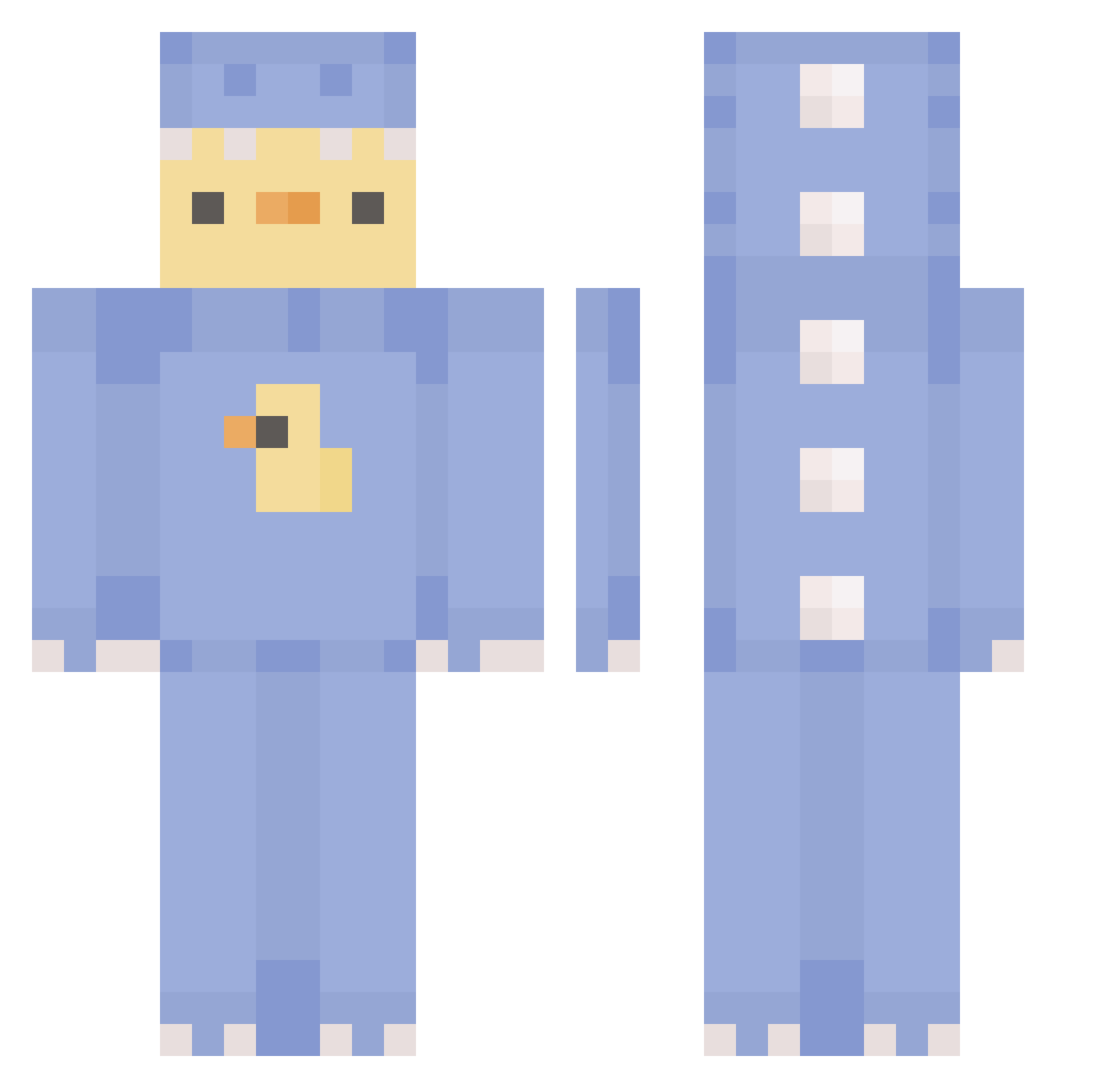
Current Minecraft skin of the player Primoroni, loaded from the official Mojang API. Rotate the 3D model with your mouse or finger, then download the skin as a PNG file and use it in Minecraft: Bedrock Edition or Java Edition for free. When Primoroni changes their skin, this page updates automatically and the old skin stays in the history below.
Other players with this skin (372)
Primoroni was the 331st player we have seen with this skin, first spotted on 20.10.2026. The same skin was seen on these players. Open a nickname to see their current skin and skin history.
 FutureShelf6618 Zezenn pikalani 2323fumi AlyCiaJ Ruuuuu113 Mako1234567890M hami_0 jte_hakai SleekUnicorn110 darkawoken GetGlue GetGudBud anth0ttie Samuka202 toleeK Ashi_Sushi Vellnes LeechyWeechy DuckMasterAl Deathqt ko2ddu ItsRektBtw Morphideor maxtopyt666 CHRIIISTMAS kkingkking123 Executor_Gaming Radixes Doong_S KIDO0212 Michelle1512 Pankeke_19 megamoop Asio22 MayoMai liloucat24 BallerBorb BlerpAlert Ginger_Strings ItsGarb LucaMagPesto xNoHeart ANIAAV2 ON_SH Ryanosaurus__ SkittleChes Belgumjitse Honam_18 platinum_dub Xevz_ sakusakupanda0_0 NirvanaSoftAim L4LUNE UmranTabwoong chlobo58 O0O00O0Ol Muchichi16 madlilprincess ShiningBobzB
More Dinosaur Onesie Minecraft skins
See all 671 Dinosaur Onesie skins
How to install the Primoroni skin
- Press the Download button above to save the skin as a PNG file.
- Minecraft: Bedrock Edition (PE): open the Dressing Room from the main menu (or tap your character → Edit Character), go to Classic Skins → Owned, press the + (new skin) button, choose the downloaded PNG and pick the Classic (Steve) model. Works on PC and mobile; consoles cannot import custom skins.
- Minecraft: Java Edition: open the Minecraft Launcher, go to the Skins tab, click New Skin, load the PNG, pick the Classic (Steve) model and press Save & Use. You can also upload it at minecraft.net → Profile → Change Skin.
The skin does not show up after import - what should I do?
Restart Minecraft and open the Dressing Room again - imported skins sometimes appear only after a restart. Also make sure you selected the imported skin and picked the Classic (Steve) model.
Which model should I choose, Classic or Slim?
This skin is designed for the Classic (Steve) model. If you pick the wrong model, the arms of the skin will look stretched or squeezed.
Is the skin of Primoroni free to download?
Yes. Press Download, save the PNG file and use it in Minecraft: Bedrock Edition or Java Edition - no payment or registration needed. The skin also works on multiplayer servers and Realms.
More skins
Looking for more? Go back to all Minecraft skins and check the top skins of the week, month and all time, or find any player's skin by nickname.