
Prime_Hayden - Minecraft Skins & Skin History
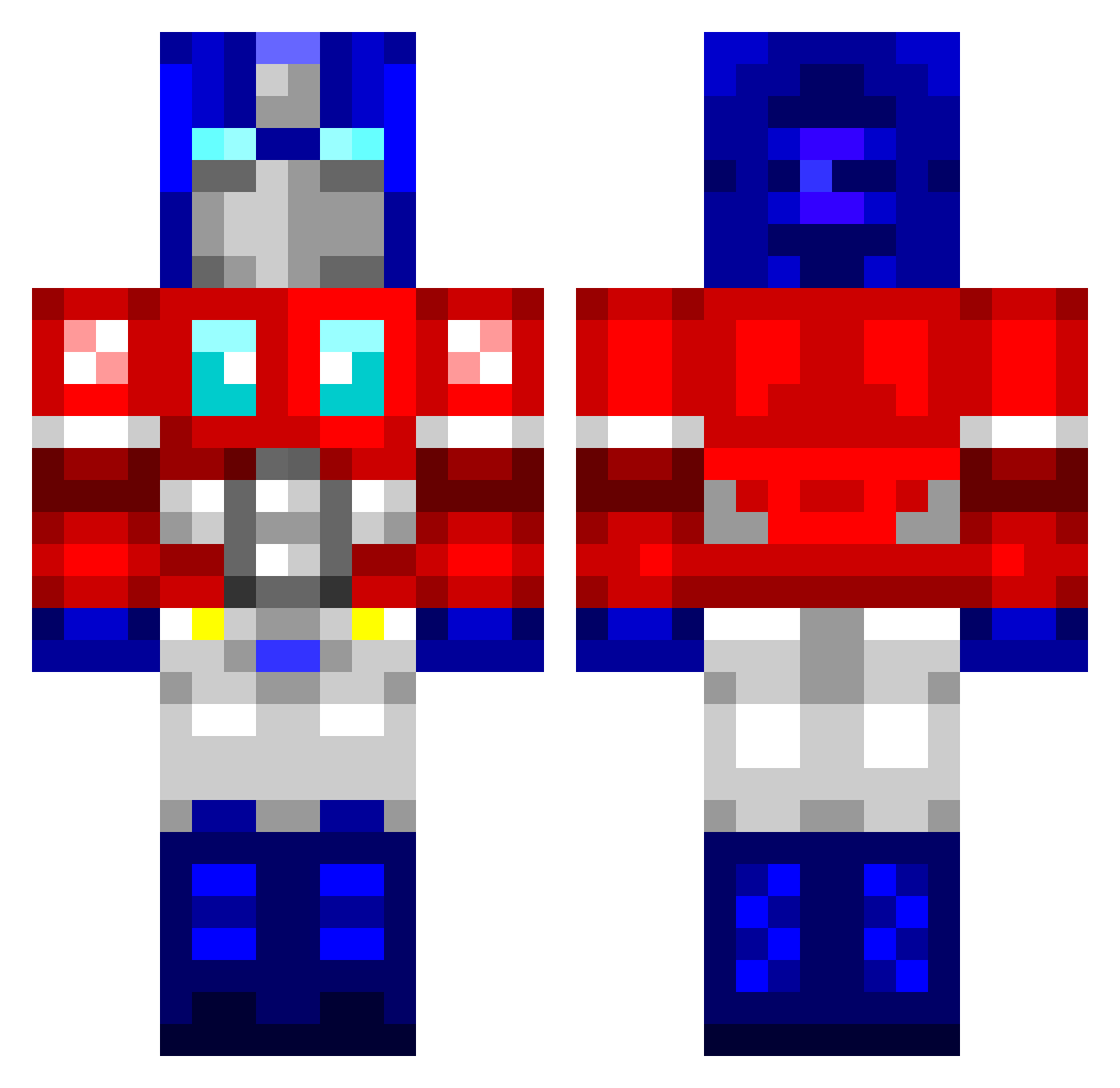
Current Minecraft skin of the player Prime_Hayden, loaded from the official Mojang API. Rotate the 3D model with your mouse or finger, then download the skin as a PNG file and use it in Minecraft: Bedrock Edition or Java Edition for free. When Prime_Hayden changes their skin, this page updates automatically and the old skin stays in the history below.
Other players with this skin (764)
Prime_Hayden was the 742nd player we have seen with this skin, first spotted on 30.10.2026. The same skin was seen on these players. Open a nickname to see their current skin and skin history.
 king2269 BlitZkriEg80 john6452 wookielol mabc007 gounchmeat Folk3 holeycheez wheeljack9 CaptainTurner Melthor84 connorboiz alexfchin LerkityLerk ultra_maximus Furromasteruwu DavidHasFriends sgt_harbinger Falco5 goodjobit xBadqer AllTheDollars Hunting_Wolves superhulken888 trinemew Bluerambo88 Fantasy_Spike ssj9vega drkristoffer mickey_misterio godisadj1 Lugiacarpe scote wwwwww4111 dg_cakes blackhearts69 TheValgard Goggelino zowning RetardedDino Schizzie iProDylann DRUMK1NG steffers01 ViralG wcbdfy xKevin1991 Shooter_1001 SRxRedshift gurns101 gefallenangel UV_Catastrophe KorbenU19 xAnimat0rx JangoZilla ForkAnork Mrjasonvaesen TiCK_TACK_TOE Kraatos109 kerscha
More Optimus Prime Minecraft skins
See all 87 Optimus Prime skins
How to install the Prime_Hayden skin
- Press the Download button above to save the skin as a PNG file.
- Minecraft: Bedrock Edition (PE): open the Dressing Room from the main menu (or tap your character → Edit Character), go to Classic Skins → Owned, press the + (new skin) button, choose the downloaded PNG and pick the Classic (Steve) model. Works on PC and mobile; consoles cannot import custom skins.
- Minecraft: Java Edition: open the Minecraft Launcher, go to the Skins tab, click New Skin, load the PNG, pick the Classic (Steve) model and press Save & Use. You can also upload it at minecraft.net → Profile → Change Skin.
The skin does not show up after import - what should I do?
Restart Minecraft and open the Dressing Room again - imported skins sometimes appear only after a restart. Also make sure you selected the imported skin and picked the Classic (Steve) model.
Which model should I choose, Classic or Slim?
This skin is designed for the Classic (Steve) model. If you pick the wrong model, the arms of the skin will look stretched or squeezed.
Is the skin of Prime_Hayden free to download?
Yes. Press Download, save the PNG file and use it in Minecraft: Bedrock Edition or Java Edition - no payment or registration needed. The skin also works on multiplayer servers and Realms.
More skins
Looking for more? Go back to all Minecraft skins and check the top skins of the week, month and all time, or find any player's skin by nickname.