
PraecorLoth970 - Minecraft Skins & Skin History
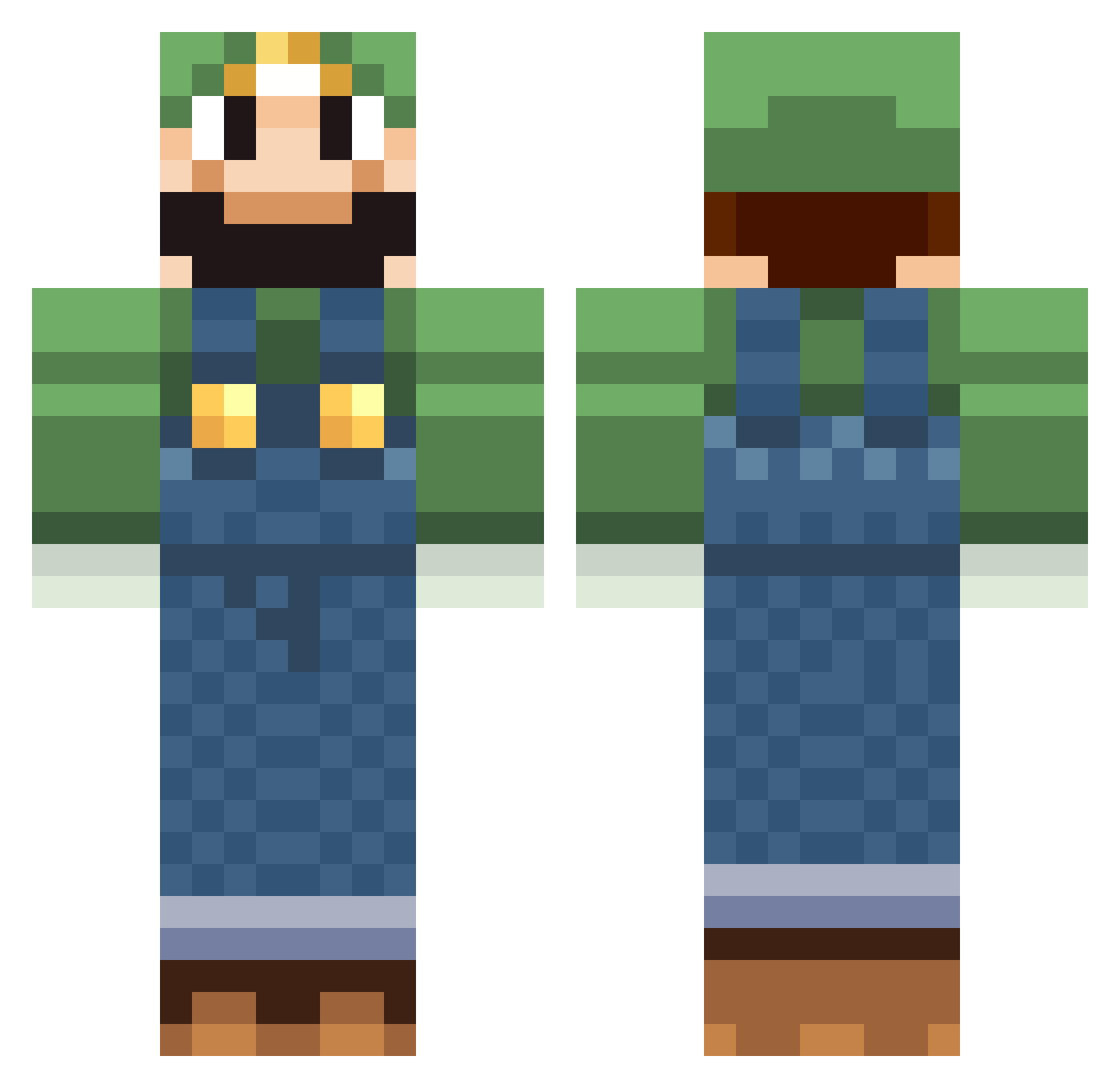
Current Minecraft skin of the player PraecorLoth970, loaded from the official Mojang API. Rotate the 3D model with your mouse or finger, then download the skin as a PNG file and use it in Minecraft: Bedrock Edition or Java Edition for free. When PraecorLoth970 changes their skin, this page updates automatically and the old skin stays in the history below.
Other players with this skin (518)
PraecorLoth970 was the 217th player we have seen with this skin, first spotted on 06.09.2026. The same skin was seen on these players. Open a nickname to see their current skin and skin history.
 Baggerfahrer Lulzigi AzureJackal Rullekebab1 MRjacko marugarita Abiiii Musclorette sovietfoliage solacethemenace BorisdK Derlustigepeter TORAZAKURA AndrewMMartin bastou92600 joerokocoko cheezeman0309 shifo Pressy2001 robby1126 SylverSULISTA ispywithmyeye11 Guedrox Scorpion9780 tob0s Lithe_Hydren CREEPERBOY936 Bonebeef Trophies Justin_Roche simone000000 carlo911 marioboom Mr_M0Jangles MojoCupcakez putin98 hatagay lankywiesner Luigi_Hunter physcotiger155 henningsjo elioutt 0utasight gizi11323 oguser terrorbreaker al3xtec Chudy781 Doobi_is_cool Xnonx14 Flubrice Spurbueffel kazinul Mik99el zirloc Jamik92 Chandaman38 99cool999 Afgin Egames101
More Luigi Minecraft skins
How to install the PraecorLoth970 skin
- Press the Download button above to save the skin as a PNG file.
- Minecraft: Bedrock Edition (PE): open the Dressing Room from the main menu (or tap your character → Edit Character), go to Classic Skins → Owned, press the + (new skin) button, choose the downloaded PNG and pick the Classic (Steve) model. Works on PC and mobile; consoles cannot import custom skins.
- Minecraft: Java Edition: open the Minecraft Launcher, go to the Skins tab, click New Skin, load the PNG, pick the Classic (Steve) model and press Save & Use. You can also upload it at minecraft.net → Profile → Change Skin.
The skin does not show up after import - what should I do?
Restart Minecraft and open the Dressing Room again - imported skins sometimes appear only after a restart. Also make sure you selected the imported skin and picked the Classic (Steve) model.
Which model should I choose, Classic or Slim?
This skin is designed for the Classic (Steve) model. If you pick the wrong model, the arms of the skin will look stretched or squeezed.
Is the skin of PraecorLoth970 free to download?
Yes. Press Download, save the PNG file and use it in Minecraft: Bedrock Edition or Java Edition - no payment or registration needed. The skin also works on multiplayer servers and Realms.
More skins
Looking for more? Go back to all Minecraft skins and check the top skins of the week, month and all time, or find any player's skin by nickname.