
PowderSaint - Minecraft Skins & Skin History
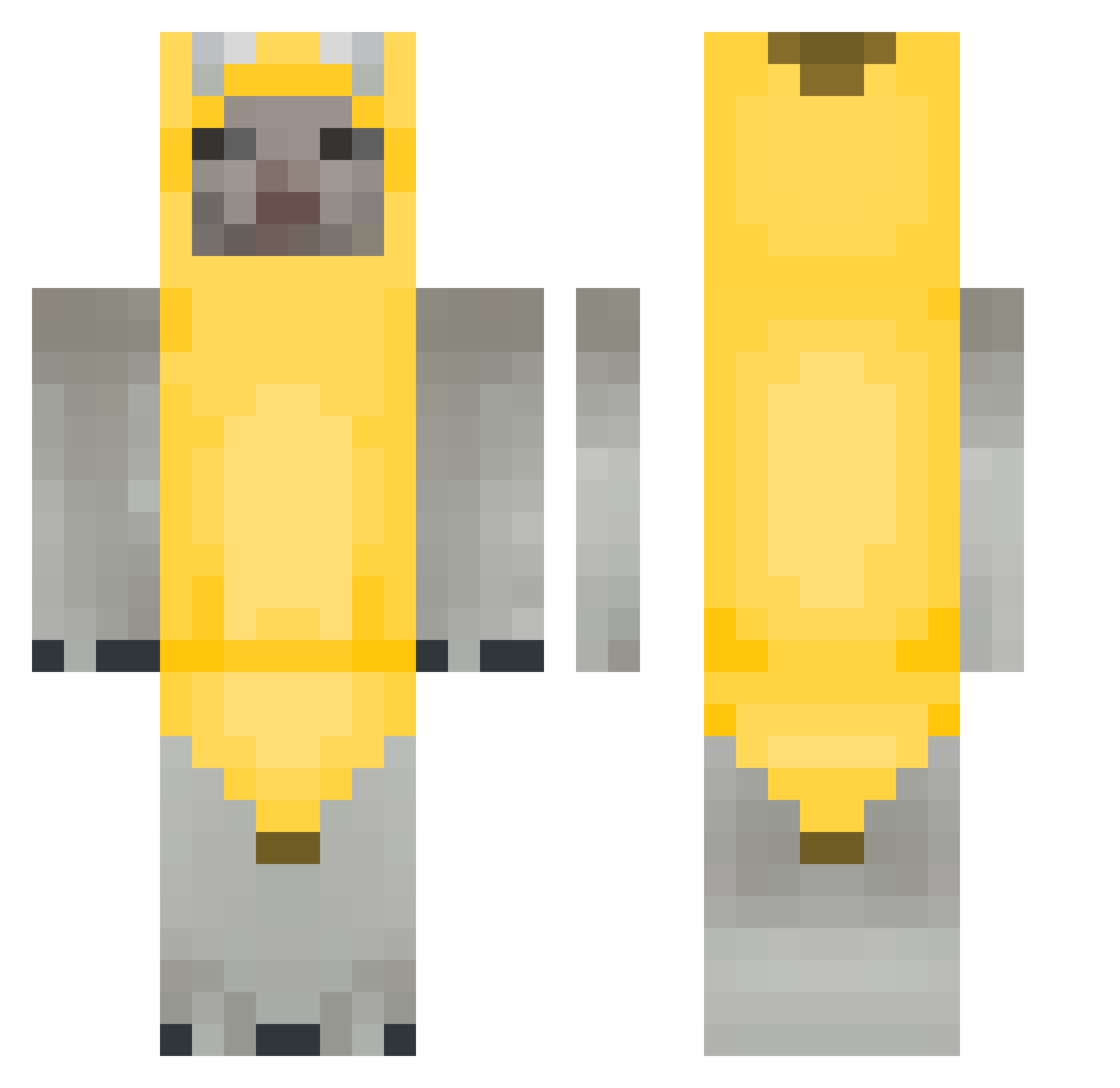
Current Minecraft skin of the player PowderSaint, loaded from the official Mojang API. Rotate the 3D model with your mouse or finger, then download the skin as a PNG file and use it in Minecraft: Bedrock Edition or Java Edition for free. When PowderSaint changes their skin, this page updates automatically and the old skin stays in the history below.
Other players with this skin (264)
PowderSaint was the 240th player we have seen with this skin, first spotted on 23.10.2026. The same skin was seen on these players. Open a nickname to see their current skin and skin history.
 Krait_ 89J corysandhagenfan nafflyx ishowstupid LxckyOne nazi123467 Sm_05 Lqnxr PoopyAss_ Skarne_r _Simp_Daddy_ gisellebrr mila022 HendyBoi sungvely SweetJPen1s EON_4 TheBoyNine _402 ElmoGangonTo adm_168 ChocolatePotato2 yekatarina Raiynex keirlys s10v24j SUPERFISCHER justin8404 Banana_meow zombie_villager1 dobiemart Equsek Francosky comradehyun marielovinQ Luqzerra goonerbuga eunseop StealthHobbit backshotteuse RealJano pendy1 Super_Gubben BIGFINT FakeCr0wn ehdgns76099 gamjajun0329 DaBananaa TheUnderrated young_juuzou Koriix_ holdmydihh Noob1052easy HeangZzang WRLDRAIN jeraold ILYRaptor Ariannklkxd nogabogaa
More Banana Costume Minecraft skins
See all 52 Banana Costume skins
How to install the PowderSaint skin
- Press the Download button above to save the skin as a PNG file.
- Minecraft: Bedrock Edition (PE): open the Dressing Room from the main menu (or tap your character → Edit Character), go to Classic Skins → Owned, press the + (new skin) button, choose the downloaded PNG and pick the Classic (Steve) model. Works on PC and mobile; consoles cannot import custom skins.
- Minecraft: Java Edition: open the Minecraft Launcher, go to the Skins tab, click New Skin, load the PNG, pick the Classic (Steve) model and press Save & Use. You can also upload it at minecraft.net → Profile → Change Skin.
The skin does not show up after import - what should I do?
Restart Minecraft and open the Dressing Room again - imported skins sometimes appear only after a restart. Also make sure you selected the imported skin and picked the Classic (Steve) model.
Which model should I choose, Classic or Slim?
This skin is designed for the Classic (Steve) model. If you pick the wrong model, the arms of the skin will look stretched or squeezed.
Is the skin of PowderSaint free to download?
Yes. Press Download, save the PNG file and use it in Minecraft: Bedrock Edition or Java Edition - no payment or registration needed. The skin also works on multiplayer servers and Realms.
More skins
Looking for more? Go back to all Minecraft skins and check the top skins of the week, month and all time, or find any player's skin by nickname.