
PossumHeads - Minecraft Skins & Skin History
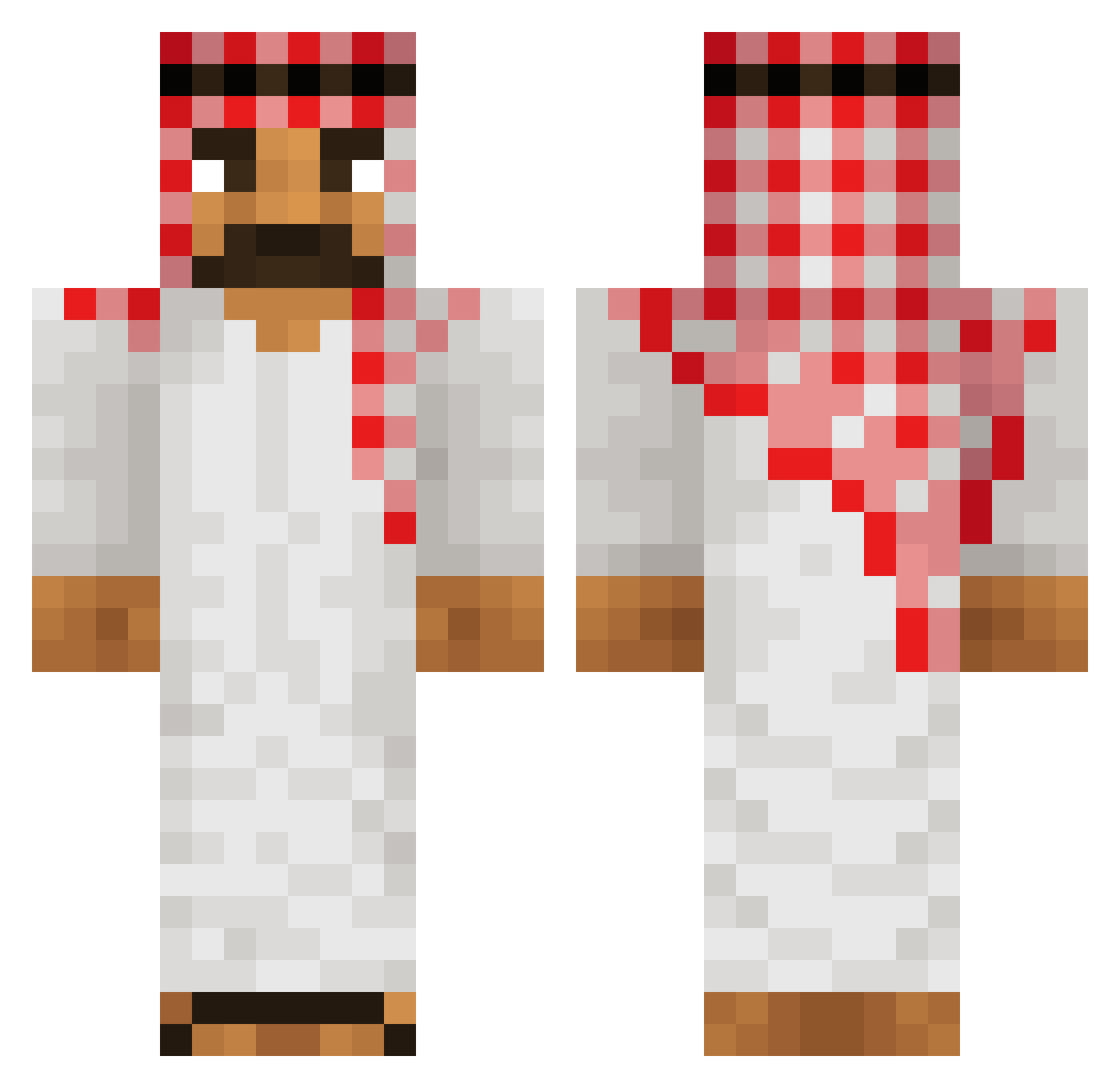
Current Minecraft skin of the player PossumHeads, loaded from the official Mojang API. Rotate the 3D model with your mouse or finger, then download the skin as a PNG file and use it in Minecraft: Bedrock Edition or Java Edition for free. When PossumHeads changes their skin, this page updates automatically and the old skin stays in the history below.
Other players with this skin (186)
PossumHeads was the 45th player we have seen with this skin, first spotted on 15.08.2026. The same skin was seen on these players. Open a nickname to see their current skin and skin history.
 Boghasem Unagglio_Games Sircomsison vStxrs
 chlebek_2812 GenghisKhlaus Rayou_akhy
 unpokitolokitolo TaaTuuTaa heeks SchattenEngel_ AlbertOffical tombeurr21 ItzDat_RAT_er TITANICO2012 Darkflo59 H00nt3r ondysovo_ lilycat12 _a_s_t_x_ orphanlyncher Izumiiii14 WuriaSomalia gitler_kaputt Suliiui Cylnas edp1 AuSlo999 JanuAdrian 4sp3ctt
 Kira_kaboom JessevG sebastian7856 AUTlSTlC Yanic346 BBCSerek
 Trunkz47 Koenig_Pilsener
 Reis102
 Thum1 Sanjaro DzMehdi Aboba306 136yy m1zel Cuchutrulu64 canvion Wojkowicki_Szejk BanditAlt11 _parovozik_ S4LM0N_07 By_Sosis SkyVor Kiliw cosmo_4347 BozLadika SUN_Osef Ouwari BanditAlt16 AvGv74
More Sheikh Minecraft skins
How to install the PossumHeads skin
- Press the Download button above to save the skin as a PNG file.
- Minecraft: Bedrock Edition (PE): open the Dressing Room from the main menu (or tap your character → Edit Character), go to Classic Skins → Owned, press the + (new skin) button, choose the downloaded PNG and pick the Classic (Steve) model. Works on PC and mobile; consoles cannot import custom skins.
- Minecraft: Java Edition: open the Minecraft Launcher, go to the Skins tab, click New Skin, load the PNG, pick the Classic (Steve) model and press Save & Use. You can also upload it at minecraft.net → Profile → Change Skin.
The skin does not show up after import - what should I do?
Restart Minecraft and open the Dressing Room again - imported skins sometimes appear only after a restart. Also make sure you selected the imported skin and picked the Classic (Steve) model.
Which model should I choose, Classic or Slim?
This skin is designed for the Classic (Steve) model. If you pick the wrong model, the arms of the skin will look stretched or squeezed.
Is the skin of PossumHeads free to download?
Yes. Press Download, save the PNG file and use it in Minecraft: Bedrock Edition or Java Edition - no payment or registration needed. The skin also works on multiplayer servers and Realms.
More skins
Looking for more? Go back to all Minecraft skins and check the top skins of the week, month and all time, or find any player's skin by nickname.