
Poseidonneptun - Minecraft Skins & Skin History
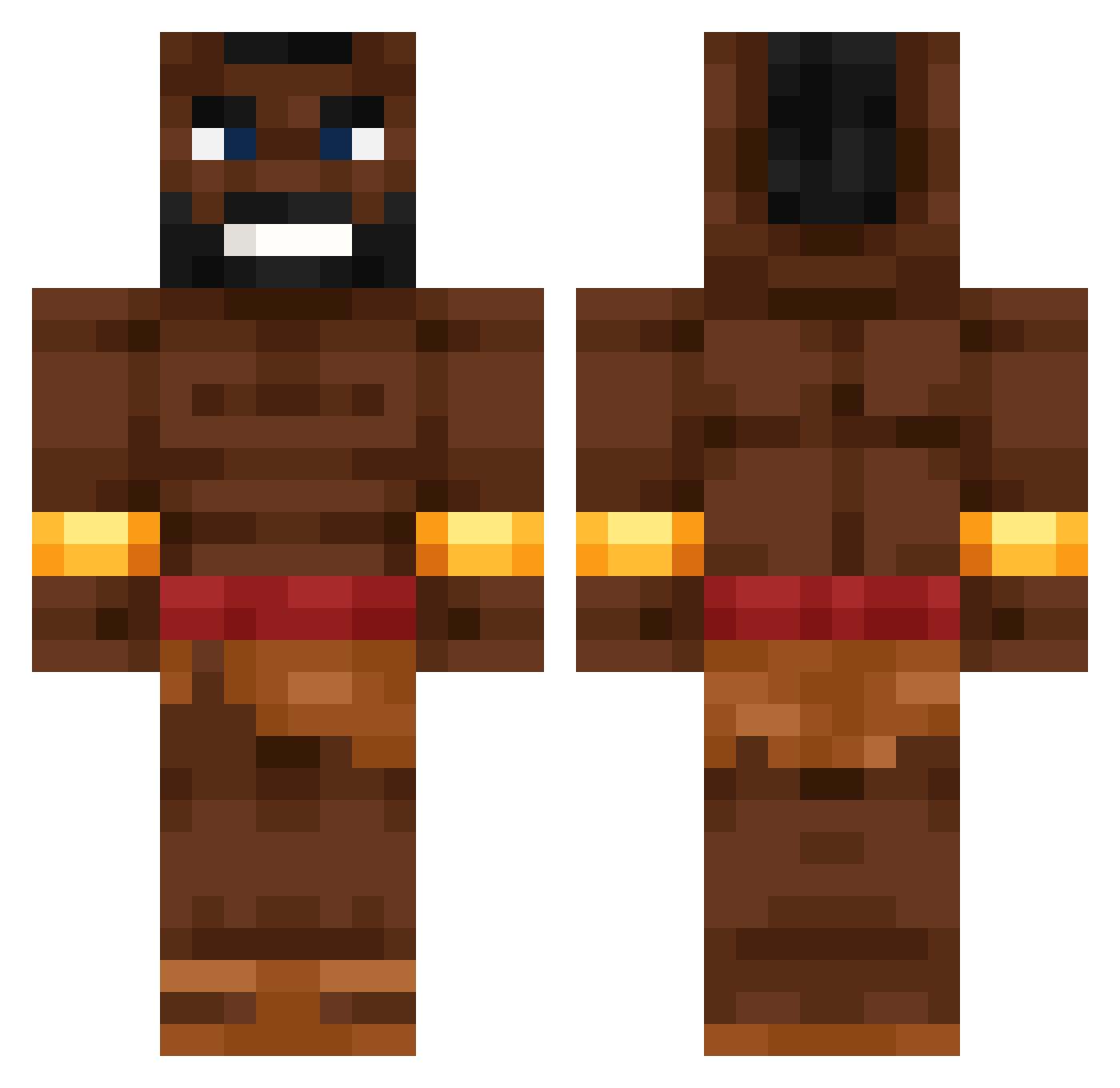
Current Minecraft skin of the player Poseidonneptun, loaded from the official Mojang API. Rotate the 3D model with your mouse or finger, then download the skin as a PNG file and use it in Minecraft: Bedrock Edition or Java Edition for free. When Poseidonneptun changes their skin, this page updates automatically and the old skin stays in the history below.
Other players with this skin (531)
Poseidonneptun was the 432nd player we have seen with this skin, first spotted on 09.10.2026. The same skin was seen on these players. Open a nickname to see their current skin and skin history.
 MagicTurtle0117 KorLinAlt Best4Gaming eliROCKS27 bartonEnjoyer Magma_Magier zKappa_99 MaliFunk AMSIK123 jjasonk ViktorKrum69 JoroPerkata iFoxy98 nipidor666 TheBoomer15 darius_834 joan_perez KalaNambi XB7real HILE5 Kumalala_Builder SLAYZER987 FoxyK_04 Dragon_658 Inacct1ve Lutis1 TomixC63 FigaYet Fencepoles7 Neksiuuu__ Igorjo2 Sillycat2047 samurg007 Kembeliver iw7_msmc_o9g gabzando LINIMEN HOG_RIDER68 freeythan Ensipatasi shafifn idonthaveuser MrKiddod Patie7t Papi_Wayne Xealve Asowatto muthmantri_ Bouchp MrLePourse chalantbigback Rayukon TingleTheWinkle Kurczok42 Russianwizzard Jancarlosta HazHer1 BaRTPL_404 tjr369 SwaggySwamp5930
More Actor Minecraft skins
How to install the Poseidonneptun skin
- Press the Download button above to save the skin as a PNG file.
- Minecraft: Bedrock Edition (PE): open the Dressing Room from the main menu (or tap your character → Edit Character), go to Classic Skins → Owned, press the + (new skin) button, choose the downloaded PNG and pick the Classic (Steve) model. Works on PC and mobile; consoles cannot import custom skins.
- Minecraft: Java Edition: open the Minecraft Launcher, go to the Skins tab, click New Skin, load the PNG, pick the Classic (Steve) model and press Save & Use. You can also upload it at minecraft.net → Profile → Change Skin.
The skin does not show up after import - what should I do?
Restart Minecraft and open the Dressing Room again - imported skins sometimes appear only after a restart. Also make sure you selected the imported skin and picked the Classic (Steve) model.
Which model should I choose, Classic or Slim?
This skin is designed for the Classic (Steve) model. If you pick the wrong model, the arms of the skin will look stretched or squeezed.
Is the skin of Poseidonneptun free to download?
Yes. Press Download, save the PNG file and use it in Minecraft: Bedrock Edition or Java Edition - no payment or registration needed. The skin also works on multiplayer servers and Realms.
More skins
Looking for more? Go back to all Minecraft skins and check the top skins of the week, month and all time, or find any player's skin by nickname.