
PootisBerd - Minecraft Skins & Skin History
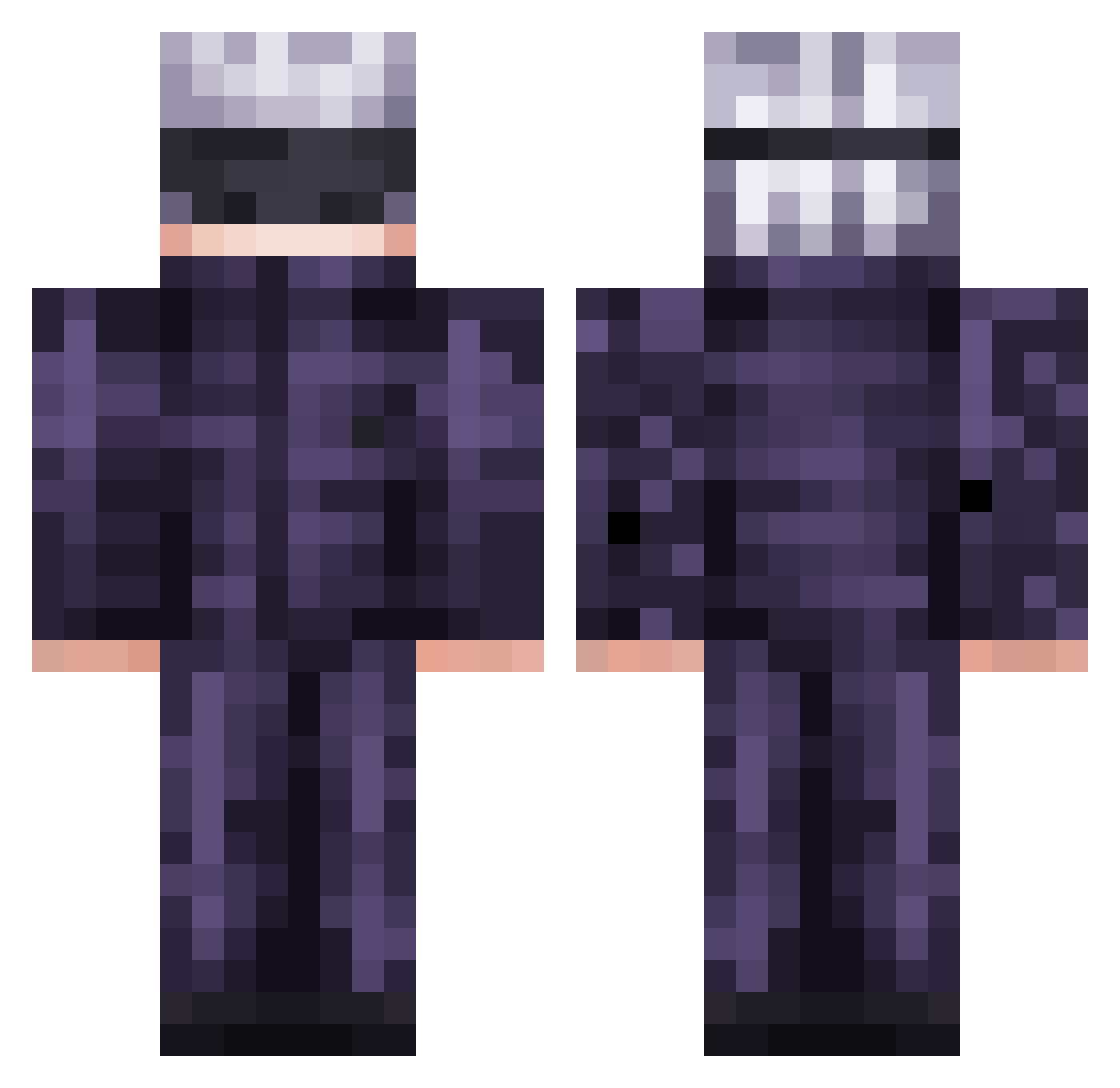
Current Minecraft skin of the player PootisBerd, loaded from the official Mojang API. Rotate the 3D model with your mouse or finger, then download the skin as a PNG file and use it in Minecraft: Bedrock Edition or Java Edition for free. When PootisBerd changes their skin, this page updates automatically and the old skin stays in the history below.
Other players with this skin (568)
PootisBerd was the 478th player we have seen with this skin, first spotted on 22.10.2026. The same skin was seen on these players. Open a nickname to see their current skin and skin history.
 alyssurr Hakomakko5 Surebuckle71 R0ccs JUICE4LIFE No___one AkashiMinogiri strawberryjxm ChangedLotus572 santiygx Hermanito61 Zannaaaaaa Doumauprmoon Ryan1011125 ImPlamster StinkyYuckyChees ItsOnix02 Wuuphie Nightr0ck Dragonfiree31 willy930824 EyanLJM Fiujy pa6r Ronan4002 Infixityx kebin0104 plagueburger K_hrono ElAgu_752 xBigDDylann SlightDepression 13125L xanxushu Germatronix JaQ2012 iridescent2925 STiVExD _Swequ_ Bryceward20 Mxndyz L30N1DA5 VilcabambaM xCzRevolution_ 69Turtlehead M2009cs 2ute DUAN0617 zenyhasCOVID EnderCleave Keillesvirus32 VirtuosoSun6052 markII_enjoer pugthepig Papasitofisial SmileDogg XisJinping Brutal66 Crixaro Raaraaa
More Satoru Gojo Minecraft skins
See all 1375 Satoru Gojo skins
How to install the PootisBerd skin
- Press the Download button above to save the skin as a PNG file.
- Minecraft: Bedrock Edition (PE): open the Dressing Room from the main menu (or tap your character → Edit Character), go to Classic Skins → Owned, press the + (new skin) button, choose the downloaded PNG and pick the Classic (Steve) model. Works on PC and mobile; consoles cannot import custom skins.
- Minecraft: Java Edition: open the Minecraft Launcher, go to the Skins tab, click New Skin, load the PNG, pick the Classic (Steve) model and press Save & Use. You can also upload it at minecraft.net → Profile → Change Skin.
The skin does not show up after import - what should I do?
Restart Minecraft and open the Dressing Room again - imported skins sometimes appear only after a restart. Also make sure you selected the imported skin and picked the Classic (Steve) model.
Which model should I choose, Classic or Slim?
This skin is designed for the Classic (Steve) model. If you pick the wrong model, the arms of the skin will look stretched or squeezed.
Is the skin of PootisBerd free to download?
Yes. Press Download, save the PNG file and use it in Minecraft: Bedrock Edition or Java Edition - no payment or registration needed. The skin also works on multiplayer servers and Realms.
More skins
Looking for more? Go back to all Minecraft skins and check the top skins of the week, month and all time, or find any player's skin by nickname.