
PoohBearHoney - Minecraft Skins & Skin History
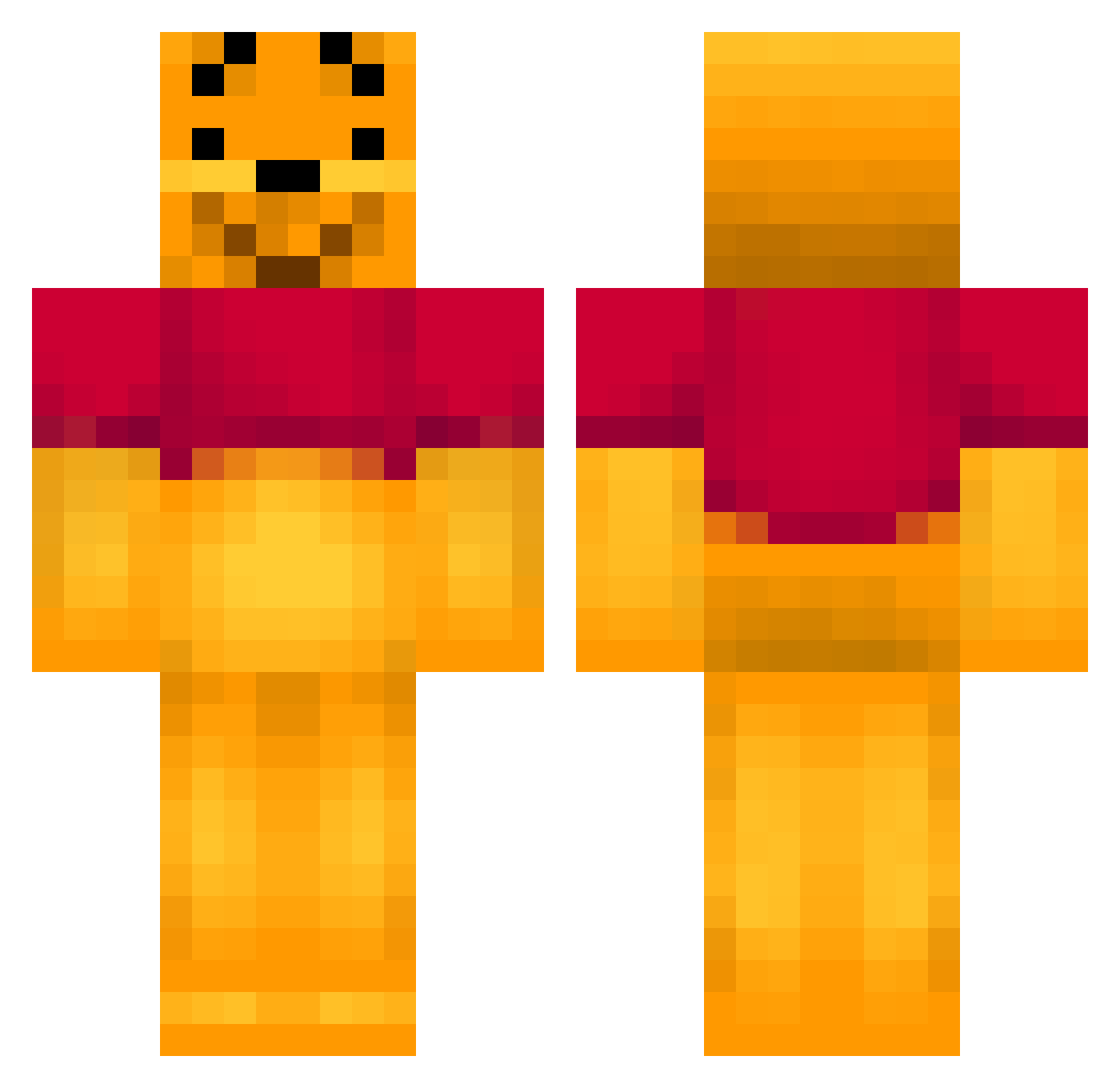
Current Minecraft skin of the player PoohBearHoney, loaded from the official Mojang API. Rotate the 3D model with your mouse or finger, then download the skin as a PNG file and use it in Minecraft: Bedrock Edition or Java Edition for free. When PoohBearHoney changes their skin, this page updates automatically and the old skin stays in the history below.
Other players with this skin (404)
PoohBearHoney was the 174th player we have seen with this skin, first spotted on 11.09.2026. The same skin was seen on these players. Open a nickname to see their current skin and skin history.
 MasSaCr33 CJ_HaLe Camo0810 B3ARBOSS fiof123 Dope_145 Annson Laurenasaurusrex Pegagus999 samaser piquepique s1mqn FoxxU TrollerDK kefcom bourpon DaniZijlemans Pueppy LuisNieto90 KokoLoco420 Bigcoops87 Winnieman85 Cory___ Linschen18 Quad_Mom ptimajord ellsia Nasigo ShibachTVT Shaqblaq TakeNC grayfox0918 einszweidreidein Colgate103 sutho_sisters sjokoman123 dananik05 BunnyxMagicZz gremlin896 Jukem Tarzanxoxo nurung2 MrGajuju rpants16 Ganac Babaas56 jorari kalebsoccer04 monkeypanda33 JohnParr 360maxblack1 happypan414 19T2G86 CallMeBigCheese cb1393 tamushi SimeonChr RezFerO Tuobbii nasu1059
More Winnie The Pooh Minecraft skins
See all 342 Winnie The Pooh skins
How to install the PoohBearHoney skin
- Press the Download button above to save the skin as a PNG file.
- Minecraft: Bedrock Edition (PE): open the Dressing Room from the main menu (or tap your character → Edit Character), go to Classic Skins → Owned, press the + (new skin) button, choose the downloaded PNG and pick the Classic (Steve) model. Works on PC and mobile; consoles cannot import custom skins.
- Minecraft: Java Edition: open the Minecraft Launcher, go to the Skins tab, click New Skin, load the PNG, pick the Classic (Steve) model and press Save & Use. You can also upload it at minecraft.net → Profile → Change Skin.
The skin does not show up after import - what should I do?
Restart Minecraft and open the Dressing Room again - imported skins sometimes appear only after a restart. Also make sure you selected the imported skin and picked the Classic (Steve) model.
Which model should I choose, Classic or Slim?
This skin is designed for the Classic (Steve) model. If you pick the wrong model, the arms of the skin will look stretched or squeezed.
Is the skin of PoohBearHoney free to download?
Yes. Press Download, save the PNG file and use it in Minecraft: Bedrock Edition or Java Edition - no payment or registration needed. The skin also works on multiplayer servers and Realms.
More skins
Looking for more? Go back to all Minecraft skins and check the top skins of the week, month and all time, or find any player's skin by nickname.