
Ponch02 - Minecraft Skins & Skin History
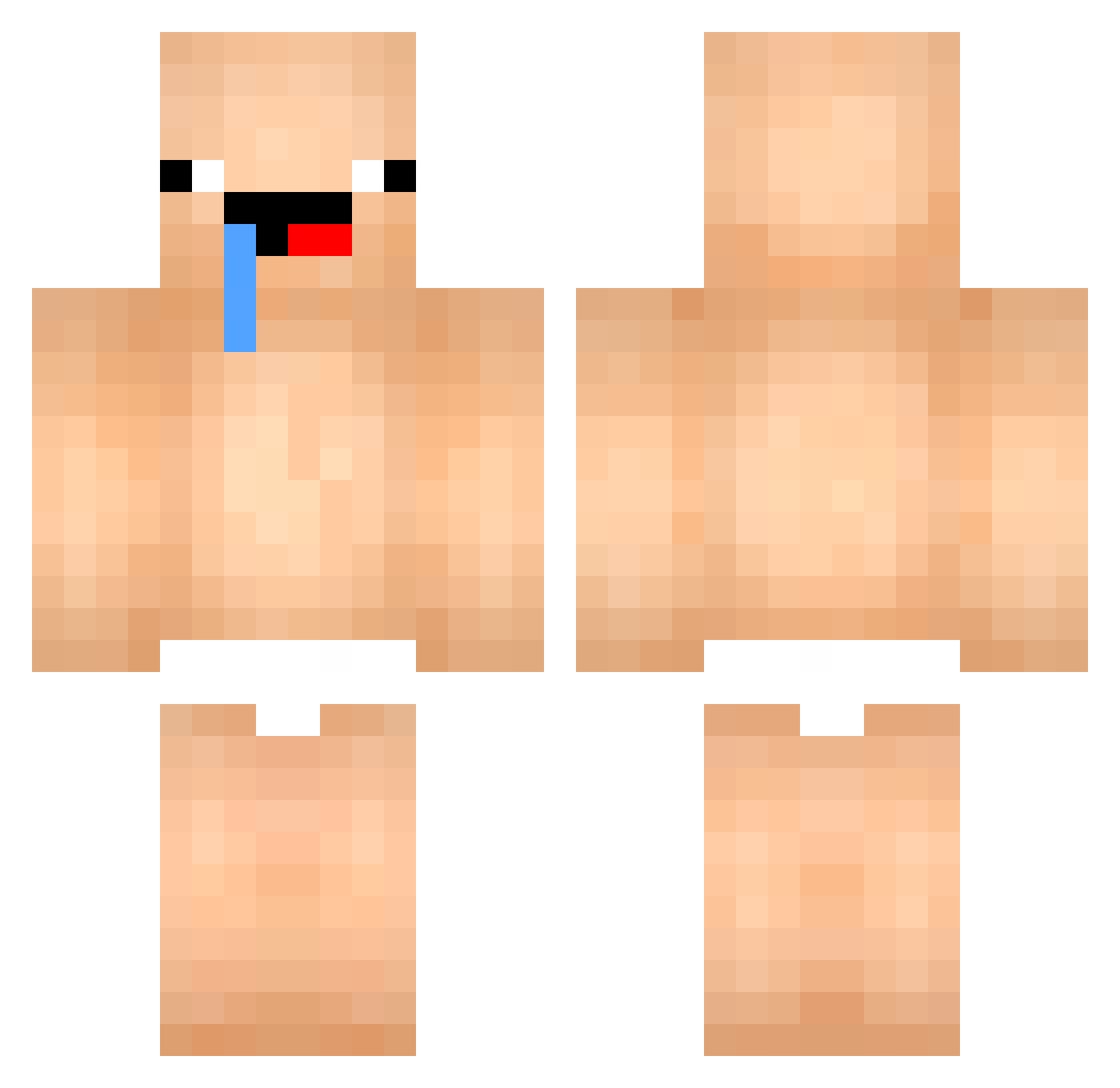
Current Minecraft skin of the player Ponch02, loaded from the official Mojang API. Rotate the 3D model with your mouse or finger, then download the skin as a PNG file and use it in Minecraft: Bedrock Edition or Java Edition for free. When Ponch02 changes their skin, this page updates automatically and the old skin stays in the history below.
Other players with this skin (447)
Ponch02 was the 32nd player we have seen with this skin, first spotted on 29.07.2026. The same skin was seen on these players. Open a nickname to see their current skin and skin history.
 ksjjk050
 Abo7Ahmad
 bambyyyyyy Louismms Taop866 316_ms KDY_0803 porkbelly5 SSearBadger54963 AlwaysSanya LamaShow ricky_80 swtie200kg Kodoczumaw xzwet_x jangdaniel Ashman1004 lugrovick gogo55777 changchang114 dmddorkehl Dreamfake0406 TJswo0830 joshuansu Affentanz Ziomek97 DrHiro69 yangjiung
 minsj2013
 GigaClack Noasky13 soato12 snejku0 EungAe1603 toast0125 your_face_ugly DIGIGO11 BailyKane Oedat243 Melon_Fanta sexsexgosu Cr4zy_Guy LilDewier109 ThugX LannTa Frostbite_515 brinate11 Daenoi Shostyle iiin_ JW4029 SexyGuy119 DaaniMC oluki_yla DarkTerror_104 Nobre_21 Ap7_85 Solidarc chongi0519 pigjang
More Baby Minecraft skins
How to install the Ponch02 skin
- Press the Download button above to save the skin as a PNG file.
- Minecraft: Bedrock Edition (PE): open the Dressing Room from the main menu (or tap your character → Edit Character), go to Classic Skins → Owned, press the + (new skin) button, choose the downloaded PNG and pick the Classic (Steve) model. Works on PC and mobile; consoles cannot import custom skins.
- Minecraft: Java Edition: open the Minecraft Launcher, go to the Skins tab, click New Skin, load the PNG, pick the Classic (Steve) model and press Save & Use. You can also upload it at minecraft.net → Profile → Change Skin.
The skin does not show up after import - what should I do?
Restart Minecraft and open the Dressing Room again - imported skins sometimes appear only after a restart. Also make sure you selected the imported skin and picked the Classic (Steve) model.
Which model should I choose, Classic or Slim?
This skin is designed for the Classic (Steve) model. If you pick the wrong model, the arms of the skin will look stretched or squeezed.
Is the skin of Ponch02 free to download?
Yes. Press Download, save the PNG file and use it in Minecraft: Bedrock Edition or Java Edition - no payment or registration needed. The skin also works on multiplayer servers and Realms.
More skins
Looking for more? Go back to all Minecraft skins and check the top skins of the week, month and all time, or find any player's skin by nickname.