
PolloRoztizado - Minecraft Skins & Skin History
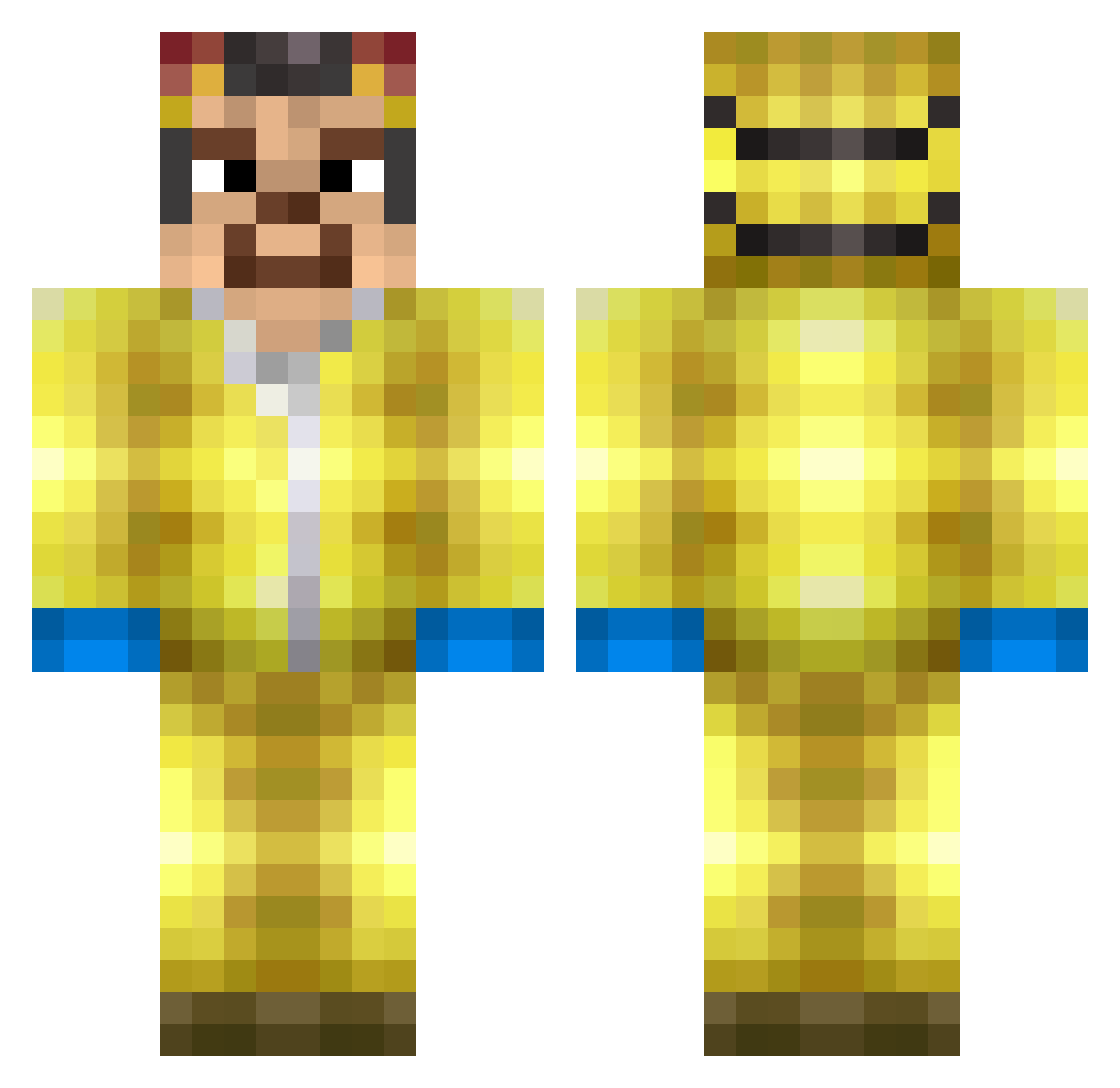
Current Minecraft skin of the player PolloRoztizado, loaded from the official Mojang API. Rotate the 3D model with your mouse or finger, then download the skin as a PNG file and use it in Minecraft: Bedrock Edition or Java Edition for free. When PolloRoztizado changes their skin, this page updates automatically and the old skin stays in the history below.
Other players with this skin (370)
PolloRoztizado was the 331st player we have seen with this skin, first spotted on 09.11.2026. The same skin was seen on these players. Open a nickname to see their current skin and skin history.
 batnataz shorty_psd ATMnoah connorctd HEISENBERG360 MiloDingle PsychoticJosh Oreogotajob4216 mentor_mentoss mamusinho Portgas_06 Carlus6 xMarski xxxlolowskixxx Scrabx27 asendentesupa SparxSV aio_aio RamGus esowazin123 davidshtif YoNaTaNs16 _00100_ HeisenbergMx AlejoTilin12 Oskituert _Fnt GehnichtaufHaus Wiburski Naranciananas TBNRFrags123450 PitchulaXDBR_PVP RamenNoodlezzz Eljek TukanMistiko Naonino JohnWick3000 Durdo3 Whatupk41 RocDiBo ItsNotNiko yoajuca Jakobenoksson DanTDMiner Yan_Yan1 chesswail KODEK11 battreep Heisnbergg WalterWhite2123 bllankys danyori Slorien571 waltiee Fl4tsTheFlounder AnthonyS55 kamiinek666 Mortiko crimetastesfunny ElusiveBear
More Walter White Minecraft skins
See all 681 Walter White skins
How to install the PolloRoztizado skin
- Press the Download button above to save the skin as a PNG file.
- Minecraft: Bedrock Edition (PE): open the Dressing Room from the main menu (or tap your character → Edit Character), go to Classic Skins → Owned, press the + (new skin) button, choose the downloaded PNG and pick the Classic (Steve) model. Works on PC and mobile; consoles cannot import custom skins.
- Minecraft: Java Edition: open the Minecraft Launcher, go to the Skins tab, click New Skin, load the PNG, pick the Classic (Steve) model and press Save & Use. You can also upload it at minecraft.net → Profile → Change Skin.
The skin does not show up after import - what should I do?
Restart Minecraft and open the Dressing Room again - imported skins sometimes appear only after a restart. Also make sure you selected the imported skin and picked the Classic (Steve) model.
Which model should I choose, Classic or Slim?
This skin is designed for the Classic (Steve) model. If you pick the wrong model, the arms of the skin will look stretched or squeezed.
Is the skin of PolloRoztizado free to download?
Yes. Press Download, save the PNG file and use it in Minecraft: Bedrock Edition or Java Edition - no payment or registration needed. The skin also works on multiplayer servers and Realms.
More skins
Looking for more? Go back to all Minecraft skins and check the top skins of the week, month and all time, or find any player's skin by nickname.