
Point_4 - Minecraft Skins & Skin History
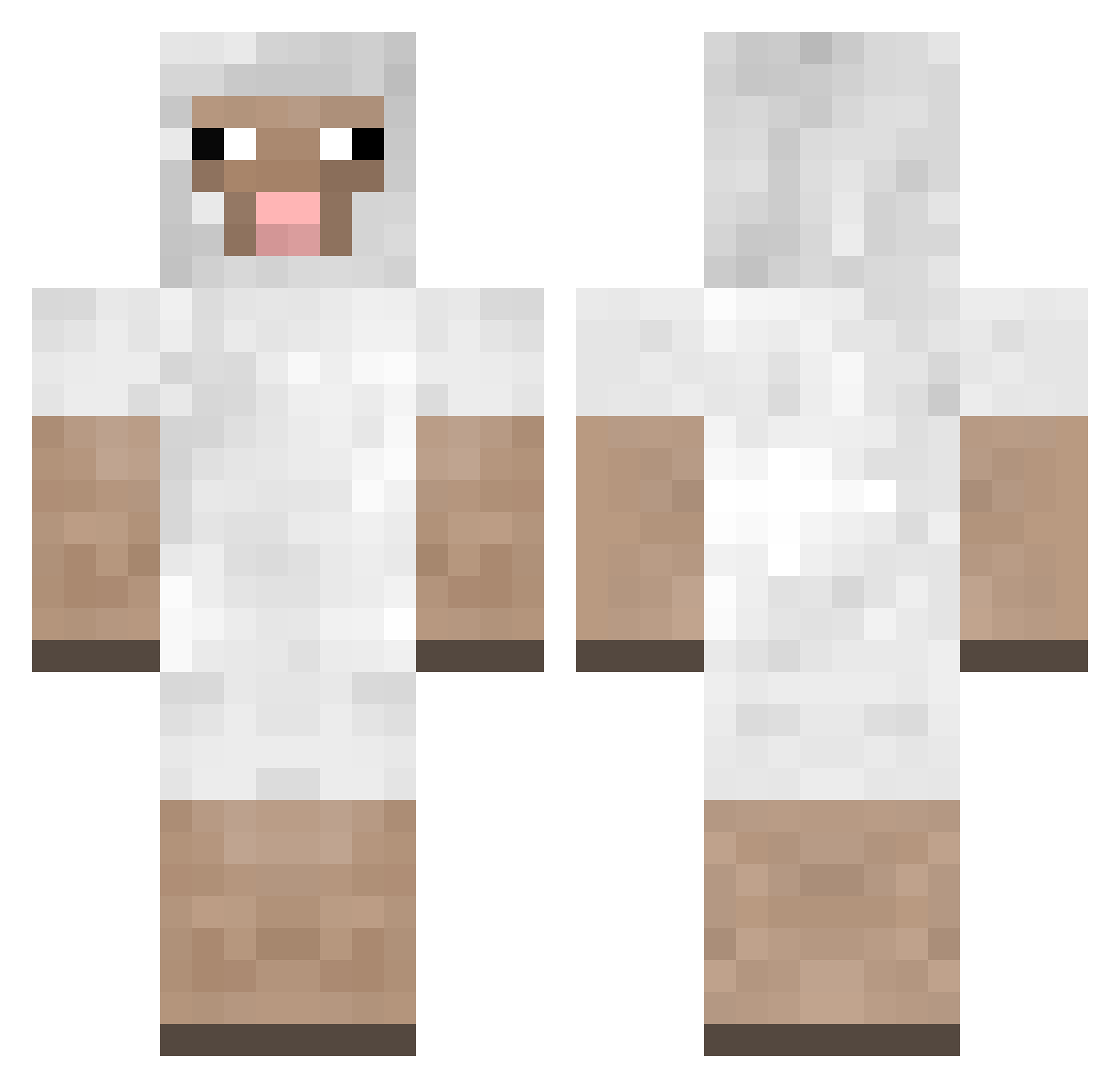
Current Minecraft skin of the player Point_4, loaded from the official Mojang API. Rotate the 3D model with your mouse or finger, then download the skin as a PNG file and use it in Minecraft: Bedrock Edition or Java Edition for free. When Point_4 changes their skin, this page updates automatically and the old skin stays in the history below.
Other players with this skin (241)
Point_4 was the 60th player we have seen with this skin, first spotted on 21.08.2026. The same skin was seen on these players. Open a nickname to see their current skin and skin history.
 juliussieburgh GoiS24 Pompula Crabb_Creeper RainBowGenius GoatDie Disonly iK1RBY sirtomtom1 GabbySheep Henboom FIufffy KKLZ Dreamsiclebomb JustIlse noLAMAnoo Chromecrafts mr_stink1254 DeCk0R StephenTheBoi ButatoMan Titome spykerspeed7 sheepbuddyfriend Vypolix_Game G6RETURN TheOnlyMorgana CowChunk irishdude200 StormElectrik _Elenya LoganNez DiamondButter19 Haloman8i10 ratasnuggle sfalk50 Rizemble alexandermander JuliaEkmaan Ugmu noiat KingJareth Chriszy gruffberry SquiRReLw0w meowinara AngusSteak zeeplatypus Lionkev iamsteven95 millern2000 OpponentLamb767 Hadong astra5000 JazzBari estee_v N0DeNG Steakerer Lamb_Dude lievepieve
More Sheep Minecraft skins
How to install the Point_4 skin
- Press the Download button above to save the skin as a PNG file.
- Minecraft: Bedrock Edition (PE): open the Dressing Room from the main menu (or tap your character → Edit Character), go to Classic Skins → Owned, press the + (new skin) button, choose the downloaded PNG and pick the Classic (Steve) model. Works on PC and mobile; consoles cannot import custom skins.
- Minecraft: Java Edition: open the Minecraft Launcher, go to the Skins tab, click New Skin, load the PNG, pick the Classic (Steve) model and press Save & Use. You can also upload it at minecraft.net → Profile → Change Skin.
The skin does not show up after import - what should I do?
Restart Minecraft and open the Dressing Room again - imported skins sometimes appear only after a restart. Also make sure you selected the imported skin and picked the Classic (Steve) model.
Which model should I choose, Classic or Slim?
This skin is designed for the Classic (Steve) model. If you pick the wrong model, the arms of the skin will look stretched or squeezed.
Is the skin of Point_4 free to download?
Yes. Press Download, save the PNG file and use it in Minecraft: Bedrock Edition or Java Edition - no payment or registration needed. The skin also works on multiplayer servers and Realms.
More skins
Looking for more? Go back to all Minecraft skins and check the top skins of the week, month and all time, or find any player's skin by nickname.