
PoZ_WoB - Minecraft Skins & Skin History
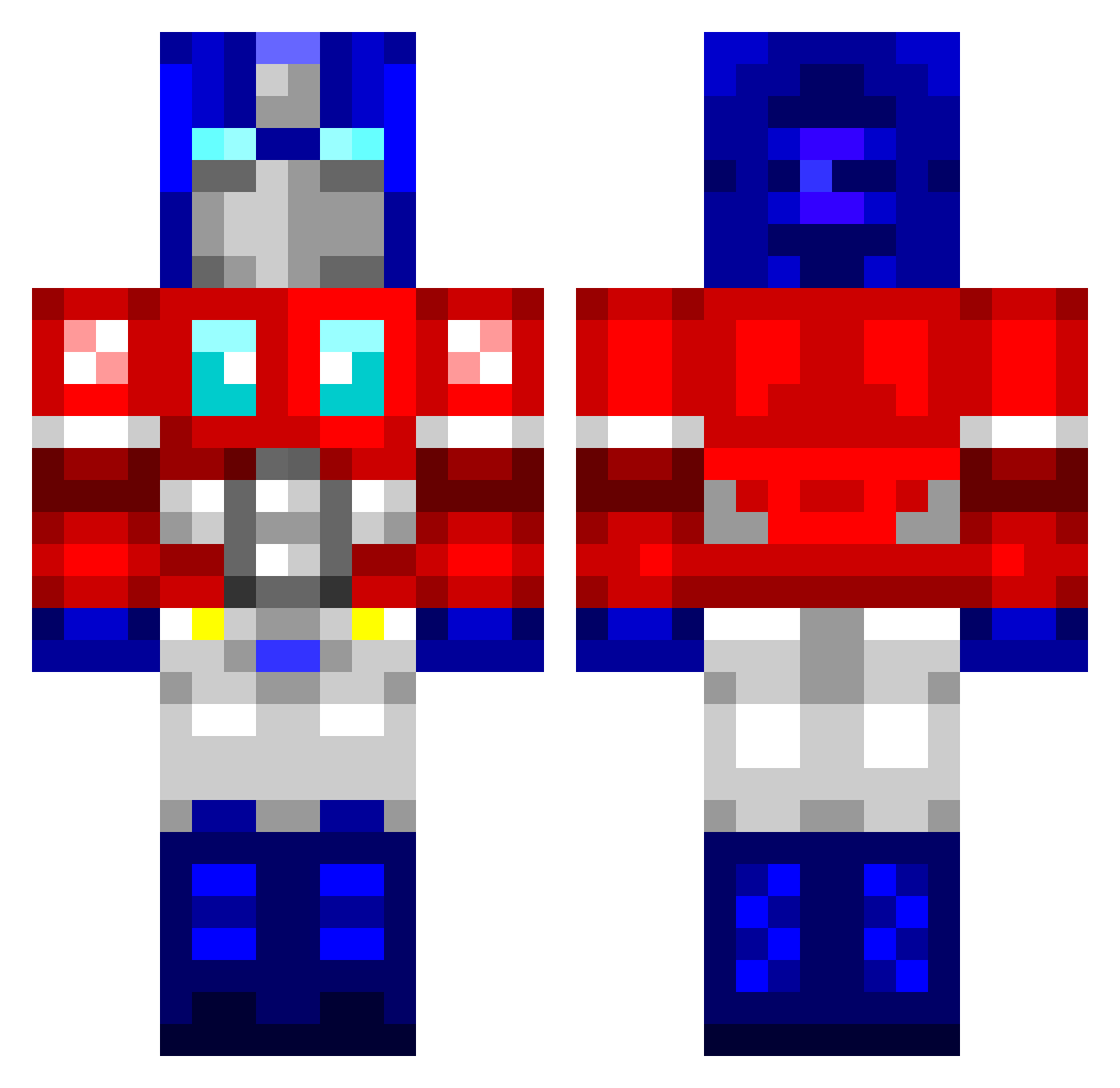
Current Minecraft skin of the player PoZ_WoB, loaded from the official Mojang API. Rotate the 3D model with your mouse or finger, then download the skin as a PNG file and use it in Minecraft: Bedrock Edition or Java Edition for free. When PoZ_WoB changes their skin, this page updates automatically and the old skin stays in the history below.
Other players with this skin (760)
PoZ_WoB was the 217th player we have seen with this skin, first spotted on 22.08.2026. The same skin was seen on these players. Open a nickname to see their current skin and skin history.
 Hey_oh808 Raul_XD Dubcepticon salems0001 Bobbicus80 Siema02 uurayan McIsaac Crafbeard elliotislord C_H_DubbZ TheatyHD DavG4m3r poupou8965 x22BRx Arvark GenoASalami26 WaffleGod masterchief1254 Zombie_Bacon dustyclean JX15 empizzle forklift_159 Shadow135810 Demagnetize tedeebez LeMax0507 gqjen97 GreenPea1244 phantom_hax0r CaptureCard dave1579 porkchop134 dthomas32 rats796 Shabbah Carlitex Comic31 PijusBBD medina77 Vinder InvoicingQuasar maoriboy75 CactusFarm Cero17 Zero_Cool92 Wombat5493 eldestructor spinlikecheese PinkSock69 Aristoplays Lagaanjoh KiLLer19751975 maureenponderosa DUBLEDEUCE evoaura jillay iEDMO Cloudscape
More Optimus Prime Minecraft skins
See all 87 Optimus Prime skins
How to install the PoZ_WoB skin
- Press the Download button above to save the skin as a PNG file.
- Minecraft: Bedrock Edition (PE): open the Dressing Room from the main menu (or tap your character → Edit Character), go to Classic Skins → Owned, press the + (new skin) button, choose the downloaded PNG and pick the Classic (Steve) model. Works on PC and mobile; consoles cannot import custom skins.
- Minecraft: Java Edition: open the Minecraft Launcher, go to the Skins tab, click New Skin, load the PNG, pick the Classic (Steve) model and press Save & Use. You can also upload it at minecraft.net → Profile → Change Skin.
The skin does not show up after import - what should I do?
Restart Minecraft and open the Dressing Room again - imported skins sometimes appear only after a restart. Also make sure you selected the imported skin and picked the Classic (Steve) model.
Which model should I choose, Classic or Slim?
This skin is designed for the Classic (Steve) model. If you pick the wrong model, the arms of the skin will look stretched or squeezed.
Is the skin of PoZ_WoB free to download?
Yes. Press Download, save the PNG file and use it in Minecraft: Bedrock Edition or Java Edition - no payment or registration needed. The skin also works on multiplayer servers and Realms.
More skins
Looking for more? Go back to all Minecraft skins and check the top skins of the week, month and all time, or find any player's skin by nickname.