
Plazmaic - Minecraft Skins & Skin History
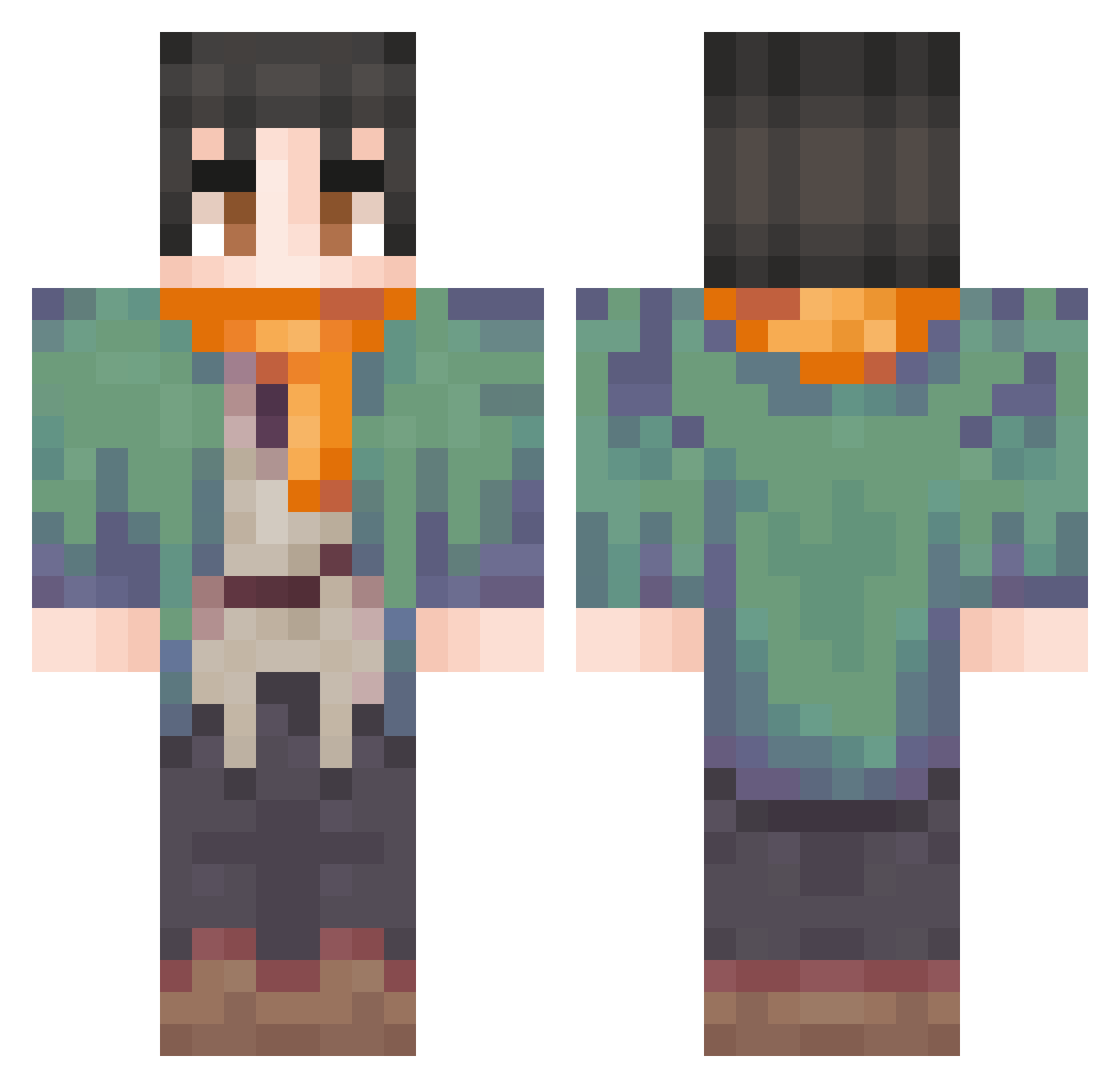
Current Minecraft skin of the player Plazmaic, loaded from the official Mojang API. Rotate the 3D model with your mouse or finger, then download the skin as a PNG file and use it in Minecraft: Bedrock Edition or Java Edition for free. When Plazmaic changes their skin, this page updates automatically and the old skin stays in the history below.
Other players with this skin (74)
Plazmaic was the 18th player we have seen with this skin, first spotted on 12.08.2026. The same skin was seen on these players. Open a nickname to see their current skin and skin history.
 TotoPsg9092011 dodgexpl Takin9 Jeico704 PrinceZeno Doom_Oxy CyberZ4N3
 _Taupe_ Rngeusses
 Spinosaurus9226 noptop707
 IrishSans Dudspnato Gadahar Tsuk__ regunut Matuu184_ig Maggogieraffe Lean_ofc xvnwax Togocatar_648518 ColonelFoot__ ElieDeLaCorte gustavinhoooooo MilanGamer1498 Vadim8620
 PascalYTHDTV Unturnox Germa42
 mdfcart FancyR4t odiniscool200 Pickle144
 gebkjn cwuteish 1rm7z
 Soulravenn9 T1rrr Mustitur Ryanrules154 TGS_Apex Darker1006 Filebattuto Swelyk rainbowstellar xanarchy101slate Izik112408 kitz727 SUPANIKAA Oneslayed AndranikOzanian Ghosty_Yoki Ragnaros1911 ancero83 Luffy09052011 Barusu_01 itzOMAR7 N0ZOMII Temki ZenkaiBankai
More Adventurer Minecraft skins
How to install the Plazmaic skin
- Press the Download button above to save the skin as a PNG file.
- Minecraft: Bedrock Edition (PE): open the Dressing Room from the main menu (or tap your character → Edit Character), go to Classic Skins → Owned, press the + (new skin) button, choose the downloaded PNG and pick the Classic (Steve) model. Works on PC and mobile; consoles cannot import custom skins.
- Minecraft: Java Edition: open the Minecraft Launcher, go to the Skins tab, click New Skin, load the PNG, pick the Classic (Steve) model and press Save & Use. You can also upload it at minecraft.net → Profile → Change Skin.
The skin does not show up after import - what should I do?
Restart Minecraft and open the Dressing Room again - imported skins sometimes appear only after a restart. Also make sure you selected the imported skin and picked the Classic (Steve) model.
Which model should I choose, Classic or Slim?
This skin is designed for the Classic (Steve) model. If you pick the wrong model, the arms of the skin will look stretched or squeezed.
Is the skin of Plazmaic free to download?
Yes. Press Download, save the PNG file and use it in Minecraft: Bedrock Edition or Java Edition - no payment or registration needed. The skin also works on multiplayer servers and Realms.
More skins
Looking for more? Go back to all Minecraft skins and check the top skins of the week, month and all time, or find any player's skin by nickname.