
PlasmicPigeon - Minecraft Skins & Skin History
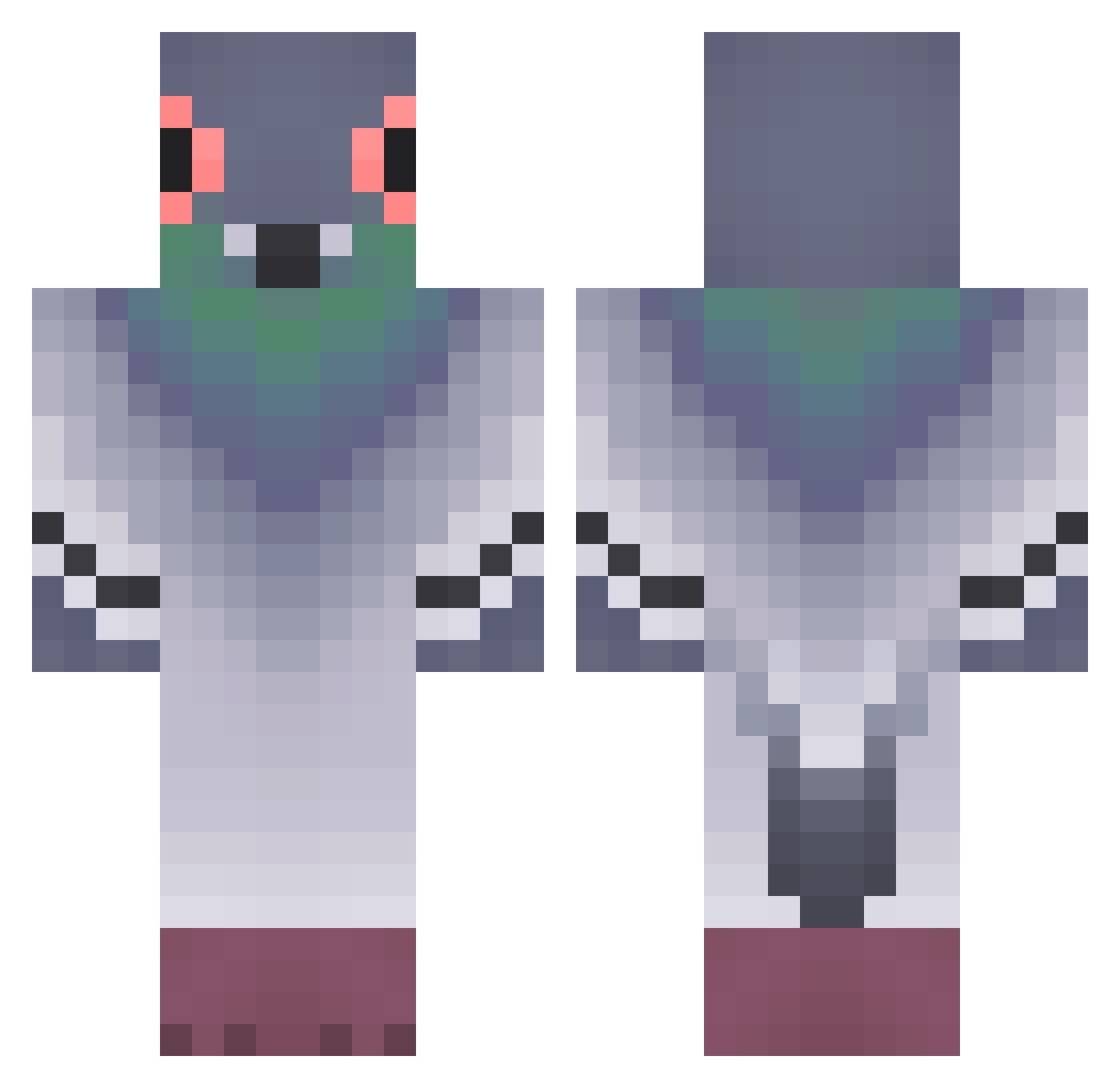
Current Minecraft skin of the player PlasmicPigeon, loaded from the official Mojang API. Rotate the 3D model with your mouse or finger, then download the skin as a PNG file and use it in Minecraft: Bedrock Edition or Java Edition for free. When PlasmicPigeon changes their skin, this page updates automatically and the old skin stays in the history below.
Other players with this skin (371)
PlasmicPigeon was the 328th player we have seen with this skin, first spotted on 21.10.2026. The same skin was seen on these players. Open a nickname to see their current skin and skin history.
 LZHPM25 Annabel2048 Noxiouzs pakipotente1 slvfaaaa ojetr JAKYOOO Pupillae chopete14 Yasuo3612 Iiqs lovely_ab_ memell Zlodei_KN NicoCore Tuhoavastio MooMoo78 xrnotzww Amberitta PunKurai now133 Miker96 Seb1049p JuliardvD MonsieurFarfelu Mariomc10 Pocees whothefishannes Ugogoll frederickkkk BruniAzulao Massmansion7 Rea9eR__ UnePtiteTruite Ailurus21 xmfpdlemakzm Jungle000 EmptyNote luciferjdvd TAKEI77 LeonLePigeon Noahnature263 n00zbik MrGeekedUp Youpiiiiiiiiiii YAP_Night Boydedino ChurrosDrift HyroniX_ __sambal SokolBiceps I_Magnolia_I Heisen_m Vinedntia haRlmeloy Lexi_Rivner Vollversion Kamisitooo _Farabin_ Tsauria
More Pigeon Minecraft skins
How to install the PlasmicPigeon skin
- Press the Download button above to save the skin as a PNG file.
- Minecraft: Bedrock Edition (PE): open the Dressing Room from the main menu (or tap your character → Edit Character), go to Classic Skins → Owned, press the + (new skin) button, choose the downloaded PNG and pick the Classic (Steve) model. Works on PC and mobile; consoles cannot import custom skins.
- Minecraft: Java Edition: open the Minecraft Launcher, go to the Skins tab, click New Skin, load the PNG, pick the Classic (Steve) model and press Save & Use. You can also upload it at minecraft.net → Profile → Change Skin.
The skin does not show up after import - what should I do?
Restart Minecraft and open the Dressing Room again - imported skins sometimes appear only after a restart. Also make sure you selected the imported skin and picked the Classic (Steve) model.
Which model should I choose, Classic or Slim?
This skin is designed for the Classic (Steve) model. If you pick the wrong model, the arms of the skin will look stretched or squeezed.
Is the skin of PlasmicPigeon free to download?
Yes. Press Download, save the PNG file and use it in Minecraft: Bedrock Edition or Java Edition - no payment or registration needed. The skin also works on multiplayer servers and Realms.
More skins
Looking for more? Go back to all Minecraft skins and check the top skins of the week, month and all time, or find any player's skin by nickname.