
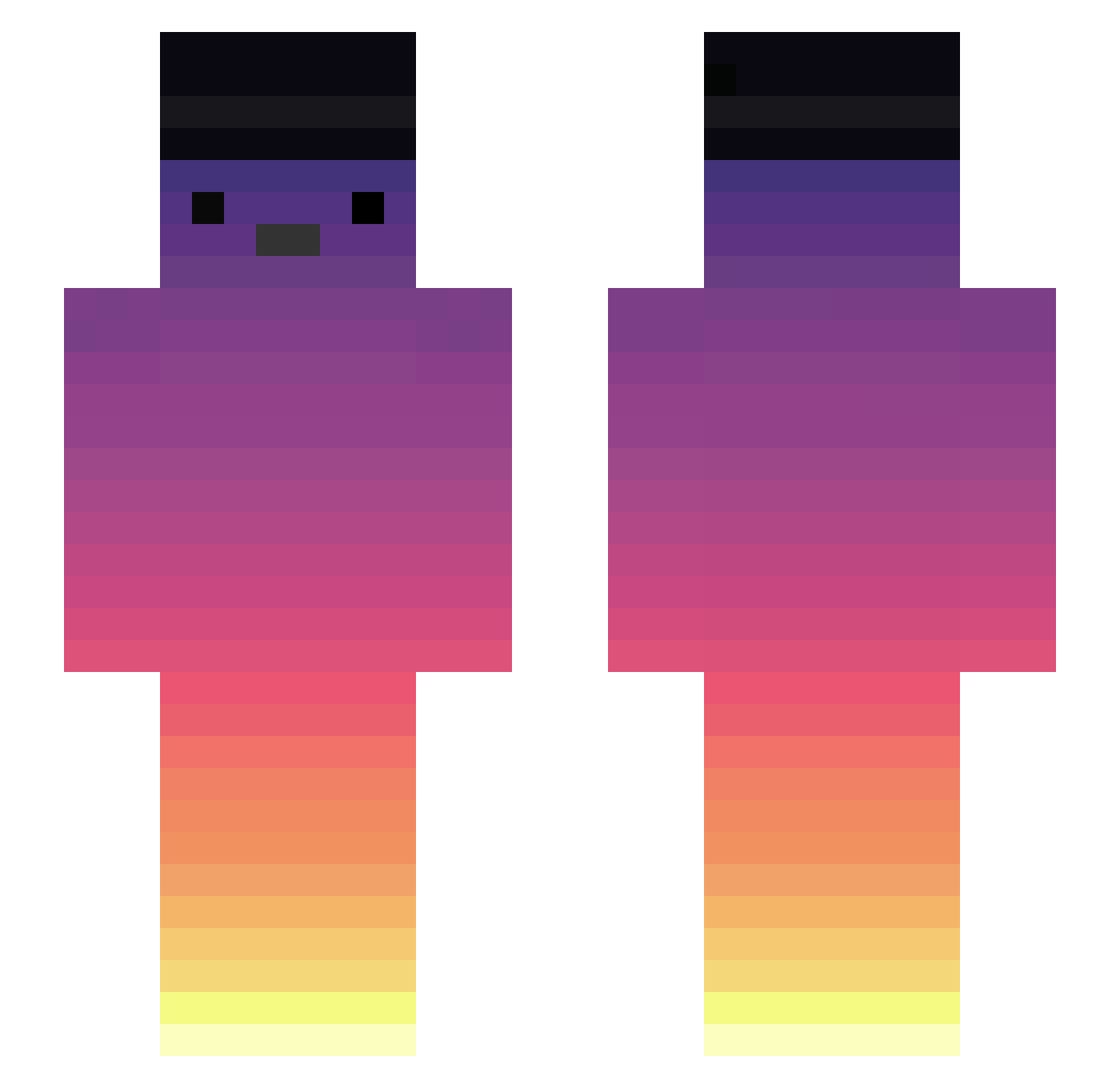
Current Minecraft skin of the player Plaeg_Play, loaded from the official Mojang API. Rotate the 3D model with your mouse or finger, then download the skin as a PNG file and use it in Minecraft: Bedrock Edition or Java Edition for free. When Plaeg_Play changes their skin, this page updates automatically and the old skin stays in the history below.
Other players with this skin (288)
Plaeg_Play was the 202nd player we have seen with this skin, first spotted on 25.09.2026. The same skin was seen on these players. Open a nickname to see their current skin and skin history.
 ricardo_bast MartitoDoFusca FinnGanz BuzzBlueFire Raskeee Satumaoden TomCortez_ _Faca_ Pantokj Zenyen1 maracuj456 Orikules MrFoxy_PL Angel_pa Mlapastek HackerTzt1 wannahurtyou knowwhatis LukasTheWise Zouser67 Arziparsa EnzoGuru magma1239 Lemalema Ph_Dias MatheuszinLima Paulo2hg les_trois Des_LigaduS Rapidinho caduzizzzinnnn09 Zezinho0_ momoiro__777 ___NAV___ Mayfizz 6_DN Biel321 Vin28WasFound TKRFERREIRA Suzanin Bolotaa Cata2411 SnownY3 siskoserif piggyzomb12 Zachsupermax SkrxzzZ StoCee ARGO_d_NAUTA BlacksSn lnwTarZa lein2450 DisDolphin Vixzzyy Ritarado ososkl Colt2255 Danvidwick Billy_ouo marimo1020
More Sunset Minecraft skins
How to install the Plaeg_Play skin
- Press the Download button above to save the skin as a PNG file.
- Minecraft: Bedrock Edition (PE): open the Dressing Room from the main menu (or tap your character → Edit Character), go to Classic Skins → Owned, press the + (new skin) button, choose the downloaded PNG and pick the Slim (Alex) model. Works on PC and mobile; consoles cannot import custom skins.
- Minecraft: Java Edition: open the Minecraft Launcher, go to the Skins tab, click New Skin, load the PNG, pick the Slim (Alex) model and press Save & Use. You can also upload it at minecraft.net → Profile → Change Skin.
The skin does not show up after import - what should I do?
Restart Minecraft and open the Dressing Room again - imported skins sometimes appear only after a restart. Also make sure you selected the imported skin and picked the Slim (Alex) model.
Which model should I choose, Classic or Slim?
This skin is designed for the Slim (Alex) model. If you pick the wrong model, the arms of the skin will look stretched or squeezed.
Is the skin of Plaeg_Play free to download?
Yes. Press Download, save the PNG file and use it in Minecraft: Bedrock Edition or Java Edition - no payment or registration needed. The skin also works on multiplayer servers and Realms.
More skins
Looking for more? Go back to all Minecraft skins and check the top skins of the week, month and all time, or find any player's skin by nickname.