
Pixdul - Minecraft Skins & Skin History
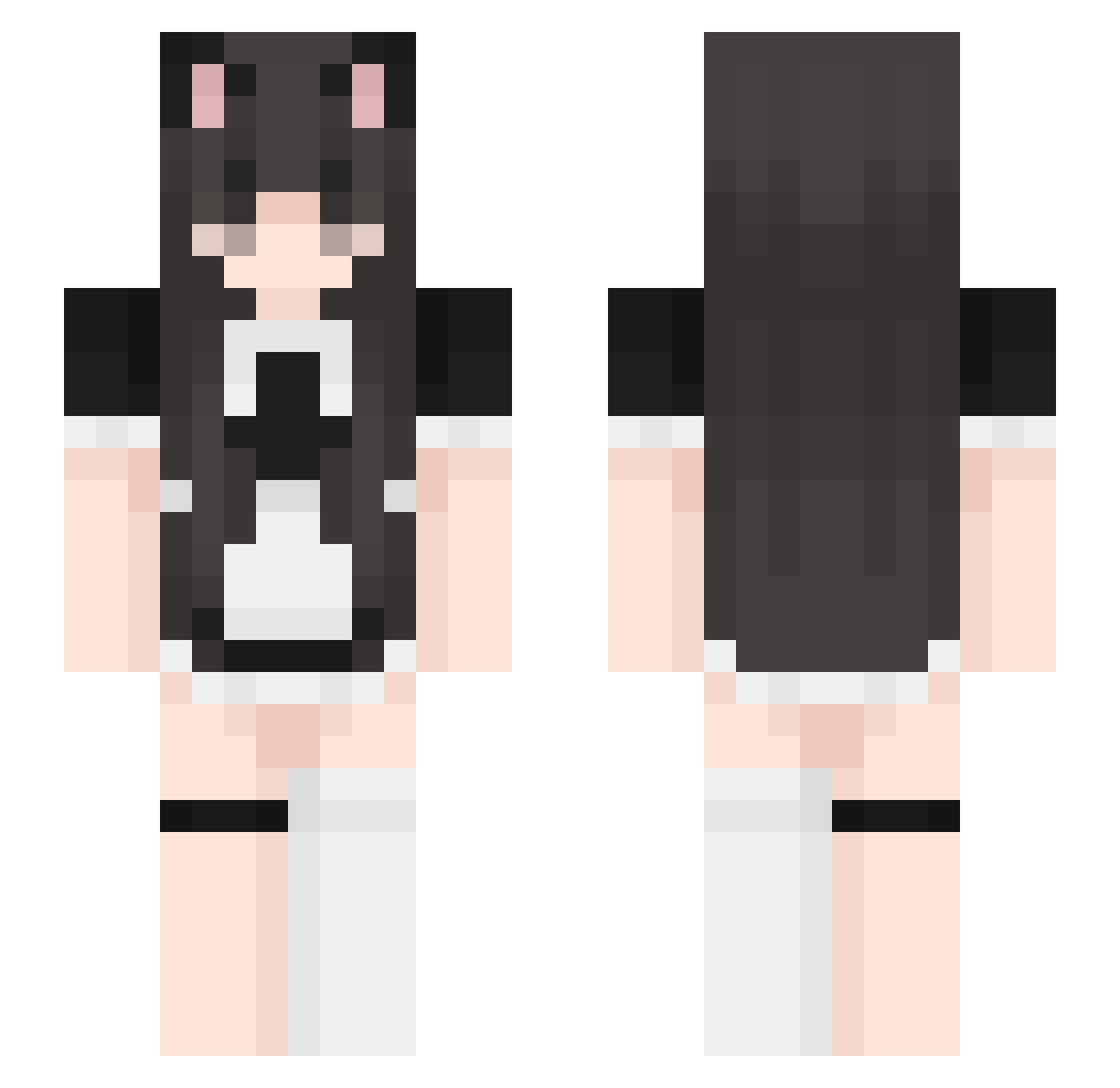
Current Minecraft skin of the player Pixdul, loaded from the official Mojang API. Rotate the 3D model with your mouse or finger, then download the skin as a PNG file and use it in Minecraft: Bedrock Edition or Java Edition for free. When Pixdul changes their skin, this page updates automatically and the old skin stays in the history below.
Other players with this skin (401)
Pixdul was the 242nd player we have seen with this skin, first spotted on 25.09.2026. The same skin was seen on these players. Open a nickname to see their current skin and skin history.
 kanjioo tde9627 snoomfie mommyalexa69 meonzu ItsBunno Seabyngz lil0mochii Mire313 k_yumi fawnie navi3_ MaidKitten hotdogjello Emilia0723 MickboyPvP_ Jolymell KheisyGT Cosmo1342 DaRonXX2 hatstealer __Zieloneek__ DaRkXd89 Hiraeth_luv Vvaal08 madzinka44 Lemoneesa swaggercows Pratyyy YOMIKO711 BuffGecko RayxonBleh Julia_NOVA YuCiccccc iamtig01 kisscz DontFallForMe _Loboo_ JammyKitty cultbaby linkavv hbby666 DinoAnita Mert2008g krutoi_artem1337 VapeV4StillGood Modeez Yoshino2022 u4E0A funshiz tsarbomb7765JAVA AUTHENIK ClarissaJohnson daniella__ KazukiFan sigureAMS Wyrren69 MizzNotFound egirl_rrinzy DreaxxDrea
More Maid Minecraft skins
How to install the Pixdul skin
- Press the Download button above to save the skin as a PNG file.
- Minecraft: Bedrock Edition (PE): open the Dressing Room from the main menu (or tap your character → Edit Character), go to Classic Skins → Owned, press the + (new skin) button, choose the downloaded PNG and pick the Slim (Alex) model. Works on PC and mobile; consoles cannot import custom skins.
- Minecraft: Java Edition: open the Minecraft Launcher, go to the Skins tab, click New Skin, load the PNG, pick the Slim (Alex) model and press Save & Use. You can also upload it at minecraft.net → Profile → Change Skin.
The skin does not show up after import - what should I do?
Restart Minecraft and open the Dressing Room again - imported skins sometimes appear only after a restart. Also make sure you selected the imported skin and picked the Slim (Alex) model.
Which model should I choose, Classic or Slim?
This skin is designed for the Slim (Alex) model. If you pick the wrong model, the arms of the skin will look stretched or squeezed.
Is the skin of Pixdul free to download?
Yes. Press Download, save the PNG file and use it in Minecraft: Bedrock Edition or Java Edition - no payment or registration needed. The skin also works on multiplayer servers and Realms.
More skins
Looking for more? Go back to all Minecraft skins and check the top skins of the week, month and all time, or find any player's skin by nickname.